
Phone Tracker & GPS Location review
 Analysis by Appsdrops
I judge a family location app less by how reassuring its map looks and more by whether it helps people coordinate without creating extra worry. Phone Tracker & GPS Location is a free parenting app from GPS Tracker & Location Tracker & Phone Tracker LAB, built around finding family and friends on a map. Its purpose is straightforward; the more important question is whether that kind of location sharing fits the way your household actually communicates.
What the free option is worth
The app can be installed without an upfront price, which makes it easy to try before deciding whether location sharing belongs in your routine. It has optional in-app purchases ranging from $5.99 to $49.99 per item, so “free” describes the entry point, not every possible purchase. I would begin by exploring the no-cost experience and only consider paying if you can identify a specific benefit you need.
That distinction matters in this category. A family might only want an occasional way to check whether someone has arrived, while another may want location sharing to be part of everyday coordination. Those are different levels of need, and it would be a mistake to treat a purchase as automatically worthwhile just because the app shows a paid option. Check what a particular purchase includes in the app before paying, and compare it with what your family already gets from its phones.
The app has a 4.3 average from around 253,000 ratings, and it has been installed over a million times. Those figures suggest many people have tried it, but they do not tell me whether its paid options will suit your household or whether it will work well in your local conditions. I’d use the free access to answer those practical questions first.
What the map can—and cannot—solve
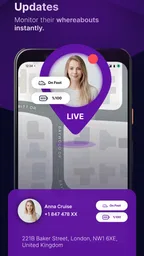
Knowing where a person’s phone appears on a map can reduce a narrow kind of uncertainty: whether they seem to be on the way, or whether they have reached the agreed place. It does not replace a message about a delayed bus, a change of plan, or a person who cannot safely check their phone. I see the strongest value here as a backup for coordination, not as a substitute for conversation or supervision.
For example, imagine a parent waiting at home while an older child travels back from an activity. A quick look at the map may help the parent decide whether to start dinner or send a message asking for an update. That is useful when both people have agreed to share location. It becomes less useful if the family expects the map to explain why someone has stopped moving or to guarantee that the displayed position is current.
That difference is easy to overlook: a map gives a location view, not the context behind it. If a person is late, I would still contact them rather than infer a problem from a pin. This is a healthier way to use a tracker and helps keep the tool from becoming a source of unnecessary alarm.
Set expectations before sharing
My first practical recommendation is to discuss when and why location sharing will be used before anyone starts checking the map. In a family, a child may understand “so I know you got there” differently from “I can watch where you are all day.” Agreeing on the purpose makes the app easier to trust and gives everyone a chance to say what feels reasonable.
A useful routine is to connect a check to a real decision: confirming arrival at school, a relative’s home, or an activity. Avoid making repeated checks the default when a simple message would do. This is not a special function; it is a way to make a location tool less intrusive and more useful. It also helps families notice when they are relying on the app for reassurance that a conversation would provide better.
Another practical tip is to decide in advance what you will do if the map does not answer a question. For instance, if the location looks unexpected, send a calm message or call rather than treating the map as proof that something is wrong. That small rule can prevent a technical uncertainty from turning into a family argument.
Where it sits among the alternatives
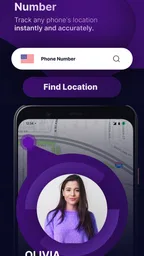
Phone Tracker & GPS Location belongs to the familiar family-location approach: people use a map to check on one another, rather than relying only on calls or texts. Compared with ordinary messaging, its appeal is that the location view can answer “where does the phone appear to be?” without waiting for someone to type a reply. Compared with a phone’s built-in location-sharing tools, it is an additional app to consider, not an automatic upgrade.
If your household already uses a built-in sharing option comfortably, that may be the simpler choice. It avoids introducing a separate app solely to repeat a task your phones already handle. On the other hand, if you specifically want to try a dedicated tracker, this app’s focused purpose may be easier for family members to understand than a broader social or messaging app. The best comparison is not which one has the most features, but which one everyone is willing to use openly and consistently.
There is also a trade-off between convenience and interpretation. A quick map check is convenient, but people can mistake a displayed location for a live, complete account of someone’s circumstances. A call or text is slower, yet it gives the person a chance to explain. I would keep both options available and use the map for orientation rather than treating it as a conversation replacement.
Who is likely to get value
I can see this app suiting parents and relatives who have a clear, mutual reason to share location: coordinating pickup, checking that a family member appears to have reached an agreed destination, or reducing the number of routine “Are you there yet?” messages. It may be particularly useful when the people involved are comfortable with location sharing and already have a habit of keeping their phones with them.
It is less suitable for someone who wants a tracker to settle disputes, monitor another adult without consent, or guarantee a person’s safety. A location tool cannot establish what someone is doing, why they are at a particular place, or whether they need help. If trust is already strained, adding a map may increase tension instead of resolving it. In that situation, I would choose a direct conversation before installing any tracker.
It is also worth considering whether everyone in the group can and will use the app. The product is listed for Everyone and requires Android 7.0 or later; the current version is 2.9. Those details help Android users check basic compatibility, but they do not answer whether the app fits a particular family’s devices or habits. The most reliable test is to try it with the people who would actually share their location and see whether the routine feels useful rather than burdensome.
Small decisions that make the trial more useful
When trying the app, start with one practical use case rather than asking the whole family to treat it as an all-purpose safety system. Agree on a destination or journey where a map check would genuinely save time, then see whether it improves coordination. If everyone still prefers a quick message, that is useful evidence too: the app may not be solving a problem your household has.
Keep the group small and the expectations specific. A parent and child, or two relatives coordinating a pickup, can evaluate whether the arrangement works without turning location sharing into a household-wide default. If the tool leads to frequent checking, explain why you are checking and revisit the agreement. This keeps the app’s role understandable rather than letting it quietly become a measure of trust.
Before choosing a paid item, I would also ask whether the free experience has already proved useful and what concrete change the purchase would make. The available purchase range runs from $5.99 to $49.99 per item, a wide enough spread that the price alone does not tell you which option is sensible. Read the in-app purchase details carefully and avoid paying for a vague promise of greater peace of mind.
My buy-or-skip verdict
My recommendation is to try it free if your family wants a consent-based map check for a specific coordination problem. The app’s focus is easy to understand, and an upfront-free starting point lets you judge whether location sharing is genuinely more convenient than your usual calls, texts, or built-in phone tools. Its 4.3 average and broad adoption may offer some reassurance that it is not an obscure experiment, but neither should replace your own trial.
I would skip it if you expect a map to provide a complete safety picture, if the people involved have not agreed to share their location, or if your existing phone tools already handle the same task well. I would also avoid paying until you have tested the free access and can name the specific paid benefit you want. The developer, GPS Tracker & Location Tracker & Phone Tracker LAB, offers a focused parenting utility, but the value depends on a family using it with clear boundaries.
Overall, Phone Tracker & GPS Location is worth considering as a practical supplement to ordinary family communication, not as a replacement for it. If a shared map makes one recurring journey or pickup easier, the free starting point gives you a sensible way to find out. If it creates more checking, more anxiety, or more cost without changing how you coordinate, a simple call or your phone’s existing location-sharing option is probably the better fit.
What we like
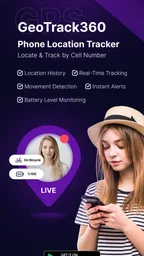
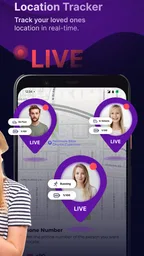
- Live location sharing helps coordinate meetups.
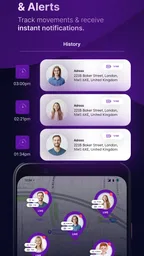
- Location history can help retrace recent journeys.
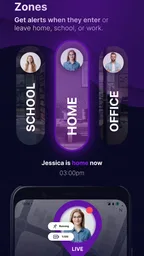
- Geofencing alerts notify users when someone enters or leaves an area.
- A map view makes shared locations easy to understand.
- Useful for keeping track of consenting family members.
What could be better
- Continuous GPS use can drain the phone battery.
- Location sharing requires a reliable internet connection.
- Tracking requires clear consent from the person being located.
- Location accuracy can drop indoors or in dense urban areas.
- Background location access may raise privacy concerns.





