




Perplexity - Ask Anything review
 Analysis by Appsdrops
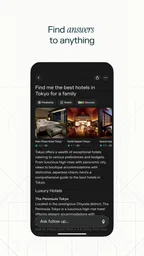
I reach for Perplexity when I have a question that needs more than a quick fact, but I don’t want to open a dozen tabs and piece together an answer myself. The useful part is not simply asking in plain language; it is getting a response that points toward its sources, so I can follow up and judge the evidence. That makes Perplexity feel less like a conventional search box and more like a research companion—though it still needs a curious, skeptical user rather than blind trust.
From a vague question to a useful starting point
My best results begin with a practical question and a little context. Instead of typing “meal planning,” I might ask for a weeknight dinner plan using ingredients I already have, then clarify that I need something suitable for a busy evening. A focused request gives the app a clearer target; follow-up questions let me narrow the result without starting over.
This conversational approach is the app’s main strength for everyday research. Traditional search often makes me guess which keywords will surface the right pages. Perplexity lets me describe what I am trying to learn, then refine the answer if it is too broad. For questions with several parts, I can ask for a comparison or request a simpler explanation, making it easier to move from curiosity to a decision.
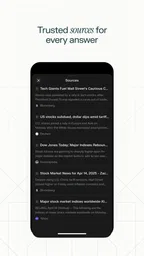
That does not mean every answer is automatically dependable. I treat the response as a concise first pass, not a final authority. When a claim matters—especially for health, money, law, or a time-sensitive choice—I check the cited material and compare it with a trustworthy primary source. Source visibility is most valuable when it leads me to verify, not when it tempts me to stop reading.
Perplexity is a productivity app from PerplexityAI, and its focus is knowledge work rather than managing calendars, files, or to-do lists. It is free to get started, with in-app purchases listed from $5.00 to $1,999.99 per item. I would think of it as an extra way to find and organize information, not as a replacement for the tools where I write, plan, or store my work.
A practical search workflow
Suppose I am choosing a compact desk lamp. I can begin by asking what features matter for reading and video calls, then follow up with questions about glare, adjustability, and the trade-offs between different designs. The value is in being able to keep the same thread of thought: I can clarify what “good for a small desk” means to me instead of repeating the whole search from scratch.
For a more useful answer, I give the app constraints that affect the outcome. A question such as “What should I look for in a desk lamp?” invites a general overview. Adding the desk size, intended use, and budget context gives the response a better chance of addressing my actual decision. I still check specific product claims against their sources, but the first round of research becomes more purposeful.
One non-obvious habit that helps is to ask for the comparison criteria before asking for a winner. If I am weighing two approaches, I can first request the factors that should guide the choice, then ask how each option performs against those factors. That makes it easier to spot when an answer is leaning on assumptions that do not fit my situation.
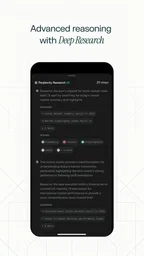
I also use follow-ups to expose uncertainty. If an explanation sounds unusually neat, I can ask what evidence would change the conclusion, or which parts depend on assumptions. That does not guarantee a perfect response, but it can turn a polished summary into a more useful starting point for checking the underlying argument.
Following sources and handing work onward
The handoff from answer to source is central to my experience. A summary helps me orient myself, while the references give me a route to inspect supporting material. I do not assume that a citation proves every sentence beside it; I open the source and check whether it really supports the specific claim I care about. For research with consequences, that small extra step is worth the time.
There is also a natural handoff from research to action. I might use Perplexity to understand the differences between two travel options, then move to a booking service to check current availability and make the reservation. Or I can use it to learn the vocabulary around a work problem, then bring the key terms into a document or a conversation with a colleague. The app can help me get oriented, but the actual decision and follow-through remain mine.
A useful workflow is to treat the answer as a draft of my research notes. I keep the question narrow, ask for the distinctions that matter, inspect the sources behind important points, and then record only the conclusions I can stand behind in my own notes. That prevents a fluent response from becoming an unexamined fact in a report or plan.
For students and professionals, this can make early-stage exploration less tiring. It is particularly handy when I know the subject but not the right terminology, or when I need an overview before reading longer material. Still, if an assignment or workplace requires direct engagement with original sources, the app should support that reading rather than substitute for it.
Where it saves time—and where it does not
Perplexity is strongest when the job is to narrow a question, gather a first set of leads, or understand a topic well enough to ask better questions. It can reduce the friction of bouncing between search results, but it cannot remove the need to evaluate what those results mean. A concise answer may hide disagreement or leave out a detail that matters to a specialist.
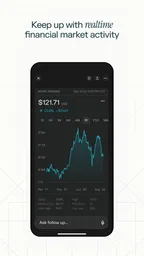
That limitation changes how I use it for current information. If a decision depends on a recent change, I check the date and context of the material rather than assuming a summary captures the latest position. For anything with a safety or financial consequence, I prefer a primary source or a qualified person over a conversational answer. The app is useful for finding a route into a subject; it is not a substitute for professional advice.
It is also not the right choice when I already know the exact source I need, or when the task is simply opening a familiar website. A conventional search engine may be faster for navigating directly to a known page, and a specialist database can be better for narrow academic or professional research. Perplexity earns its place when I need synthesis and a conversational path through the topic, not when every query deserves an AI-generated explanation.
What the store profile tells me
The app has an average rating of 4.6 from around 2.2 million ratings, with roughly 16,000 written reviews and over 100 million installs. Those figures suggest that it has become a familiar option for many people, but popularity does not tell me whether a particular answer is accurate. I judge it by how well it helps me move from an unclear question to sources I can assess.
It was released on May 24, 2023, and the current version is 2.104.0. Its minimum operating-system requirement is 8.0, and its content rating is Teen. These are practical details to consider before installing, especially if the app will be used on an older device or by a younger person; I would still use normal judgment about the questions and material involved.
The free entry point makes it easy to try the basic research workflow without committing immediately. Since in-app purchases are available, I would review the purchase choices in the app store before paying for anything and decide whether my actual routine justifies it. Occasional fact-finding is different from relying on an assistant throughout a workday, so I would base that decision on my own use rather than assume paid options are necessary.
Who will get the most from it
I would recommend Perplexity to people who regularly begin with a broad question and need a fast way to make it more specific: students exploring a subject, writers gathering background, or anyone comparing options before making a purchase. Its conversational flow is especially useful when the first answer reveals the next question I should ask. That makes it easier to investigate a topic in stages instead of trying to design the perfect search query at the outset.
I would be more cautious about recommending it to someone who wants every answer to be definitive, or who does not plan to check sources for important decisions. It is also less compelling for people who mainly need a dedicated task manager, document editor, or direct search for known pages. Those tools solve different problems, and choosing the right one is more useful than expecting a research assistant to cover everything.
In my day-to-day use, the best outcome is not a magical answer but a shorter route to informed action. I start with a real question, add the context that changes the answer, follow up to test the reasoning, inspect the sources, and carry the verified points into whatever I am doing next. When I keep that sequence in mind, Perplexity is a capable productivity tool for exploration—one I trust as a guide to the next step, not as the last word.
What we like
- Answers often include citations that help verify claims.
- Follow-up questions make it easy to explore a topic.
- The interface is simple to navigate.
- Voice input offers a convenient way to ask questions.
- It can search the web for recent information.
What could be better
- Some features may require a paid subscription.
- Answers can still contain errors despite cited sources.
- Web results may not cover every useful source.
- Complex questions can produce overly broad responses.
- Availability of features may vary by region or platform.





