






PerfectPic-Photo Edit・Collage review
 Analysis by Appsdrops
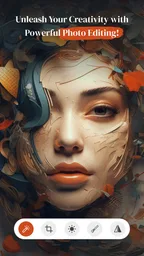
When I want to make a photo feel finished without turning a quick edit into a project, I look for an app that keeps the basic steps easy to understand. PerfectPic-Photo Edit・Collage is a free photography app from WE CENTER, and its appeal is straightforward: it brings photo editing, beautifying and collage-making together. I find it most useful for casual, share-ready images rather than precise retouching or a carefully controlled professional workflow.
Starting with a clean, repeatable edit
My best advice is to begin with the photo, not the effects. Pick an image that is already reasonably well lit and framed, then make only the changes that solve a visible problem. A small improvement to brightness or overall balance can make a bigger difference than layering on decorative edits. This simple approach also makes it easier to judge whether an effect is helping or merely drawing attention to itself.
PerfectPic is designed for people who want to edit, beautify and assemble images without switching between separate apps for every task. That combination suits everyday moments: a portrait that needs a little polish, a snapshot you want to share, or several pictures that work better together as a collage. I would treat it as a convenient creative workspace, not as a replacement for a dedicated desktop editor.
A useful habit is to decide the destination before editing. A single photo for a social post may need a different crop and level of detail from a collage intended to tell a small story. If I am combining pictures, I first choose images with a related subject or mood. That prevents the layout from becoming a collection of unrelated shots, and it gives me a clearer sense of how much editing each image actually needs.
For a realistic example, imagine taking several photos during a family lunch and wanting one image to share with relatives. I would select a few shots that show different moments, make restrained adjustments so their lighting feels reasonably consistent, then build a collage. The key trade-off is that every extra image makes the final composition busier. A smaller selection often communicates the occasion better than trying to fit in every photo.
Keep portraits natural
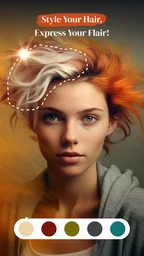
Beautifying tools can be tempting because they offer a quick route to a more polished portrait. I recommend using them with a light touch. A portrait should still look like the person in the original photograph; if skin, facial detail or overall appearance starts to feel noticeably altered, the edit has probably gone too far for an everyday share. Check the image at a normal viewing size, not only while zoomed in on a detail.
This is also where a good source photo matters. If the face is blurred, strongly shadowed or partly obscured, editing may not deliver the result you hoped for. I would choose the clearest frame first rather than trying to rescue a weak one with more effects. That saves time and usually produces a more believable result.
Check the choices that affect the whole image
Before saving or sharing, I look at the crop, the balance between the subject and background, and whether the edits still make sense together. In a collage, I pay particular attention to the visual weight of each panel: a bright image can dominate a layout even when all the pictures occupy similar space. Adjusting the selection or choosing a more compatible photo can be a better fix than adding another effect.
I also recommend comparing the finished edit with the original. That quick check helps me notice when beautifying or other adjustments have shifted the photo away from the moment I wanted to preserve. If I am making an image for a specific purpose, such as a family message or a casual profile update, I keep the intended audience in mind and avoid edits that make the result feel less personal.
The app is free to download, but it includes in-app purchases priced from $4.99 to $29.99 per item. I would try the ordinary editing workflow before considering a purchase. The right question is not whether extra paid options sound appealing, but whether a specific tool meaningfully improves the images I make often. For someone who edits only occasionally, the free experience may be enough; a frequent user should weigh the cost against their actual routine.
Build speed through a consistent routine
I get faster results by following the same order each time: choose the strongest source image, decide whether it is a solo edit or collage, make basic corrections, apply any portrait treatment sparingly, then review the full composition. This is more reliable than jumping between effects and trying to remember what changed. It also makes it easier to stop when the photo already looks good.
For repeated occasions, such as sharing snapshots from a weekend outing, I would keep the visual treatment consistent rather than giving every image a different style. Even without relying on unconfirmed shortcuts or special tools, a repeatable personal habit can make a group of edits feel cohesive. Choose similar crops, avoid mixing heavily filtered and natural-looking pictures, and use a collage only when the images genuinely belong together.
Another practical time-saver is to edit with the final layout in mind. If the subject will sit in a narrow collage panel, a tight crop may hide context or cut off important details. I check the placement before spending time refining the image. This is especially helpful when the collage is the main result, because an excellent standalone edit can still be awkward once it has to share space with other photos.
PerfectPic is rated for Everyone, so its intended audience is broad. It has an average rating of 4.3 from around 9,600 ratings, alongside about 230 written reviews, and has been installed more than five million times. Those figures suggest that it has found an audience among people looking for approachable photo tools, but they do not tell me whether its particular editing style suits every user. I would still judge it by trying a few photos similar to the ones I normally share.
Where a simpler app may be better
The main limitation is one of fit. If you want detailed control over layers, exact color correction, or a tightly managed professional workflow, I would choose a more specialized editor. PerfectPic’s all-in-one emphasis is convenient for common tasks, but a focused tool is often easier to rely on when accuracy and repeatability matter more than convenience.
It may also be the wrong choice if you prefer photos to remain untouched. Beautifying and collage options are useful only when they serve the image; they can add friction for someone who wants to crop once and be done. In that case, the photo tools already built into a phone may be the quicker option. I would not install another editor just because it has more possibilities if my usual edits are minimal.
Collages have their own trade-off. They can preserve several moments in one shareable image, but they reduce the space available to appreciate each photo. If one shot is the clear highlight, I would share it on its own rather than shrinking it to fit a layout. For a sequence of related moments, a collage makes more sense; for a single memorable portrait or landscape, a standalone edit gives the image room to breathe.
Compatibility and what to expect
The current version is 1.5.4, and the stated minimum operating-system requirement is version 7.0. The app was released on February 27, 2024. I would check that my device meets the operating-system requirement before planning to use it, especially if I am setting it up on an older phone. Those details matter less than the workflow once installed, but they can decide whether the app is an option at all.
Developed by WE CENTER, this is best understood as a casual photography app with several everyday jobs gathered in one place. It is suited to someone who wants to polish a portrait, make a quick edit or arrange a handful of related pictures without building a complex editing process. I would not expect it to replace specialized software when a project calls for exact control, but that is not the task most casual users are bringing to it.
Who I would recommend it to
I would recommend PerfectPic to a friend who regularly shares portraits, family moments or small collections of photos and wants a straightforward way to give them a more finished look. Its strongest practical advantage is the ability to move between individual edits and collages in one photography app. To get the most from it, start with good source images, keep beautifying restrained, and let the purpose of the final picture guide your choices.
I would suggest looking elsewhere if you need fine-grained editing control, prefer untouched photographs, or rarely do more than a basic crop. For everyone else, the sensible approach is to try a few real images before deciding whether the app belongs in your regular routine. In my view, PerfectPic is most successful when it helps a good photo feel ready to share without making the editing itself the main event.
What we like
- Offers a range of filters for quick photo enhancements.
- Collage tools make it easy to combine several photos.
- Editing controls suit users who want simple adjustments.
- Useful for preparing images to share on social platforms.
- The interface is approachable for casual photo editing.
What could be better
- Some features may require an in-app purchase.
- Ads may interrupt the editing experience.
- Advanced editing options may be limited.
- Collage layouts may offer less flexibility than dedicated apps.
- Export quality may vary depending on settings.





