PDF Reader - PDF Viewer review
 Analysis by Appsdrops
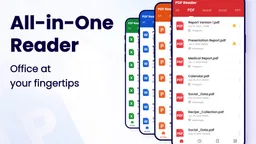
PDF tasks often begin with a simple need: open a document, find the right information, and make a change before passing it along. PDF Reader - PDF Viewer brings PDF reading and editing together with document management and support for DOCX files, plus an AI Assistant. I like that it aims to cover several parts of this everyday workflow in one app, rather than presenting itself only as a place to view a file.
A document workflow in one app
As a productivity app, its appeal is easy to understand if your phone is where you receive, read, and sort documents. The store describes it as a tool to edit PDFs, read and manage PDF and DOCX files, and use an AI Assistant. That makes the central idea clear: start with a document, work with it on your device, then keep it organized for whatever comes next.
The app is called PDF Reader - PDF Viewer, and its short description is simply “PDF Reader.” That straightforward framing sets a practical expectation. It is meant to help with document work, not turn file handling into a complicated project. I find that focus useful: most people opening a PDF want to get to the content quickly, while editing and management matter when the document needs more attention.
Its audience is broad, from someone checking a single file to people who regularly deal with PDFs and DOCX documents. The app is free to install, with in-app purchases ranging from $3.99 to $69.99 per item. That means the basic decision to try it does not require an upfront purchase, though it is sensible to check the app’s purchase options before relying on any paid capability as part of a routine.
Starting with the document
A useful document workflow begins before editing: you need to open the right file and understand what it contains. PDF Reader’s core reading role gives the process a natural starting point. I would begin by locating a PDF or DOCX that needs attention, opening it in the app, and reading through it before deciding whether it needs changes or simply a place in my document collection.
That order matters. Reading first helps avoid unnecessary edits and makes it easier to decide what the next step should be. For a document that is already complete, the job may end after review and management. For one that needs a revision, the editing function offers a next stage within the same general toolset. The app’s combined purpose is most compelling when these tasks are connected, rather than treated as unrelated activities.
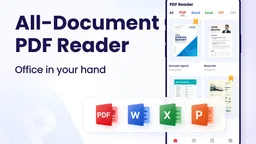
PDF and DOCX support also makes the app’s scope more practical than a reader focused on one format alone. People often move between a finished PDF and a Word document during ordinary work, study, or personal administration. Having both formats included in the app’s stated document workflow gives it a wider role, although the exact way a particular file behaves will depend on the file itself and the work required.
From reading to editing
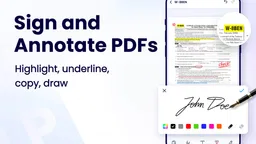
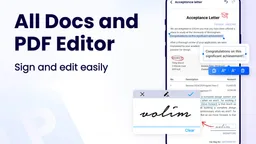
Once I know what a document needs, the next step is to make the necessary changes. PDF editing is a central part of the app’s description, so the workflow is designed to continue beyond simply viewing a page. I appreciate that distinction because a reader can be enough for quick reference, but it is less useful when the task is to revise a document and move it toward a finished outcome.
The most sensible way to use an editor is to keep the task focused: review the content, identify what should change, make the edit, and then read through the result again. That final check is easy to skip when switching between apps, yet it is an important part of producing a document that is ready to share or keep. The app’s combination of reading and editing supports that loop at a high level.
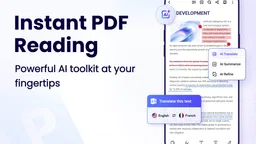
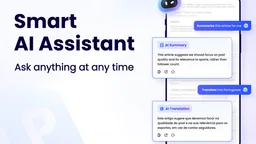
The AI Assistant adds another element to the app’s document-focused toolkit. Its presence suggests that AI is part of the experience, but it is best to approach it as an assistant rather than assume it will replace careful reading or judgment. For important documents, I would still check the original wording and confirm that any result fits the purpose. The useful outcome is not simply faster interaction; it is a document that remains accurate and understandable.
Keeping those stages connected is where an all-in-one document app can save effort. Instead of treating reading, editing, and managing as completely separate jobs, the app presents them as parts of a single productivity routine. I find that idea appealing for routine paperwork: open the file, understand it, decide what it needs, and finish by keeping the document in a form that makes sense for later.
Managing the handoff
Documents rarely stay at the reading stage. A file may need to move from personal review to a colleague, from study notes to a finished assignment, or from an incoming document to an organized record. That handoff is why management belongs alongside reading and editing. A document is more useful when it can be kept track of after the immediate task is done.
PDF Reader describes document management as part of its purpose, so the workflow does not stop at opening a file. I would treat management as the closing step: once I have reviewed and, if needed, edited the document, I want to be able to return to it without repeating the whole search. This is especially relevant when a phone serves as a convenient place to handle files between other activities.
There is also a human handoff to consider. Before passing a document to someone else, I would read it once more, make sure the intended version is the one being shared, and consider whether it is ready for its audience. An editor can help prepare a file, but the responsibility for a clear and appropriate final document still belongs to the person using it. That makes the app most effective as a practical tool inside a thoughtful process.
For users who already have a familiar system for storing documents, the app’s management role may be more of a convenience than a reason to change habits. For someone who wants reading, editing, and organization together, it may feel like a more natural fit. I would judge that value by how often I handle documents on my phone and how much friction comes from moving between separate tools.
What the finished result feels like
The intended result is straightforward: a document that has been read, adjusted if necessary, and kept ready for its next use. PDF Reader’s range of stated functions fits that path well. It is not just a viewer in name; the app is positioned around PDF reading and editing, document management, DOCX support, and an AI Assistant. Together, those elements make it a broader option for everyday file work.
Its reach is substantial, with over 100 million installs, an average rating of 4.3, and around 1.3 million ratings. Those figures indicate that many people have tried it, but popularity alone does not guarantee that its workflow will suit every user. I would still focus on whether the app handles the kinds of documents I actually use and whether its editing and management approach feels comfortable for my routine.
The app was released on January 25, 2022, and its current version is 2.1.7. It supports Android 6.0 and later, and its content rating is Everyone. These details help set expectations about compatibility and audience. For someone using a supported Android device, the main question is less about the app’s broad purpose and more about whether its particular mix of reading, editing, and document organization matches the work they want to do.
Where the workflow can feel less smooth
A document app can cover several stages and still involve friction. The first possible sticking point is expectation: “PDF Reader” sounds focused on opening files, while the full product description includes editing, management, DOCX support, and an AI Assistant. That broader scope is useful, but anyone installing it for a specific task should take a moment to understand which parts of the experience matter for that task, especially before choosing an in-app purchase.
The second friction point is the nature of document work itself. A large or complicated file may require careful review, and a reader or editor cannot decide what a change should mean. AI assistance can be appealing, but I would not hand over judgment on sensitive or important wording. The safest workflow is still to check the result against the document’s purpose and make sure the final version says what I intend.
Another consideration is how much of the app’s toolkit a person actually needs. If the only goal is to read an occasional PDF, a wide set of productivity functions may matter less than a simple, comfortable reading experience. On the other hand, people who routinely edit and manage files may appreciate having more of those steps under one roof. The best fit depends on the user’s real workflow, not just the list of capabilities.
In-app purchases also make it worth paying attention during use. The app is free, while individual purchases range from $3.99 to $69.99. I would review the purchase details carefully and decide whether a paid option solves a recurring need before committing. That is a sensible habit with any free productivity app that offers optional purchases, particularly when the task is something as routine as opening or editing a document.
My take on PDF Reader - PDF Viewer
Overall, I see PDF Reader - PDF Viewer as a practical choice for people who want more than a basic PDF reader. Its appeal comes from the connected workflow: read a PDF or DOCX file, edit a PDF when needed, use the AI Assistant as part of the process, and manage documents for later. That combination suits everyday productivity better than a tool that only handles the first step.
I would approach it with clear expectations. Use it to support document work, verify edits before handing anything off, and check purchase options against the tasks you need to complete. If your routine involves files moving from arrival to review and then into an organized, finished state, the app’s broad purpose makes sense. If you only need occasional viewing, its additional functions may be less important.
For me, the strongest point is the idea of keeping several ordinary document tasks together. The workflow is easy to grasp even if the amount of help you need will vary from one file to another. It is best understood as a mobile productivity toolkit for reading, editing, and managing documents, rather than only a place to open PDFs. That makes it worth considering for people who regularly handle files on Android and want one app to cover more of the journey from input to finished document.
What we like
- Opens PDFs quickly for convenient reading.
- Supports pinch-to-zoom for clearer text.
- Keeps documents organized in one place.
- Offers a straightforward interface for everyday use.
- Works well for viewing common PDF files.
What could be better
- Some advanced tools may require payment.
- Ads can interrupt the reading experience.
- Large files may take longer to open.
- Editing options may be limited.
- The app may request broad file access permissions.





