


Pandora Music for TV review
 Analysis by Appsdrops
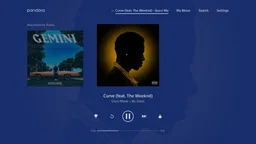
I think Pandora Music for TV makes the most sense when you want music to become part of the room rather than another thing to manage on your phone. It is a music and audio app from Pandora, built around listening to songs or artists through a television. That focus gives it a different feel from a general streaming app: the TV is the destination, and the appeal is having music ready for a shared space, a quiet evening, or background listening while you do something else.
Pandora Music is free to install, and I would start there rather than assume that using it requires a purchase. The app does offer in-app purchases listed at $6.99 per item, but that figure alone does not tell me which purchase suits a particular listener or what it includes. I would check the purchase details shown in the app before paying. In practical terms, the free entry point makes it easy to try the TV experience first; paid value depends on whether the specific option offered matches how you listen.
What the free starting point is worth
The difference between free access and paid value matters here. If your goal is simply to explore Pandora on a television, you can begin without paying for the download. That lowers the barrier to testing whether listening on a TV fits your habits. It does not, by itself, establish that every way of listening is free, so I would avoid treating the app’s free price as a promise that all content or conveniences come without a cost.
I also wouldn’t buy anything just because a payment option appears. First, try the app in the setting where you actually expect to use it: on the TV, at your usual listening volume, and alongside the other things happening in the room. If you only want occasional background music, the free starting point may be enough to decide whether the app earns a place in your routine. If you listen often and find a paid option that addresses a real annoyance, then the purchase can be judged on that concrete benefit—not on vague expectations.
The app is rated 3.6 on average, based on 929 ratings and 263 written reviews. I treat that as a reason to approach it with realistic expectations, not as a verdict on my own setup: a TV-focused music app can be convenient for one household and awkward for someone who expects a phone-first player. Pandora has more than 10 million installs, which suggests it has reached a broad audience, but popularity alone does not tell me whether its interface or listening approach will suit you.
What it does well in a living room
The central advantage is the change in context. A phone is personal and easy to carry away; a TV makes music more visible and available to everyone in the room. I can imagine using it while cooking, tidying, or settling in with friends, when passing a phone around or keeping one person responsible for playback is inconvenient. The TV can serve as a shared listening point without turning the gathering into a search for the next track.
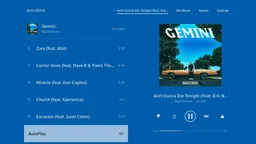
That setting also makes the app useful when music is supporting an activity rather than demanding attention. If I am making dinner, I want to get a listening session going and then return to chopping vegetables, not spend the evening selecting every song. Pandora’s emphasis on playing music associated with songs or artists suits that kind of low-effort listening better than a workflow built entirely around hand-curated queues.
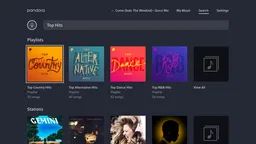
A practical tip is to decide on the mood or artist before you sit down to listen. On a television, browsing can feel slower than tapping through a phone, so a little intention at the start helps avoid turning background music into a long selection session. For a shared room, I would also agree on a starting point with other listeners; a familiar artist gives people a clearer sense of the session than an open-ended search.
There is a useful trade-off in handing listening over to an app’s music choices. It can reduce the work of building a playlist, especially when you want a general atmosphere and are not attached to a precise sequence. But if you care about hearing a particular album from beginning to end, placing tracks in an exact order, or choosing every song yourself, that same hands-off quality may feel limiting. I would pick Pandora for a listening mood, not as my first choice for meticulous track-by-track control.
How it compares with familiar alternatives
Compared with a music player used mainly on a phone, the TV-oriented approach favors a shared room over private, portable listening. That is a genuine difference in use, not necessarily a reason to replace whatever you already use on your phone. If you commute, listen through headphones, or want your music to follow you throughout the day, a mobile-first service is likely the more natural everyday companion.
Compared with a conventional playlist-focused music app, Pandora’s appeal is strongest when you want a starting point and are comfortable letting the listening experience unfold from there. A playlist service is generally the better fit when you already know the exact songs you want, have carefully organized collections, or routinely build soundtracks for specific moments. I would not switch from a system that already gives you that control just for the sake of using a TV.
The TV setting changes the small decisions, too. A phone is quick for searching and correcting a choice; a television is more suited to settling into one selection and letting it play. My recommendation is to keep the goal simple: start with an artist or song that represents the mood, then use the app as a convenient room-based way to listen. If you find yourself repeatedly interrupting playback to search for very specific tracks, another option may better match your habits.
Trade-offs to consider before settling in
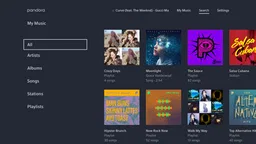
The biggest limitation is that a TV is not automatically the easiest place to browse music. The screen may be larger, but the interaction can still be less direct than using a phone. That matters most when you are switching artists frequently, making detailed choices, or trying to manage music while also watching something else. For long stretches of casual listening, those interactions may barely matter; for active curation, they can become the main frustration.
I would also be careful not to confuse a television music app with a full entertainment setup. The verified description points to playing music and streaming songs or artists on a TV, so that is the use I would evaluate. If you are looking for a particular advanced control, listening mode, or account arrangement, check the app itself before depending on it. A good purchase decision comes from matching what you can see in the app to your own needs rather than assuming the TV version behaves exactly like another Pandora experience.
For households with different tastes, convenience has a social edge but also a compromise: one starting choice may not satisfy everyone. A useful approach is to take turns choosing the artist or song that begins a session, rather than trying to make one selection represent the whole room. This keeps the app’s low-effort quality while making shared listening feel less like one person’s private soundtrack.
The age rating is Teen, so families should take that into account when deciding whether the app is appropriate for younger listeners. That rating is a useful prompt for household judgment, not a substitute for checking what a child will hear or how the app is used. If the television is in a shared family space, I would make the choice with the people who use that room in mind.
Who is likely to get the most from it?
I would recommend trying it if you already use a TV as a central part of your home and want music to be easy to start in that room. It is especially appealing for someone who often has music on while doing chores, hosting casually, or winding down, and who does not want every session to begin with building a detailed playlist. The free download makes that trial straightforward, while the available in-app purchases give frequent listeners something to inspect only if they see a clear reason to pay.
It is less compelling for listeners who want music to travel with them, rely on precise playlist management, or prefer to control every track. It may also be a poor fit if your television is rarely used outside of watching shows or if reaching for a phone is already the simplest way to play music in your space. In those cases, another service or device you already use may deliver more value without adding a separate TV-focused habit.
Pandora Music is listed as version 4.3.1 and requires iOS 7.0 or later. It was released on October 27, 2014. Those details are useful when checking compatibility, but I would still confirm that the app is available for the particular device and platform you plan to use before making it part of your setup. The developer is Pandora, and the app’s music-and-audio focus is clear even if your ideal listening workflow is not the same as mine.
My verdict on whether to try or pay
My advice is to try the free app if you want a simple way to bring Pandora listening into a television-based routine. Judge it by whether it makes music easier to share and leave running, not by whether it replaces every feature of a phone-based music service. For me, its strongest case is the relaxed, communal use: choose a starting point, let the room have music, and get on with the evening.
I would skip a purchase until you have used the app enough to identify what you would be paying for and why it matters. The listed $6.99-per-item in-app purchases make clear that paid options exist, but the right value judgment depends on the particular item and your own listening needs. If the free experience already fits your routine, there is no reason to spend simply because an upgrade is available. If you need exact control, portability, or a carefully organized library, I would choose a service built around those priorities instead.
Overall, Pandora Music is worth a low-risk try for people who want music in a shared TV room and are happy to start with an artist or song rather than micromanage every track. Its value is practical and situational: the free starting point helps you test that fit, while paid value should be judged only after you know what a purchase offers. If your listening is mostly personal, mobile, or playlist-driven, I would keep looking; if the living room is where music belongs in your day, this is a sensible app to test.
What we like
- A TV-friendly interface makes browsing and playback comfortable from the couch.
- Personalized stations adapt to your listening habits over time.
- Voice controls can make finding music easier on supported devices.
- Free listening is available with ads in supported regions.
- Playback on a TV can fill a room with music without using a phone screen.
What could be better
- The app's availability depends on your TV model and region.
- Free listening includes advertising.
- Some songs may be unavailable due to licensing restrictions.
- Pandora's catalog and features vary by subscription plan.
- Station recommendations may repeat familiar tracks.





