


Open Chat - AI bot app review
 Analysis by Appsdrops
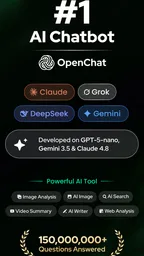
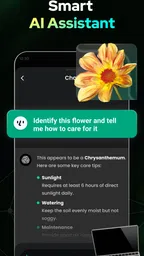
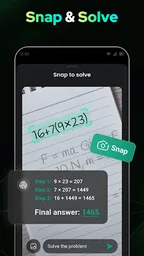
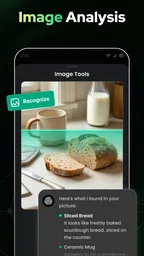
When I need to get from a half-formed idea to a usable draft, an AI chat app can be a handy place to start. Open Chat is built around that straightforward promise: an AI chatbot and writing assistant powered by newer AI models. I see it as a conversational productivity tool, useful for asking questions, shaping text, and working through a task one prompt at a time. The key is to treat the exchange as a workflow, not a magic button: I bring the goal, the app helps generate a response, and I decide what to keep and where it goes next.
From a blank page to a clearer request
Open Chat is a free productivity app from AceTools Team, with optional in-app purchases. Its short store description, “Open Chat,” keeps the pitch simple, while the broader idea is an AI chatbot that can also help with writing. That combination makes it approachable for people who want one conversational starting point rather than a specialized tool for every small task.
The first real step is deciding what I want the conversation to accomplish. A vague request such as “help me write” gives the assistant little direction; a more useful prompt explains the audience, purpose, tone, and any points the text should include. That input-to-output rhythm is the core of the experience. I describe the job, review the reply, then refine my request if the first answer misses the mark.
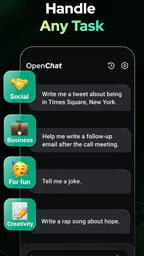
For everyday use, that could mean asking for help organizing thoughts before writing a message, requesting a fresh way to phrase a sentence, or using a question-and-answer exchange to explore an unfamiliar subject. These are examples of how a general chatbot can fit into a routine, rather than claims that the app has a dedicated mode for each task. The benefit is flexibility; the trade-off is that I need to be clear about what I want.
Making the first prompt work harder
I get more value from an AI writing assistant when I give it context in manageable pieces. I might begin with the outcome I need, then add constraints such as the intended reader or the points that must be covered. If the draft comes back too formal, too long, or too broad, a follow-up can steer it closer to the result I had in mind. This back-and-forth is more useful than expecting a single prompt to produce a finished piece.
That conversational approach also lowers the barrier to getting started. Instead of staring at an empty page, I can put an unfinished thought into words and use the response as material to react to. Sometimes the reply gives me a structure; sometimes it shows me what I actually meant to ask. Either way, the app is most helpful as a partner in getting unstuck, while the final judgment remains mine.
Turning a reply into something usable
Once the assistant has produced a response, the next stage is review. I would read it for relevance, tone, clarity, and accuracy before using it elsewhere. A polished-sounding answer still needs a human check, especially when the task depends on precise facts or personal context. Treating the output as a draft rather than an unquestionable answer keeps the workflow grounded and helps avoid carrying a mistaken detail into a message or document.
The handoff matters just as much as the prompt. The useful result may be a sentence to adapt, an outline to build on, or a clearer explanation to think through. I can take that result into my own work, revise it, or return to the chat with a more specific request. Open Chat’s value lies in helping move the task forward; it does not remove the need to decide what belongs in the final version.
Where the flow can slow down
The main friction point is prompt quality. If I leave out the purpose or provide too little context, the response may be generic, and then I have to spend another turn clarifying the task. That is not necessarily a flaw in a chat-based format, but it does mean the fastest route is not always the shortest prompt. A little thought up front can save time later.
Another practical limit is the need to check generated text. AI can offer a convenient starting point, but a response should not be treated as automatically correct or perfectly suited to its audience. The more important the content, the more carefully I would verify it and edit it in my own voice. Used that way, the assistant can reduce the effort of beginning without replacing the care involved in finishing.
There is also a difference between a broad assistant and a specialist tool. A general conversation can adapt to different writing and question-answering tasks, but a user still has to guide it toward the desired outcome. If I want a highly specific result, I need to explain the requirements clearly and check whether the reply actually meets them. That makes the experience flexible, though not entirely hands-off.
A lightweight productivity role
Open Chat has a 4.6 average from around 331,000 ratings, and it has passed 50 million installs. Those figures suggest that many people have tried the app, but they do not tell me whether a particular response will suit my task. For my own workflow, the more useful question is whether the conversational format helps me move from uncertainty to a workable next step.
The app is free to download, with in-app purchases ranging from $4.99 to $59.99 per item. It is rated for Everyone, and its listed current version is 1.4.0. The release date is April 21, 2023, and the minimum operating system requirement is version 8.0. These details help set expectations before installing, especially for anyone checking compatibility or considering whether optional purchases fit their needs.
In day-to-day terms, I would approach it with a small, clear task first. Ask a focused question, request a draft or a different phrasing, and then judge the result against the real purpose. If the answer is close, refine it; if it is off course, add context or rethink the request. That simple loop makes the app easier to evaluate than expecting a chatbot to understand an unstated intention.
Who may find it useful
Open Chat makes sense for someone who wants an accessible AI chat and writing assistant for general productivity. It can be a starting point when a blank page feels difficult, when wording needs another pass, or when a conversation helps clarify what to do next. People who prefer to shape their requests through follow-up prompts may find that format natural.
It may be less satisfying for someone expecting every answer to arrive ready for immediate use. The workflow still asks for clear instructions, careful reading, and editing. That is a reasonable trade-off for a flexible assistant, but it is worth understanding before relying on it for important writing. The strongest results come when I stay involved from the first request through the final handoff.
Overall, I see Open Chat as a practical conversational tool for turning an initial thought into material I can review and use. Its appeal is the simple cycle of asking, reading, and refining, rather than a promise to finish every task without effort. If I bring a clear goal and verify what comes back, it can make the first steps of writing and problem-solving feel less intimidating. For a free AI chatbot with optional purchases, that approachable workflow is the main reason to give it a try.
What we like
- Offers a convenient way to chat with an AI assistant on mobile.
- Can help brainstorm ideas or draft short pieces of text.
- A simple chat interface makes it easy to start a conversation.
- Useful for getting quick answers while away from a computer.
- May support a range of everyday questions and tasks.
What could be better
- AI responses can be inaccurate or out of date.
- Some features may require a paid plan or in-app purchase.
- Availability of tools can vary by app version or subscription.
- Avoid sharing sensitive personal information in chat.
- The app may require an internet connection to respond.





