
Offline Music Player: Play MP3 review
 Analysis by Appsdrops
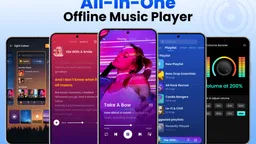
I like the idea behind Offline Music Player: Play MP3: keep music you already have on your device easy to reach, without making every listening session depend on a network connection. In practice, that makes it a useful choice for commutes, travel, workouts, or simply listening at home when you want a straightforward local library rather than a streaming service’s catalog.
This is a free music and audio app from Dairy App & Notes & Audio Editor & Voice Recorder. Its focus is narrower than an all-in-one streaming platform: it is designed around offline playback of music files. That focus is its strongest point, but it also sets expectations. You need audio on your device to get the most from it; it is not a substitute for a service that supplies a large online catalog.
Start with the music already on your device
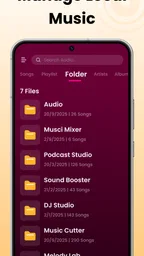
My recommended first step is to open the player and see how it handles the files you actually intend to hear. A local player is only convenient when the library it finds matches the way you keep music. If your tracks are scattered between folders, downloads, and transfers, take a moment to check what appears before building a listening routine around it.
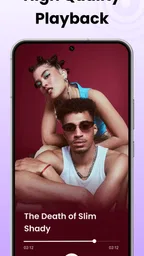
Once your music is available, the basic loop is familiar: choose a track or collection, start playback, and let the app handle the session. That simplicity is valuable when I want to press play and get on with something else. It also avoids the central trade-off of streaming: with local playback, the music is already on your device, but you are responsible for obtaining and organizing it.
A realistic use is a daily train ride. Before leaving home, I would make sure the albums or playlists I want are present and ready, then use the player during the journey instead of relying on a stable signal. The practical benefit is predictability, not access to more music. If you regularly change what you listen to, you will need to refresh or reorganize your local collection yourself.
Offline listening is most dependable when your library is prepared in advance. That sounds obvious, but it changes how I would use this app: treat it as the playback end of a music routine, not as the place where new music automatically arrives. For a long trip, I would check the intended tracks before departure rather than assume that an online account or a previously used streaming app has made them available here.
Make the first session a library check
Do not judge a local player only by its first screen. Try several kinds of files from your own collection, including a full album and individual tracks you commonly play. This helps reveal whether your existing organization is convenient enough for everyday listening. If you find yourself repeatedly searching through folders or switching apps to locate music, the friction comes from the fit between the player and your library, not from the offline idea itself.
For listeners with a small, carefully kept collection, that workflow can be pleasantly direct. If your music is spread across devices or you expect a player to discover and manage every track automatically, a local-first app may feel like an extra step. I would settle the library question early, because it matters more than small interface preferences when deciding whether the app belongs in your daily rotation.
Settings that deserve a quick look
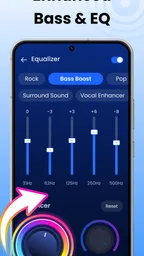
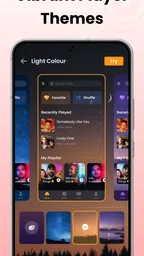
I would spend a little time checking the available playback and display settings instead of changing everything at once. The goal is to make the player comfortable for your habits, not to create a complicated setup. Keep the adjustments that solve a real annoyance and leave the rest alone; a simple player is most useful when it stays simple.
One practical habit is to check how playback behaves at the end of a track or album and whether the chosen repeat or shuffle behavior suits the session. For focused listening, an album in its intended order may matter more than a random mix. For background music, a repeated selection might be more convenient. These are small choices, but they prevent the common annoyance of a listening session ending or moving on in a way you did not intend.
I would also consider the phone itself as part of the setup. Before a workout or a long ride, confirm that the device has the music you want and enough room for the files you choose to keep. A local player can avoid dependence on a connection during playback, but it cannot make a missing track appear. Likewise, offline music is not automatically a backup: if a device is lost or its storage is cleared, the music files may need to be restored from wherever you keep them.
Because this is a music and audio app, it is worth distinguishing playback needs from audio-editing needs. The developer name includes audio-related tools, but I would choose this particular app for playing local music, not assume it replaces a dedicated editor, recorder, or library-management program. If your priority is changing recordings or maintaining a complex collection, compare those tasks against what you actually need before moving your whole workflow into one app.
Build repeatable listening habits
The quickest routine is often more useful than a long list of features. I would keep a familiar set of tracks ready for recurring situations: one selection for a commute, another for exercise, and perhaps a quiet album for winding down. The point is not that the app necessarily creates special-purpose shortcuts; it is that consistent organization on your device makes local playback faster to start.
Another helpful pattern is to prepare tomorrow’s listening while you are already managing your music, rather than waiting until you are at the station or getting ready to exercise. Check the files, pick the intended album or tracks, and leave the phone ready. That simple habit reduces last-minute searching and makes offline playback feel dependable. It is especially useful when you have a limited window to get out the door.
For someone who listens to albums, I would avoid treating every track as an isolated file. Keeping related music together makes it easier to choose a complete listening session and reduces the temptation to browse while doing something else. If you mostly listen to single tracks, on the other hand, a short, well-organized selection may be more practical than trying to reproduce a streaming service’s expansive playlists locally.
These habits also make it easier to decide what belongs on the phone. A local collection can become cluttered if every downloaded track stays there indefinitely. I would periodically remove music I no longer play and keep the tracks that suit regular routines. That is a user-side maintenance task rather than an automatic advantage, but it keeps offline listening focused and makes available storage easier to manage.
Where the local-player approach has limits
The biggest limitation is the boundary of the library: the player is useful for music that is available locally, while streaming alternatives are better when you want to explore an enormous catalog, discover unfamiliar artists, or switch among playlists without managing files. If new releases and recommendations are central to how you listen, I would use a streaming service instead or alongside this app. Offline playback here is about access to your own music, not a promise of unlimited discovery.
There is a similar trade-off around organization. A listener with tidy folders and a settled collection may appreciate a direct player. Someone who wants automatic syncing across several devices, extensive collection tools, or a carefully maintained online account may find a more comprehensive music platform easier. Before committing, consider how often you move music between devices and whether you are comfortable handling that process yourself.
It is also not the right choice if the main need is to listen to music you have not downloaded or stored. An empty or incomplete local library leaves little for a playback app to do. I would not install it expecting it to work like a radio service or search engine for tracks; its value depends on bringing suitable music to the device first.
There can be friction even after the library is ready. You may need to spend time deciding what to keep, finding a preferred order, and making sure the files you want are present before going offline. That is a fair exchange for a listening routine that does not hinge on a network, but it is not effortless. People who dislike managing local files may prefer to pay for the convenience and catalog of a subscription-based alternative.
How it compares with familiar alternatives
Compared with a typical streaming app, this player puts ownership of the listening selection and preparation more squarely in your hands. That can feel freeing: once your music is on the phone, the basic purpose is clear and offline sessions do not depend on fetching each track from the internet. The trade-off is that streaming apps are usually the more natural choice for searching broad catalogs and finding something new without first arranging files.
Compared with a general-purpose file player, a music-focused app is a more natural place to begin a listening session. Still, if you already have a dependable player built into your phone and it handles your collection well, switching may not improve much. I would compare the everyday tasks that matter—finding a track, starting an album, and getting the playback behavior you want—rather than choosing based on a long feature checklist.
It has attracted a substantial audience: it has an average rating of 4.6 from around 457,000 ratings and more than 50 million installs. Those figures suggest broad use, but they cannot tell you whether your own folders and listening habits will fit. The best test is still a short trial with the music you expect to play most often.
Who I would recommend it to
I would recommend Offline Music Player: Play MP3 to someone who already keeps music files on an Android phone and wants a dedicated way to play them offline. It is particularly sensible for a regular commuter, a traveler preparing for limited connectivity, or anyone who prefers a known collection to a stream of recommendations. The app is free to install, though it offers in-app purchases ranging from $1.99 to $39.99 per item, so check the purchase details in the app before deciding to buy anything.
Its listed minimum operating system is Android 7.0, and its content rating is Teen. The current version is 1.02.174.1112; the app was released on December 29, 2021. These details help establish whether it suits your device and household, but they do not change the central question: do you want to play local music, or do you want a service that supplies and organizes music for you?
The app is a weaker fit for a listener who expects effortless access to new songs, cross-device library management, or a replacement for every audio tool. I would also skip it if you are happy with your phone’s existing player and it already handles your collection without hassle. A separate app earns its place when it improves a repeated task, not merely because it offers another way to press play.
A practical verdict for everyday listening
My view is that Offline Music Player: Play MP3 makes the most sense when you treat preparation as part of listening. Keep the local collection manageable, check your playback choices, and prepare music before the moment you need it. With that approach, it can serve as a straightforward companion for offline sessions rather than an all-purpose music service.
For a first test, choose a short set of tracks you already know, listen during a normal routine, and notice where you hesitate. If finding and starting the music is easy, the player is doing its job. If you keep wanting online search, automatic discovery, or less file management, that is a useful sign that a streaming or more full-featured library app will suit you better.
What we like
- Plays music without an internet connection.
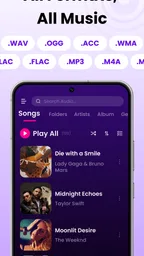
- Supports common audio formats such as MP3.
- Keeps playback available during travel or poor reception.
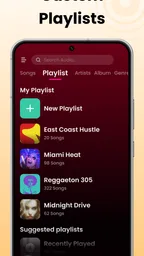
- Lets you organize tracks into playlists.
- Does not require streaming data to play saved songs.
What could be better
- You must add your own music files.
- The app may not include licensed songs or albums.
- Some features may require a paid upgrade.
- Audio quality depends on the source files and headphones.
- Local music can use substantial device storage.





