
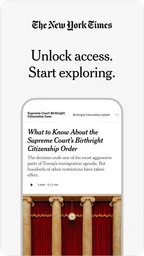







NYTimes: US and Global News review
 Analysis by Appsdrops
Keeping up with the news means choosing not only what to read, but also which sources deserve a place in your daily routine. NYTimes: US and Global News brings articles, videos, and podcasts from The New York Times into one mobile app. I find the mix of formats useful: when I have time, I can settle into a story; when I’m on the move, audio or video offers another way to catch up. The app is free to download, though access to paid content and in-app purchases can shape the experience.
A familiar name, a daily reading habit
The app comes from The New York Times Company, a publisher with a long-established name in journalism. That recognition may be a reason to try it, but I wouldn’t treat a familiar brand as a substitute for reading critically. A news app is at its best when it helps me find reporting that is clear, relevant, and worth spending time with—and when I remain aware of the difference between a reported fact, analysis, and opinion.
As a news and magazine app, NYTimes is designed around current stories and broader topics rather than a single subject. Its store description highlights reading articles, watching videos, and listening to podcasts on top stories and more. That range makes the app appealing if I want one place for several kinds of journalism. It also gives me a choice about how to engage: I can read closely, watch, or listen, depending on the moment.
The app has been available since May 10, 2010, and its current version is 11.99.0. It has a 4.7 average from around 208,000 ratings, with roughly 23,000 written reviews and over 10 million installs. Those figures suggest that it has a substantial audience, but popularity alone doesn’t establish whether any particular story is accurate or useful. I’d still judge reporting article by article and compare important claims with other credible sources when a decision depends on them.
Trust begins with reading, not reputation
My cautious approach to any news app starts with what I can actually see and evaluate: the content, the available choices, and the terms that apply to access. A publication’s name can provide context, but it can’t tell me everything about how an individual story was reported. I pay attention to sourcing, whether a piece distinguishes evidence from interpretation, and whether its framing gives enough context for me to understand the issue.
That mindset matters especially when a story is emotionally charged or moving quickly. A headline may capture the central point, but it isn’t a substitute for the full article. I prefer to read beyond the first few lines, note whether the piece is news or commentary, and avoid treating a single report as the final word on a complicated subject. The app’s combination of articles, video, and podcasts gives me different formats to explore, but the responsibility to assess what I’m consuming remains mine.
What the app offers—and what that means for trust
At the practical level, the value of NYTimes is straightforward: it brings reporting and other editorial formats together in a mobile reading experience. That can make it easier to return to a publication I already follow or to explore topics beyond my usual interests. For me, convenience is useful, but it shouldn’t blur the distinction between having access to content and endorsing every viewpoint or conclusion in it.
The app is free to install, and it includes in-app purchases priced from $0.99 to $299.99 per item. I’d pay attention to the purchase information shown in the app store and within the app before committing to anything. A free download does not necessarily mean that every article or service is available without a purchase, so it’s sensible to check what a particular offer includes and whether it suits your reading habits.
Age guidance also helps set expectations: the app is rated Everyone 10+. That label is a useful general signal for families, but it doesn’t replace a parent or guardian’s own judgment about a specific news story. News can cover difficult subjects, and the context and presentation of a story matter as much as the broad age category attached to the app.
Account and privacy choices deserve a closer look
When I’m considering a news app, I separate visible user choices from assumptions about behind-the-scenes practices. I don’t assume that a familiar publisher’s app handles personal information in a particular way just because I recognize its name. Instead, I look for the privacy information and account controls presented in the app or app store, read the relevant terms, and decide whether I’m comfortable before sharing information or creating an account.
That distinction is especially important for apps connected to subscriptions or purchases. Before taking an action, I’d check which account is being used, what the purchase screen says, and how the relevant account settings can be managed. Clear attention at the point of choice is more useful than relying on vague assumptions about what an app may do. If I’m unsure about a particular setting or transaction, I would pause and review the information shown before proceeding.
I also think about the moments when news use can feel most personal. Reading a story about health, politics, finances, or a difficult event can reveal something about my interests simply through what I choose to open and spend time with. That observation isn’t a claim about the app’s data practices; it’s a reason to be thoughtful about any digital service. I make choices based on the privacy details and controls actually presented, rather than guessing how activity is handled.
Ways to stay in control as a reader
User agency starts with small habits. I can decide when to open the app, which stories to read, and whether I want to engage through an article, a video, or a podcast. I can also take time before making account or purchase decisions. Those choices won’t answer every question about a service, but they help me use it deliberately instead of treating a news feed as something I have to follow without reflection.
For sensitive subjects, I recommend reading with a little distance. I look at the article’s focus, consider what evidence it presents, and notice whether it is reporting, analysis, or opinion. If the topic affects an important personal decision, I seek additional reliable sources rather than leaning on a single app. That’s a sound habit with any publisher, even one I read regularly.
It is also worth reviewing choices over time. An app that fits my routine today may not be the right fit later, and purchase or account settings can be revisited when my needs change. I’d use the controls and explanations made available by the app and the platform, while keeping a record of any purchase terms that matter to me. Being attentive at these decision points is a practical form of digital self-management.
Everyday strengths and real considerations
The strongest case for NYTimes is its variety of editorial formats in a single app. Articles suit focused reading, while video and podcasts can make it easier to follow a story in other circumstances. I also appreciate that the app serves readers interested in both US and global news, which can encourage a broader view of events than a narrowly focused news source.
The main consideration is that a large publication’s app may not match every reader’s preferences, budget, or approach to privacy. In-app purchases can affect how much content is available, so I’d check the terms rather than assume that the free download covers everything I want. And while the app provides access to journalism, it doesn’t remove the need to assess sources, context, and perspective for myself.
For anyone comparing NYTimes: US and Global News with other ways to follow current events, I’d focus on a few practical questions: Do I value its mix of written, video, and audio coverage? Am I comfortable with the available purchase options? Have I reviewed the privacy and account information that applies to my use? Answering those questions is more helpful than making a decision based only on the app’s popularity or the publisher’s name.
Who may find it worthwhile
I can see the app working well for readers who want a mobile home for reporting from The New York Times Company and appreciate having several content formats to choose from. It may also suit people who like to check in regularly and prefer a dedicated news app over searching for each story separately. The free install makes it easy to explore the experience, while the purchase range is a reason to check the details before spending money.
Readers who want a different editorial perspective, a narrower subject focus, or a news experience with different access terms may prefer to compare alternatives. That isn’t a knock on the app; it’s simply a reminder that a news source should fit the reader. I’d treat it as one part of a broader information routine, especially for stories where nuance and multiple viewpoints matter.
A measured final take
Overall, NYTimes: US and Global News is a capable option for accessing articles, videos, and podcasts from a major publisher. Its broad subject matter and multiple formats are convenient, and its established audience suggests that many readers find value in it. At the same time, I wouldn’t let a strong rating or recognizable name stand in for my own assessment of the journalism or the choices surrounding access.
My recommendation is a cautious one: try the free app if its coverage and formats appeal to you, then review the purchase, account, and privacy information that applies to your use. Read stories thoughtfully, distinguish reporting from commentary, and seek other reputable sources when a subject deserves a fuller picture. Used with those habits, the app can be a useful part of a daily news routine without asking you to switch off your judgment.
What we like
- Customize the home feed to follow topics and sections that matter to you.
- Save articles for offline reading when you have limited connectivity.
- Get breaking news alerts on important developments.
- Explore puzzles and games within the app.
- Use the app on both phones and tablets.
What could be better
- Some articles require a paid subscription to read in full.
- Frequent notifications may feel distracting.
- Offline access requires saving stories in advance.
- The app may use significant storage for saved content.
- Some features and content vary by region.





