






Noticias Telemundo review
 Analysis by Appsdrops
I reach for Noticias Telemundo when I want news in Spanish without first sorting through a broad, English-language feed. Its focus makes it easier to use as a regular check-in: open it, see what is happening, and decide which stories deserve more time. I would treat it as a practical news companion rather than a complete replacement for every source I use, especially when a developing story calls for more than one perspective.
A useful place to begin each news check
This is a free news and magazines app from NBCUniversal Media, LLC, built around Telemundo’s Spanish-language reporting. Its emphasis on current and breaking news gives it a clear role: it is for readers who want to follow events through a Spanish-language outlet, not for people looking for a general collection of every publication or subject.
My most useful routine would be to open it at a predictable moment, such as during breakfast or a commute, scan the main stories, and choose one or two to read carefully. That is a better fit than repeatedly checking a news app whenever a notification or idle moment appears. A deliberate visit makes it easier to distinguish a quick update from a story that merits attention, and keeps a steady stream of headlines from taking over the day.
For example, if I have a few minutes before leaving home, I can use the app to catch up on a significant developing story in Spanish. Later, when I have more time, I can look for fuller context elsewhere or compare coverage with another outlet. That split is a sensible way to use a focused news source: it helps me stay informed, while I reserve broader research for stories where background and competing interpretations matter.
The app has a 4.5 average from around 8,600 ratings and has been installed over a million times. Those figures suggest that it has found a substantial audience, but they do not answer the more personal question of fit. For me, the key test is whether I want a regular Spanish-language news source from Telemundo. If I do, the app’s focused purpose is a strength; if I want a cross-publication reading list, it is a narrower tool.
Make the first session useful
Rather than treating the home screen as a complete picture of the world, I would use it as a starting point. Scan for the subjects that matter to me, open a story when the headline raises a real question, and avoid reading every update simply because it is available. This approach is especially useful on busy days: I can keep informed without turning a short news check into an unplanned hour of scrolling.
Language is part of the app’s practical value. Readers who prefer Spanish coverage can make it their default place to check the news; bilingual readers can use it to follow reporting in Spanish alongside other sources. It is less suitable for someone who specifically needs an English-only experience or wants one app to aggregate reporting from a wide range of publishers.
Settings and habits that are worth checking
I would start by checking the app’s available settings rather than assuming every alert or display choice is right for me. News habits are personal: some people want to hear about major developments promptly, while others would rather check manually. If notification controls are offered in the version being used, I would keep only the alerts that genuinely help and silence anything that turns a planned check-in into constant interruption.
The same principle applies to the phone’s own notification settings. A focused routine works best when the app is not competing with every other alert on the device. If I want a morning news check, I can open the app at that time instead of relying on a steady drip of prompts. That is not a special feature; it is a simple way to make a news app serve my schedule rather than shape it.
I would also think about when and where I read. On a short break, headlines can help me decide what deserves a closer look. On a bus or in a waiting room, I might open one story and finish it rather than repeatedly switching between several. If my connection is unreliable, I would avoid counting on uninterrupted reading until I have confirmed how the app behaves in that situation. Planning around a poor signal is more dependable than assuming every news app handles it the same way.
Because the app is free, there is no purchase decision to weigh before trying it. That makes a short trial especially straightforward: use it for a few ordinary news checks and see whether its coverage, language, and rhythm fit. The content rating is Everyone 10+, so it is not presented as an adult-only app, but I would still guide younger readers through serious or distressing news rather than treating the age label as a substitute for that judgment.
Faster patterns for regular readers
The quickest workflow is usually not to rush through more headlines; it is to reduce unnecessary decisions. I would open the app with a question in mind—what has changed since my last check, or which story do I need to understand? Then I would read selectively and leave once I have the answer I needed. This habit is particularly useful for breaking news, where repeated checks can expose me to many updates without adding much understanding.
A second useful pattern is to separate discovery from verification. I can use Telemundo’s reporting to notice a story and learn the main facts presented there. If the subject affects a decision, involves a disputed claim, or is still unfolding, I can compare it with another reliable source before drawing a conclusion. That does not make this app less valuable; it gives it a clear role in a more careful information routine.
For a family member who wants news in Spanish but is not interested in exploring a large number of publications, this focused approach may be easier to maintain. I would show them how to open the app, scan the leading stories, and return to the ones they want to follow. The practical gain is not a hidden shortcut but a repeatable habit that avoids the common trap of opening a feed with no sense of what to look for.
Version 3.3.5 is the current release, and the stated minimum operating-system requirement is version 7.0. Before installing on an older device, I would check that the device meets that requirement. On a supported phone, I would still judge the experience by ordinary use—whether it opens reliably, whether the text is comfortable to read, and whether the app’s pace suits me—rather than assuming a version number guarantees a particular feel.
Where a focused news app has limits
The same editorial focus that makes the app easy to understand also narrows its scope. A reader who wants a single place to compare newspapers, broadcasters, and specialist publications may prefer a news aggregator or a broader set of apps. Those alternatives can make comparison more convenient, although they may require more setup and can mix sources with very different standards and points of view.
Likewise, someone who wants extensive international coverage across many languages may need another source alongside this one. Telemundo’s Spanish-language identity is a good reason to install it if that is the coverage I want; it is not a promise that one outlet will answer every question. I would be cautious about relying on any single news app for complex stories, particularly when details are changing or the consequences are important.
There is also a difference between reading a short update and understanding a subject. A headline or brief report can orient me, but it may not provide the history, specialist explanation, or range of viewpoints I need. My workaround is to use the app to identify what matters, then seek a fuller account when the story calls for it. Readers who mainly want long-form analysis or a broad research library may find a dedicated publication or several complementary sources more satisfying.
I would not recommend making it the right choice simply because it is free or widely used. If I rarely read news in Spanish, its central strength may not matter to me. If I dislike checking a dedicated app and would rather receive a consolidated feed from multiple outlets, a general aggregator may suit my habits better. The honest decision is about language and routine, not popularity alone.
Who will get the most from it
I think it is a strong candidate for Spanish-speaking readers who want an uncomplicated way to keep up with Telemundo’s news, and for bilingual readers who want to add a Spanish-language source to their normal routine. It can also suit someone who prefers a clear destination for news over a feed assembled from many publishers. The app is most useful when I know why I am opening it and when I am willing to look beyond one source for deeper context.
It is a weaker fit for readers who need an English-first experience, want broad publisher comparison in one place, or expect a single app to provide every kind of analysis. Those users are better served by a source whose scope matches those needs, perhaps alongside this one rather than instead of it. That distinction matters: a focused app can be excellent at its particular job without being the best tool for every news task.
At 1M+ installs, Noticias Telemundo is an established option, but my recommendation rests on its practical fit rather than its reach. I would keep it if Spanish-language Telemundo coverage is something I genuinely return to, and I would pair it with other sources when a story needs broader comparison. That balance is the best way I know to make a focused news app useful without asking it to do more than its role.
Overall, I would recommend Noticias Telemundo to a friend who wants a straightforward Spanish-language news check-in and appreciates having a familiar outlet close at hand. The version available today is 3.3.5, and the app has been around since November 6, 2015; what matters most in everyday use is still whether its coverage and reading rhythm suit the person opening it. My advice is to build one calm, repeatable check into the day, use alerts only if they help, and turn to additional reporting when a story deserves more than a quick update.
What we like
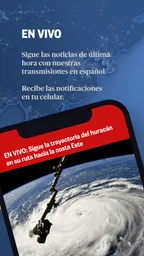
- Breaking news alerts can keep you informed as stories develop.
- Live coverage makes major events easier to follow in real time.
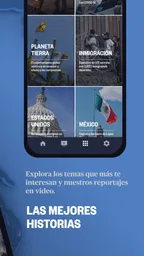
- Video reports add context to important headlines.
- The Spanish-language coverage serves a broad audience.
- A free download lets users explore the news without an upfront cost.
What could be better
- Frequent alerts may feel distracting without careful notification settings.
- Video streaming can use substantial mobile data.
- Some stories may require a stable internet connection to load.
- Coverage focuses mainly on U.S. and Latin American news.
- The app may request permissions that some users prefer to limit.





