

MMGuardian Parental Control review
 Analysis by Appsdrops
Parental-control apps ask for a kind of trust that a timer or app blocker alone cannot earn. I’d judge MMGuardian by whether its controls fit a family’s needs, whether parents and children can understand the boundaries, and whether location tracking is used for a clear purpose rather than constant checking. It is a parenting app from MMGuardian.com, and its focus is practical: managing screen time, restricting apps, and checking a child’s location. That makes it worth considering for families who want several common safeguards in one place, but it also calls for thoughtful conversations about privacy and independence.
What kind of family is it built for?
MMGuardian is free to install, with in-app purchases ranging from $1.99 to $99.99 per item. It is rated for Everyone, has an average rating of 4.3 from around 27,000 ratings, and has passed one million installs. Those figures suggest that it is an established option, but they cannot tell me whether its approach will suit a particular household. The useful question is whether the controls match the situation you are trying to manage.
I see the strongest fit for parents who need a straightforward way to set limits around a child’s device use and want location checking alongside app restrictions. A family might use it to keep entertainment apps out of reach during homework, make bedtime less negotiable, or check where a child is when plans change after school. Having those jobs in one parenting app may be more convenient than relying on separate tools for every concern.
It is less compelling if your main goal is simply to agree on a daily routine and your child already follows it. In that case, built-in screen-time settings or a family calendar may be enough, with less need to introduce a separate monitoring relationship. I would also think twice if a teenager expects substantial privacy and there has been no conversation about what a parent will restrict or track. The app can provide controls; it cannot make the family agreement behind them fair.
Trust starts with clear boundaries
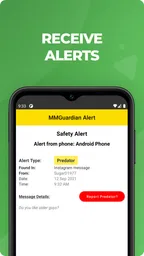
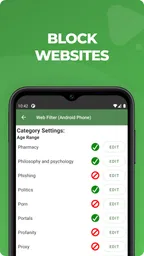
The trust question is especially important because the advertised functions touch different parts of a child’s day. App blocking affects what a child can open, screen-time limits affect when a device is available, and a GPS tracker concerns where the child is. These are not interchangeable safeguards. I would decide separately which one solves a real problem and avoid turning every available control on simply because it is there.
For example, a younger child who repeatedly opens games during a study period may benefit from a focused app restriction. A parent worried about a late pickup may have a specific reason to check location. Neither situation automatically justifies treating location as a routine measure of obedience. My practical recommendation is to explain the purpose in plain language before enabling a control, then review whether it is still needed as the child’s independence changes.
This approach also helps distinguish safety from convenience. A location check can answer a concrete question about a pickup, while frequent checking can become an easy substitute for asking a child to communicate. Similarly, blocking an app during a particular activity can reduce distraction, but a blanket restriction may also prevent legitimate use. I would make the rule as narrow as the problem allows.
Controls work best when they match a routine
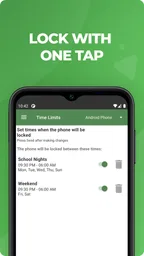
Screen-time management is most useful when it supports a predictable household rhythm rather than becoming a daily argument about minutes. Before setting limits, I would identify the moments that actually cause friction: perhaps a device stays in use after lights-out, or a game interrupts homework. A targeted boundary is easier to explain and easier to evaluate than a broad rule that changes whenever someone is annoyed.
App blocking deserves the same care. A parent could separate recreational use from necessary phone functions, but the right distinction depends on the child’s schedule and responsibilities. I would check the child’s routine before restricting anything and leave room for exceptions such as a changed pickup plan or a school-related task. That is a useful safeguard against a technically successful block creating a practical problem.
One everyday scenario shows where the combination can help: a child is meant to finish homework before opening games, and a parent also needs to know whether the child arrived at an agreed destination. Screen-time limits and app restrictions address the first concern; location checking addresses the second. They are useful for different reasons, so I would not treat one as proof that the other is necessary.
Location is the most sensitive choice
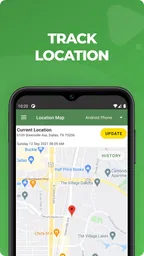
Location tracking is often the feature that makes a family pause, and I think that caution is healthy. Before relying on it, a parent should make sure the child understands when and why location may be checked. It is also sensible to discuss what happens when plans change, so a location check is not mistaken for permission to skip a conversation or ignore an agreed check-in.
I would use location as a practical backup for a defined concern, not as a substitute for trust. For instance, it may help a parent confirm that a child reached a meeting place after an unexpected change in transport. But if the real issue is that a child has not replied, a direct call or message may be the better first step. The tool is most defensible when its use is limited, explainable, and connected to safety rather than suspicion.
Parents should also be deliberate about who manages the controls and how they communicate them. I would keep access to settings within the responsible caregiver’s account and explain changes to the child instead of quietly changing restrictions and waiting for a conflict. That advice is about good household practice, not a claim about particular account or security features. The available product details establish the kinds of controls, not the specifics of its permissions or data-handling arrangements, so I would not treat the feature list as a privacy policy.
Compare it with built-in family settings
The usual alternative is to start with parental controls already available through a phone’s operating system or app store. Those can be a better choice for a family that only needs basic limits, prefers fewer separate tools, or wants to keep management within settings it already uses. A dedicated parenting app becomes more attractive when a parent values having app blocking, time management, and location checking together rather than assembling a routine from multiple places.
There is a trade-off: bringing several controls together may make family management more convenient, but it also makes the app a more consequential part of the relationship. I would compare the actual controls you intend to use, not choose based only on the promise of comprehensive supervision. If location is unnecessary, a simpler time-limit tool may be the more proportionate answer. If a family needs a location check and app restrictions as well as screen-time boundaries, MMGuardian’s focus is more directly relevant.
MMGuardian was released on September 30, 2013, and its current version is 3.7.44. It requires Android 6.0 or later, so an older Android device may not be compatible. I would check compatibility on the device that will be managed before making it part of a household routine. The app is free to download, but the listed range of optional purchases is broad; I would review the purchase choices in the app store and confirm which option fits the features the family actually wants before paying.
What I would settle before installing
I would start by agreeing on one specific goal: reduce late-night use, keep games away from homework time, or have a way to check a child’s location during a particular routine. Then I would explain which control addresses that goal and what the child can expect. This keeps the first setup focused and gives the family a fair way to judge whether the restriction helps or merely shifts the argument to another part of the day.
I would also plan for exceptions in advance. A rigid rule can fail when a schedule changes, a child needs an app for a legitimate task, or a parent is unavailable to adjust a setting. Before relying on app restrictions, make sure the child knows how to reach a caregiver and what to do if a blocked function becomes necessary. That small conversation can prevent a safety tool from becoming an obstacle.
Finally, I would revisit the arrangement after the initial routine has settled. A useful check-in is not just “Is the app working?” but “Are we using each control for the reason we agreed on, and does the child understand that reason?” If the answer is no, the best adjustment may be to change the family rule or stop using a particular control, rather than add more restrictions.
My cautious verdict
I’d recommend MMGuardian to parents who want screen-time management, app blocking, and location checking in a dedicated parenting app, and who are prepared to discuss those controls openly with their child. Its appeal is the combination of practical tools, especially for families dealing with recurring device-use conflicts or a specific need to coordinate a child’s whereabouts. The developer is MMGuardian.com, and its long-standing presence and broad adoption may reassure some families, though neither popularity nor an average rating tells you how well its privacy choices fit your household.
I would choose a simpler built-in option if all you need is a basic time boundary, and I would skip location tracking unless there is a clear reason to use it. For a family that values transparency, starts with a narrow goal, and checks that restrictions remain proportionate, this app is a reasonable candidate. My bottom line is that the controls can help, but the healthiest use is deliberate and explained, not silent or constant.
Its age rating is Everyone, but that does not mean every feature is appropriate for every age or family dynamic. I would adapt the rules to the child’s maturity and make room for their perspective. Used that way, MMGuardian can support a household agreement; used as a substitute for one, it is unlikely to solve the underlying disagreement.
What we like
- Parents can manage settings remotely from a separate device.
- Location tracking can help parents check a child's whereabouts.
- App blocking offers control over access to selected apps.
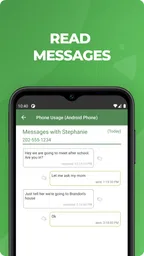
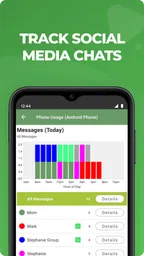
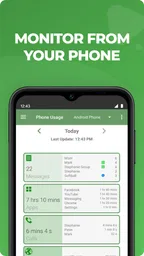
- Usage reports can reveal patterns in a child's device activity.
- Scheduling tools can support consistent screen-time limits.
What could be better
- The child device needs extensive permissions for monitoring features.
- Some features require a paid subscription.
- Setup may take time across the parent and child devices.
- Monitoring can feel intrusive to older children.
- Features and compatibility may vary by device and operating system.





