





Miuci AI: AI Photo & Video Gen review
 Analysis by Appsdrops
I’m always interested in creative apps that promise to turn a quick idea into something I can actually use, rather than another folder of half-finished experiments. Miuci AI is built around that goal: it brings together AI photo and video creation, text-to-image generation, image-to-video tools, and photo editing and enhancement. That gives it an appealing place in a creator’s workflow, whether I’m starting with a written prompt, working from an existing picture, or polishing an image I already like.
The key appeal is the range of creative starting points. I don’t have to approach every project as a traditional photo edit, and I can move between making something new and improving something I already have. As a photography app, it is aimed at people who want more ways to shape visual content without treating every idea as a complicated production. The free download makes it easy to explore, while optional in-app purchases are available for users who want to go further.
From a rough idea to a visual direction
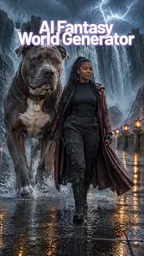
When I’m beginning a creative project, the hardest part is often getting from a vague concept to a clear visual direction. A text-to-image tool offers a direct route: I can put an idea into words and use that as the basis for an image. That makes the app relevant for mood-setting, playful concepts, and visual experiments, as well as for anyone who simply wants to see how a description might look as a picture.
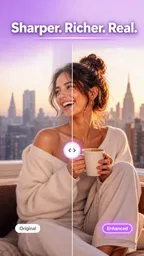
The other starting point is an image I already have. Miuci AI includes tools for editing and enhancing photos, so it can serve as a place to revisit existing material instead of generating everything from scratch. I like that combination because real creative work rarely follows one tidy path. Sometimes I begin with a blank page; other times, the useful image is already there and needs a different treatment.
The most practical idea here is having creation and refinement in the same creative toolkit. Text-to-image generation speaks to people who want to build a visual from a prompt, while editing and enhancement are aimed at people who want to work with photos they have. Neither approach has to replace the other. The flexibility is the point: the app can support different kinds of projects instead of asking me to fit every task into a single editing style.
Choosing the right route into a project
I’d think of the app’s main tools as different entry points rather than steps in a fixed recipe. A short written concept can lead to a generated image. A photo can become the basis for an edit or enhancement. And an image can also be used as a starting point for video creation. That variety is useful when inspiration arrives in different forms, or when I’m not sure yet whether an idea works better as a still picture or moving content.
For a casual creator, that kind of choice can make experimentation feel less intimidating. I can begin with what I have—an idea or an image—and explore from there. For someone preparing social or personal creative material, having both image and video generation in one app may also make it easier to consider different formats while developing a concept.
It is worth keeping expectations grounded: AI creation is best approached as a way to explore possibilities, not as a guarantee that every first result will match the picture in your head. A prompt gives the process a direction, and the creative judgment still belongs to the person using the tool. I see that as a healthy way to use generative features: let them help reveal options, then decide what feels right for the project.
Making, revising, and shaping the result
Once I have a starting point, the next question is whether the tools help me keep working with the idea. Miuci AI’s mix of generation and photo editing gives the workflow room to shift. I might begin by creating an image from text, then consider how it could be improved. Or I could start with a photo and use enhancement or editing to move it closer to the look I want. The app’s central promise is not just to create, but to provide several ways to work on visual material.
That matters because a creative result is rarely finished simply because it exists. A first image can be a sketch in visual form: useful for deciding what to keep, what to change, and whether the concept deserves more attention. Having editing and enhancement alongside generative tools makes the app feel more like a flexible workspace than a one-purpose novelty, at least in the way its feature set is organized.
Image-to-video creation adds another possible direction. Instead of treating a picture as the endpoint, I can consider it as the beginning of a moving piece. That opens up a different kind of creative thinking: an image can be a standalone result, a reference for a video, or one part of a broader visual concept. For creators who like to test formats, that connection between still images and video is an appealing part of the package.
Iteration without losing the original idea
My preferred approach with AI tools is to stay specific about what I’m trying to achieve, but leave room for unexpected results. A prompt should give the generation process a meaningful direction; the output can then help me decide where to take the concept. With photo editing and enhancement, I’d similarly start by identifying what I want the image to do better, rather than making changes just because the tools are there.
This way of working keeps the creative process focused. Instead of chasing endless variations, I can judge each result against the purpose of the project. Does it communicate the mood I wanted? Does the image feel suitable for the format? Would a video treatment make more sense than a still? Those questions are more useful than expecting an AI app to make every creative decision for me.
Miuci AI’s broad set of tools is a strength for exploration, though it also means that a new user may need a moment to decide where to begin. I would start with the task that feels most immediate: write a prompt for an original visual, bring in a photo to edit or enhance, or explore the video side from an image. A clear first goal can make a multi-purpose creative app feel easier to approach.
From creation to sharing or continued work
Every creative app eventually needs to fit into a larger process. The making stage may happen inside one tool, but the result might be intended for a personal collection, a project, or sharing elsewhere. Miuci AI’s role is to help create and shape photos and videos; I would treat it as part of a wider workflow, with the creative decisions and any later use guided by what I am making.
That practical perspective is especially helpful for AI-generated material. Before considering a piece finished, I’d review it with the same care I would give any visual work: check that it suits the intended audience, that the overall look feels coherent, and that it communicates the idea clearly. The app can support production, but the creator remains responsible for deciding whether an output is ready to pass along.
For a quick personal experiment, the handoff may simply mean keeping a result I like. For a more deliberate project, it can mean deciding whether the image or video fits the brief and whether it needs further refinement. I appreciate that the app’s combination of creation, editing, and enhancement points toward more than a single moment of generation. It gives users several ways to work toward a result they feel comfortable using.
Who will get the most from Miuci AI?
Miuci AI is likely to appeal most to people who want an approachable way to explore AI-assisted visual creation. Its toolkit covers both text-led image making and image-led work, with photo editing, enhancement, and video creation in the mix. That makes it a reasonable choice for curious beginners, casual creators, and anyone who likes trying different visual directions without committing to one type of project.
It may also suit creators who already have photos but want another way to develop them. The editing and enhancement side gives those users a reason to open the app even when they are not looking to generate a brand-new image. Likewise, someone who starts with a written concept can use text-to-image as a visual jumping-off point, then decide whether to keep exploring as an image or move toward video.
The app is free to download and is rated for Everyone. It has a 4.7 average from around 3.8 thousand ratings, with more than a million installs. Optional purchases range from $4.99 to $17.99 per item, so I’d keep that in mind when deciding how much of the creative toolkit I want to use. It comes from Funkedenic, and its current version is 1.3.3, with Android 8.0 as the minimum operating system requirement.
Those details place it in the accessible end of the creative-app landscape, but the best reason to try it is the breadth of its creative premise. Rather than focusing only on filters or only on image generation, it brings several visual tasks together. That can be handy when a project changes direction halfway through, or when I want to test whether a concept works better as an image, an enhancement, or a video.
My creator verdict
I see Miuci AI as a flexible creative companion for people who enjoy experimenting with photos and AI-generated visuals. Its strongest appeal is the range of ways to begin and continue: type an idea, work from an existing image, edit or enhance a photo, or explore turning an image into video. That mix gives it more than one use case and makes it easier to approach from different levels of experience.
It is best used with a clear creative intention and a willingness to review the results thoughtfully. AI tools can help me explore a direction, but choosing the right image, deciding what needs refinement, and judging when a piece is ready are still part of the creator’s job. If I keep that balance in mind, the app’s combination of generation and editing can be useful for both playful experiments and more purposeful visual work.
Overall, Miuci AI is worth considering if you want a free photography app that brings AI photo and video creation together with text-to-image generation, image-to-video tools, and photo enhancement. I like its emphasis on moving from an initial idea toward a more finished visual, rather than treating generation as the whole story. For creators who want room to try, revise, and explore different formats, it offers a broad and approachable place to start.
What we like
- Creates AI-generated images from text prompts.
- Offers AI tools for both photos and videos.
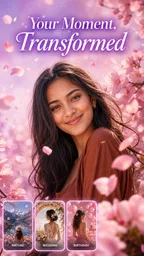
- Can transform existing photos with creative effects.
- Makes visual experimentation accessible without advanced editing skills.
- Provides a convenient way to explore generative AI on mobile.
What could be better
- Generated results may not match the prompt precisely.
- Video generation can take longer than image creation.
- Some features may require a paid plan or credits.
- Results can vary in quality between generations.
- AI processing may require a stable internet connection.





