
McDonald's review
 Analysis by Appsdrops
I think of the McDonald’s app less as a digital menu and more as a way to make a familiar stop easier to plan. It brings ordering, offers and rewards into one place, which is useful when I already know what I want or want to check whether an available deal changes the value of a meal. It is not a reason on its own to choose McDonald’s over another restaurant, but it can make a visit feel more convenient when its options suit the moment.
What the app is useful for today
McDonald’s is a free Food & Drink app from McDonalds USA, LLC. Its core appeal is practical: browse food, look for deals, order through the app and keep track of rewards. In my experience, having those tasks together can save time compared with deciding at the counter, especially if I am ordering for more than one person or want to compare a deal with my usual choices before committing.
The app has a 4.0 average from around 2.2 million ratings, with more than 400,000 written reviews and over 50 million installs. Those figures suggest it is a well-established option, though popularity does not guarantee that every visit will be smooth. The actual experience depends on whether the app’s ordering flow, available offers and the restaurant you choose line up with what you need.
The most useful habit is to treat the app as a planning tool rather than a promise that every item or offer will be available everywhere. I would check the menu and deal options before placing an order, then confirm the selected restaurant and order details carefully. That small pause matters: an otherwise convenient mobile order is only helpful if it is associated with the location where I intend to collect it.
For a routine lunch, the appeal is easy to understand. I can look over the choices while waiting for a break, decide what everyone wants, and avoid doing all the browsing while standing in a queue. If I am ordering for a group, the phone’s screen gives me a moment to review the selections before moving forward. That is a modest benefit, but it can prevent the familiar back-and-forth of trying to remember several orders at once.
Deals and rewards work best with a little comparison
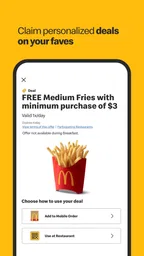
Deals can make the app worthwhile for someone who visits often, but I would not assume that every offer is automatically a bargain. I compare what the deal includes with what I would have ordered anyway. A discount on food I do not want is not useful savings, and changing a planned order just to use an offer can leave me spending more than intended.
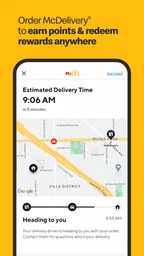
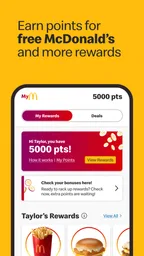
Rewards add another reason to keep the app handy, particularly if McDonald’s is already part of someone’s regular routine. The practical question is whether the rewards fit the way that person orders. Occasional customers may find the menu and ordering tools more immediately useful than keeping up with rewards, while frequent visitors may appreciate having offers and reward progress in the same place.
A helpful workflow is to check offers before building an order, not after. That makes it easier to decide whether to choose a deal or stick with a preferred meal. I also recommend reviewing the final basket before submitting it; this is especially useful when adjusting a group order, since a quick tap can change a selection or quantity. The app’s convenience is strongest when it reduces decisions at the restaurant rather than encouraging rushed ones on the phone.
How it compares with ordering in person
Compared with ordering at the counter, the app gives me more time to read and consider the options without feeling that I am holding up the line. It can also make offers easier to notice while I am deciding. The trade-off is that a phone order adds steps of its own: I need to choose the right restaurant, check the basket and follow the app’s instructions for completing the order. If I am already at the counter and know exactly what I want, speaking to staff may be just as quick.
Compared with a general food-delivery service, McDonald’s own app is the more focused choice when I want McDonald’s specifically and prefer to use its ordering and rewards tools. A broader delivery app may be more useful when I am comparing several restaurants or arranging food from multiple places. The best option depends on the job: this app is built around one chain, not around discovering the widest range of local food.
It is also not an automatic substitute for checking with the restaurant when a request is important. If I need reassurance about a particular item or an unusual order, I would rather confirm the details than assume that tapping through the app has communicated everything exactly as I intend. Mobile ordering is convenient, but it does not remove the value of checking an order before leaving with it.
A long-running app, with a current version to consider
The app was released on October 24, 2014, and its current version is 26.72.5. Those facts place it in the category of a long-running service that continues to receive version updates, rather than a newly launched ordering experiment. They do not, by themselves, tell me exactly which screens or functions changed in a particular update, so I would avoid treating a version number as proof of a specific improvement.
For someone who has used it for years, the relevant question is whether the current release still fits their routine: can they find the order they want, spot a useful offer and complete the steps without unnecessary friction? For a new user, the same current version is the one to evaluate, rather than relying on impressions from an older interface. The app is rated for Everyone and requires iOS or Android version 9 or later, so people using older operating systems should check compatibility in their app store before planning to depend on it.
McDonald’s has accumulated a large audience, but a mature app can still feel more helpful to some customers than others. Someone who regularly places the same kind of order may value the convenience of having the process on a phone. A person who visits rarely, prefers to decide face-to-face or wants to compare many restaurants may see little reason to add another app to their device.
Where the experience can fall short
The first limitation is that the app is tied to McDonald’s. It cannot help me compare the chain’s food with other nearby restaurants in the way a multi-restaurant service can. That focus is a strength when I have already made my choice, but a drawback when I am still deciding what to eat.
The second is that using deals and rewards asks me to pay attention. I need to check what is currently relevant, make sure the order reflects my intention, and avoid assuming that an offer will apply to every possible combination. For a person who wants to walk in, order quickly and think about nothing else, the app may add more preparation than it saves.
There is also a practical difference between ordering ahead and simply browsing. Browsing can help me make a choice, but an order requires more care: I should verify the location, selections and order total before I finish. If plans change after I place it, I would not rely on the app as a substitute for checking the restaurant’s instructions. A careful final review is a better habit than assuming any mobile order can be altered effortlessly.
People who rarely eat at McDonald’s may also find that rewards are not a compelling reason to install it. In that case, the app’s value rests mostly on whether its ordering flow or offers are useful for a particular visit. If neither matters, ordering in person is a perfectly sensible alternative. I would not recommend downloading it just because the company has a large app audience.
Who I would recommend it to
I would recommend the app to regular McDonald’s customers who like to check deals, plan an order before reaching the restaurant or keep rewards within reach. It is especially handy when I am coordinating a simple meal for a couple of people and want to review the choices without trying to remember everything at the counter. The free price makes trying it low-commitment, though the real benefit comes from using its tools in a way that matches existing habits.
I would be less enthusiastic about it for someone who wants a broad restaurant finder, rarely visits McDonald’s, or strongly prefers to speak with a person for every order. It is also not the right tool if convenience means avoiding all advance decisions: the app still asks me to browse, select and check details. In those situations, a counter order or a multi-restaurant service may fit better.
For a realistic everyday example, imagine heading out for a quick lunch with a colleague. I would open the app before leaving, compare the available offers with the meals we actually want, and settle the order while there is time to check it. Once at the restaurant, I would make sure the order is tied to the intended location and follow the collection instructions shown in the app. That workflow uses the phone to reduce decision pressure, without assuming it can eliminate every wait or prevent every mistake.
My recommendation
Overall, I see McDonald’s as a useful companion to a familiar restaurant, not a must-have for every diner. Its strongest case is the combination of ordering, deals and rewards in one branded app; its weakest is that the value depends on how often someone chooses this particular chain and whether the available options suit their plans. I would try it if I already visit McDonald’s and want to make those visits easier to organize.
Before relying on it for a time-sensitive meal, I would test the ordering flow on an ordinary visit, check the selected restaurant and review the final order carefully. That gives a realistic sense of whether the app works smoothly for my routine. If it does, it can make repeat visits more convenient; if it feels like extra work, the counter remains a straightforward alternative. The current version is 26.72.5, and what I would watch in future updates is whether the everyday process becomes clearer and easier without making deals and rewards harder to manage.
What we like
- Order ahead for pickup at participating locations.
- Customize many menu items before placing an order.
- Earn points through eligible purchases in the rewards program.
- Save favorite orders for quicker repeat purchases.
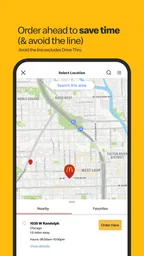
- Find nearby restaurants and check available services.
What could be better
- Features and offers vary by location.
- Some restaurants may not support mobile ordering.
- Rewards rules and redemption options can change.
- Pickup wait times may differ from estimates.
- The app may request location access for nearby offers.




