
Papa Johns Pizza & Delivery review
 Analysis by Appsdrops
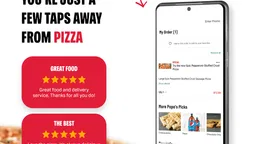
Ordering pizza is a small task, but it can become surprisingly fiddly when everyone wants something different, the delivery details need checking, or you are placing an order in a hurry. Papa Johns Pizza is the restaurant’s dedicated Food & Drink app, built around ordering from Papa John’s rather than comparing menus from several businesses. I find that focus useful when I already know what I want; it is less compelling if I am still deciding which restaurant to choose.
Trust begins with a clear, limited purpose
The app is developed by Papa John's Pizza, and its main job is straightforward: help customers order from that brand on Android. It is free to install and rated for Everyone. Its scale suggests that plenty of customers use it: it has more than ten million installs, with an average rating of 4.8 from around 399,000 ratings. Those figures are useful context, not a guarantee that every order or experience will go smoothly.
I would treat this as a practical ordering channel, not a general-purpose food marketplace. That distinction matters for trust: you are choosing to interact with a pizza chain, rather than browsing a mixed collection of restaurants. If you already intend to order Papa John’s, keeping the process within the brand’s app can feel more direct than searching a delivery marketplace. If you want to compare local restaurants, delivery fees, or menus across brands, a broader service is usually the better starting point.
The app has been available since December 19, 2011, and its current version is 5.44.0. It supports Android 7.0 and later, which gives older compatible devices a route to use it. I would still check that the version offered to your particular phone works as expected before relying on it for a time-sensitive meal. An app’s long presence and a large audience can offer reassurance, but neither tells me how an individual order will be handled.
What I would check before placing an order
With any ordering app, the most important trust decision happens before checkout: make sure the restaurant, order type, and destination match what you intend. For a delivery, I would pause to review the address and any delivery instructions rather than assuming a saved detail is still right. For pickup, I would double-check that I have selected the option I actually want. These quick checks are especially worthwhile when ordering for another person or from a new location.
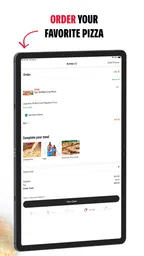
I would also read the order summary carefully before submitting it. A pizza order can involve a base choice, toppings, sides, drinks, and special requests; a small mistake in one part can matter more than the speed of tapping through the screens. If I am ordering for a group, I would confirm each customization aloud or against the group chat before checkout. That is a simple way to catch the familiar “one topping was meant to be left off” problem.
The app’s brand-specific scope has a trade-off. It may make sense when you know Papa John’s is your choice, but it cannot replace the wider comparison that a multi-restaurant app provides. I would use a marketplace when price and choice across several places are the priority, and this app when I have already settled on Papa John’s and want a direct ordering route.
Controls and choices worth checking
I don’t assume that an app offers particular privacy controls simply because it handles orders. The dependable approach is to look at the choices actually shown on your device and in the app, then decide what you are comfortable sharing. Android’s permission settings are also a useful place to review or change access that an app requests. I would grant only what is needed for the task I am doing, and avoid treating an optional prompt as a condition of ordering unless the app clearly requires it.
Account choices deserve the same attention. If the app presents a sign-in option, I would weigh the convenience of having account details available against the effort of creating and maintaining another account. If a guest route is offered, that may suit a one-off order; if it is not, I would decide whether the convenience is worth registering before entering personal details. I would not enter payment or contact information until I had checked that I was in the genuine app from the app store.
After ordering, it is sensible to review any account or communication settings that are visible rather than assuming how order updates or promotional messages are handled. If a setting is unclear, I would leave it unchanged until I understand its effect. This is not a special trick for Papa John’s; it is a careful way to handle any app connected to a purchase and a delivery address.
Where personal details matter most
A delivery order naturally involves information that needs to match the real-world handoff, especially the destination and a way to contact the customer if the delivery runs into trouble. That makes address entry the moment I would slow down most. Apartment numbers, building entrances, and delivery notes are easy to mistype, and a correct street address alone may not be enough to help a driver find the right door.
For a pickup order, I would still check the selected location and order details before paying, particularly if I am away from my usual area. A quick glance at the confirmation screen can prevent a trip to the wrong place. When ordering for someone else, I would use their delivery details only with their permission and make sure they know what has been ordered. The convenience of placing an order on another person’s behalf does not remove the need to handle their information thoughtfully.
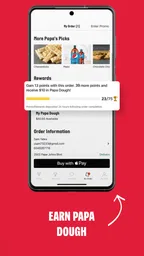
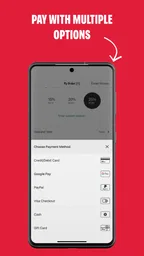
Payment is another natural pause point. I would use the payment choices presented in the app and review the final amount and order contents before confirming. If I am using a shared device, I would be especially careful about saved account or payment details and would sign out or remove access if the device is not mine. That is a more useful habit than assuming a familiar restaurant name makes every checkout decision automatic.
Everyday use: when the app earns its place
Imagine getting home after work with a few people waiting for dinner. One person wants a plain option, another wants several toppings, and someone else wants a side. I would use the app to assemble the order at my own pace, then review the full basket before placing it. That workflow is more comfortable than trying to coordinate every choice in a rushed phone call, especially when the group has settled on Papa John’s already.
For a recurring order, I would still compare the current basket with what I remember ordering last time instead of relying on memory. Preferences change, and a previous order may not fit the people eating today. If an account or order-history feature is visible, it can make repeat ordering more convenient, but I would treat prior details as a starting point, not proof that the current order is correct.
For a single pizza on the way home, the app may be less useful if installation, sign-in, or entering details takes longer than the alternatives available to you. I would also choose another option if I needed to compare several restaurants or wanted a wider view of local delivery choices. The best fit is someone who has already chosen Papa John’s and values placing that order from a phone.
Where convenience can turn into friction
Brand loyalty is both the app’s strength and its limit. A dedicated experience keeps attention on one restaurant, which can make sense when you know the menu and want to order directly. But if Papa John’s does not suit your budget, location, or taste that evening, the app cannot solve that mismatch by offering competing restaurants. In that situation, browsing a broader service or choosing another way to order is more practical.
There is also a difference between a smooth digital checkout and a smooth meal. The app can help organize an order, but the final experience still depends on details such as choosing the right destination and entering accurate instructions. I would not place a complicated group order at the last second without reviewing it, and I would avoid assuming that tapping through quickly is safer than taking a moment to check.
Some people prefer not to create accounts or keep another retailer’s app on their phone. For them, the value depends on how often they order from this chain and which ordering methods are available in their area. If this would be a one-time purchase, the app may not justify the extra setup. If it is a regular choice, having a dedicated route can be worthwhile, provided the user is comfortable with the account and information choices presented.
A measured recommendation
Papa Johns Pizza makes the most sense for customers who have already picked the chain and want a phone-based way to arrange an order. Its free price, broad adoption, and clear restaurant focus make it easy to consider, while the Everyone age rating and Android 7.0 minimum give useful compatibility context. I would recommend trying it if you order from Papa John’s often enough to value a direct, repeatable process.
I would not recommend installing it just to browse every possible dinner option, nor would I treat a high average rating as a substitute for checking my own order and account choices. Before checkout, verify the destination, customizations, and total; when privacy matters, review the permissions and settings actually shown rather than guessing what they mean. Those habits keep the convenience in perspective.
Overall, I see it as a focused ordering tool rather than a reason to choose the restaurant in the first place. Use it when Papa John’s is already your decision and the available choices suit your needs. Skip it when you want cross-restaurant comparison, want to avoid another account or app, or would rather order another way. That is a cautious but favorable verdict: useful for the right customer, with the usual care needed whenever a mobile purchase involves delivery details and payment.
What we like
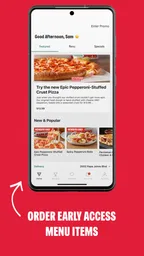
- Order from the full menu through the app.
- Choose delivery or pickup at checkout.
- Save favorite orders for faster reordering.
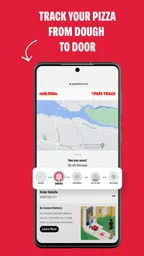
- Track delivery progress in the app.
- Find nearby Papa Johns locations.
What could be better
- Menu availability varies by location.
- Delivery fees may apply to orders.
- Promotional offers can have restrictions.
- Delivery estimates may change during busy periods.
- Some areas may not be served by the app.





