

DoorDash: Food, Grocery, More review
 Analysis by Appsdrops
Choosing a delivery app is less about the promise of speed than about whether it makes the whole errand easier: finding something that suits the moment, understanding the order before paying, and getting the right kind of essentials without turning a quick task into a project. DoorDash is worth considering if you want one place to look for prepared food as well as groceries and retail essentials. I see its main appeal as breadth and convenience, rather than a guarantee that every order will be the cheapest or the best fit.
It is a free Food & Drink app from DoorDash, rated for Everyone, and it has a 4.7 average from around 6.3 million ratings. That scale suggests many people find it useful, but it cannot tell you whether the restaurants and shops near your home are strong. The practical test is local: open the app, search for the things you actually order, and compare the options and estimated totals before relying on it for a time-sensitive meal.
How to decide whether DoorDash fits your routine
Start with the errand, not the app. If you want a meal from a nearby restaurant, the central question is whether its menu and delivery option suit your appetite and schedule. If you need a few household items along with food, the appeal changes: browsing different kinds of essentials in one app may save effort compared with switching between a restaurant service and a separate shopping app.
That convenience has a trade-off. A broad selection is useful only when the relevant choices are available where you are, and delivery can be less attractive than picking something up yourself when you live close to the shop or care most about minimizing extra cost. I would use DoorDash to compare possibilities, then decide whether delivery is worth it for that particular order—not assume the app is automatically the best route every time.
DoorDash has been available since March 26, 2015, and its current version is 15.298.4. It has over 50 million installs, which helps explain why it is a familiar option, though popularity does not guarantee equal coverage in every neighborhood. On Android, the listed minimum operating system is version 8.0. If you are choosing between services, local menus and the final checkout total matter more than the brand’s reach alone.
When one app for several errands is a real advantage
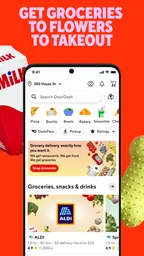
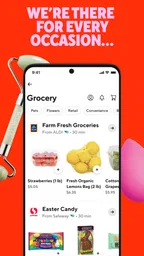
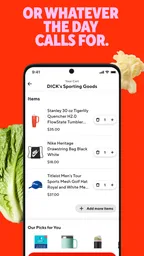
The strongest use case is a day when a food order and a small essentials run compete for your attention. For example, imagine getting home late, realizing dinner is not sorted, and also needing a few basic items. Being able to check restaurant choices and retail or grocery options in the same app can reduce the number of places you need to search. That is a practical convenience, especially when you are tired or trying to coordinate an order around a busy evening.
I would still treat each need separately during browsing. A restaurant meal and a grocery basket involve different decisions: for a meal, menu fit and timing may matter most; for essentials, the useful question is whether the shop has the particular items you need. One broad catalog does not remove the need to check availability, item details, and the order summary carefully.
A useful habit is to build the order around the thing that matters most, then review the rest. If dinner is the priority, settle on a suitable meal first and avoid adding unrelated items merely because they appear alongside it. If the essentials are urgent, check that those are covered before spending time exploring restaurant choices. This keeps the app’s range from becoming a distraction.
What to check before you commit
Look beyond the first appealing listing. Read the item or menu description, confirm the selections in your basket, and inspect the checkout summary before placing an order. This is particularly worthwhile when you are ordering for more than one person: a quick review can catch a mismatched meal choice or an item that does not belong in the basket. I find that a little attention at this stage is more useful than rushing through a large set of options.
For a group, agree on the order before one person checks out. Have everyone choose their own items first, then review the complete basket together. This avoids the familiar problem of placing an order and only then discovering that someone wanted a different meal or that an essential was overlooked. It is a simple workflow, but it makes a broad delivery app more manageable when several people are involved.
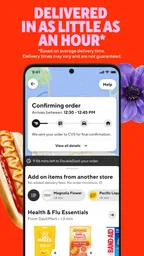
Timing deserves the same care. If you need food for a fixed appointment, do not treat a delivery app as a certainty simply because ordering is easy. Check the timing information shown in the app and leave room for a change of plan if arriving promptly matters. For a flexible meal at home, the convenience may outweigh that uncertainty; for a strict schedule, pickup or eating nearby may be the safer choice.
Where DoorDash wins—and where a narrower option may be better
Compared with a restaurant’s own ordering channel, DoorDash’s main advantage is the chance to browse multiple food options without starting a new search for every restaurant. Compared with a grocery-focused service, its broader mix can be more convenient when the task includes both food and other essentials. These are category-level advantages, not a promise that every local restaurant or shop will be represented or that the same order will be better value.
A restaurant’s own app or ordering page may be a better fit when you already know exactly where you want to eat and want to compare that restaurant’s direct ordering experience. A grocery specialist may make more sense when a larger, planned shopping trip is the main task and you prefer a workflow centered on groceries. And if you only need one nearby item, walking in or collecting it yourself can be simpler than arranging delivery.
In other words, DoorDash is most useful as a flexible starting point, not an automatic replacement for every alternative. I would open it when I am undecided about dinner, want to check whether an essentials run can be handled at the same time, or need to compare several local choices. I would switch to a narrower option when I know the exact shop, have a substantial grocery list, or care more about collecting an order myself than having it delivered.
The small costs of changing your usual routine
Trying a new delivery app is easy; changing your default takes more thought. You may already know which nearby places suit your tastes and how you prefer to order from them. With DoorDash, you need to check the local selection and get comfortable reviewing its ordering flow. The effort is modest, but there is little reason to move every routine order if your current method already works well.
A sensible way to compare is to use the same kind of order in both places on separate occasions: a familiar restaurant meal or a short list of everyday essentials. Compare the complete checkout summary, the available choices, and how convenient the process feels. Avoid judging from a single promotional-looking item or a restaurant name alone; the useful comparison is whether the total experience fits your needs.
Do not assume that combining errands will always save money or time. A single app can reduce switching, but separate orders may still require separate decisions, and a delivery option may not suit every item. If you are ordering for a household, check the basket carefully before submitting it. If you are simply hungry and know what you want, a direct restaurant order or nearby pickup may involve less browsing.
Who I would recommend it to
I would recommend DoorDash to people who like having restaurant food and everyday essentials available in one place, especially those who order from home and value the ability to compare local options. It is also a reasonable app to keep as a backup when the usual restaurant choice is closed or when a meal and a small shopping need come up together. With 711,000 reviews, it has a substantial base of written feedback as well as its strong average rating, though personal experience will still depend on your local selection.
I would be more cautious about recommending it as the only option for someone who is highly price-conscious, already has a reliable direct ordering routine, or expects every local store to be represented. If you prefer to choose produce and other groceries yourself, an in-person shop may suit you better. If you need a predictable meal at a fixed time, plan around the timing shown and have another option in mind rather than treating delivery as a guarantee.
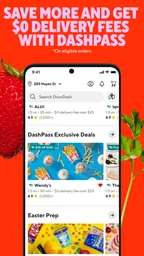
The app itself is free, but that does not mean every order is free of delivery-related charges or that the basket will match the cost of shopping in person. Treat the displayed total as the decision point, not the app’s download price. That distinction matters most for small orders, where convenience may be valuable but the extra cost can outweigh the benefit for some people.
My recommendation after weighing the trade-offs
DoorDash earns its place as a practical option when convenience means being able to explore restaurant meals, groceries, and retail essentials without jumping between several apps. I like that this breadth can help with real-life combinations—dinner plus a forgotten household item, for instance—rather than only a single restaurant order. The best results come from browsing with a purpose, checking the basket and checkout total, and choosing delivery only when it genuinely makes the day easier.
It is not the right choice for every errand. A specialist grocery service, a restaurant’s own ordering channel, pickup, or an in-person visit can be better when those options match the task more closely. My advice is to install DoorDash if you expect to use its range, test it against your current routine with a familiar order, and keep whichever approach gives you the better combination of selection, convenience, and cost. That makes it a useful tool rather than a default you have to use for everything.
What we like
- Order meals and everyday essentials through one app
- Browse menus from local restaurants and national chains
- Track deliveries in real time
- Schedule orders for a later time
- Save favorite places for quicker reordering
What could be better
- Delivery and service fees can increase the total
- Availability depends on your location
- Busy periods may cause longer delivery times
- Promotions can have minimum order requirements
- Some orders may arrive with missing or incorrect items




