

Grubhub: Food Delivery review
 Analysis by Appsdrops
When hunger strikes and cooking is not on the agenda, I want a delivery app that gets me from “what should I eat?” to a clear order without making the process feel like another chore. Grubhub is built around that everyday need: it helps you find food from nearby places and order meals, alcohol, and more. The experience is familiar in purpose, but the quality of the journey depends on how easily you can move from choosing a place to receiving your order.
From a craving to a shortlist
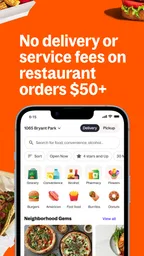
The starting point is simple: I have an appetite, but not necessarily a restaurant in mind. Rather than deciding first and searching afterward, I can use Grubhub to explore nearby options and see what sounds appealing. That makes it useful for both a specific craving and the less decisive moments when I am just browsing for dinner.
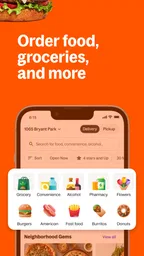
As a food and drink app, it serves a broad everyday role. A meal can be the obvious destination, but the offer also extends to alcohol and other nearby items. I like that the idea is not limited to one kind of occasion: it can fit a routine lunch, a relaxed evening at home, or a small last-minute need. The practical value, of course, comes down to which choices are available around me and whether they suit the moment.
Once I open the app, the first task is narrowing the field. I might already know the type of food I want, or I might need to scan options until something catches my eye. This discovery stage is where a delivery service earns its keep. A useful selection should help me get from a vague craving to a realistic candidate, rather than leaving me with an endless-feeling decision.
Choosing without overthinking
My preferred way to approach the search is to start with the simplest question: what would I actually be happy to eat right now? That keeps browsing focused. If I am ordering for myself, a quick decision is usually enough; if other people are involved, finding a place that works for everyone can take more thought. Grubhub is most helpful when it turns that decision into a manageable set of nearby possibilities.
It is also a good point to check the details that matter to the order itself. I look at the restaurant or seller, the items I am considering, and whether the selection fits the occasion. A delivery app cannot make a choice for me, but it can keep the practical steps together so I do not have to bounce between separate searches just to figure out what is available.
There is a small but familiar friction here: choice can be both the reason to open a delivery app and the reason an order takes longer than expected. When I am undecided, more options do not automatically make the decision easier. I find it better to set a rough direction first—comfort food, something light, or a particular cuisine—then browse with a purpose. That keeps the experience from turning into an extended scroll through possibilities.
Building the order
After settling on a place, the process shifts from discovery to putting together the meal. This is the point where I want the app to feel straightforward: find the items I want, check the selection, and make sure the basket reflects what I meant to order. Small moments of attention matter. A rushed tap or a missed detail can turn a convenient meal into a disappointing one, so I prefer to review my choices before moving on.
The order-building stage also changes depending on who is eating. A solo order may be quick, while a shared meal can involve comparing preferences and keeping track of several choices. Grubhub provides one place to bring those decisions together, which is useful when I do not want to coordinate the whole process through separate conversations and searches. The app can make ordering more organized, even though the group still has to agree on what sounds good.
I treat the basket as a checkpoint rather than a formality. Before continuing, I take a moment to confirm that the items match the plan and that I have not added something by accident. This pause is not glamorous, but it is one of the easiest ways to reduce avoidable mistakes. In a good ordering flow, the app supports that last look without making me feel as if I have to start the search over.
The handoff from app to restaurant
Submitting an order is a handoff. The app is where I make the selection, but the restaurant or seller has to prepare what I chose. That distinction is worth keeping in mind: ordering digitally makes the request convenient, but the meal still depends on the people fulfilling it. If something about the selection needs attention, the experience involves more than the screen where I first made the choice.
For me, the best part of this handoff is having the decision and order details gathered in one place. I do not need to remember a phone conversation or reconstruct my choices from scratch. Still, the smoothness of the overall experience is shared across the process. The app can help me place the order, while preparation and delivery determine whether the result matches the expectation I had when I pressed ahead.
This is where convenience has a practical meaning. A delivery app is not only a menu browser; it is a bridge between deciding what to eat and asking someone else to bring it. Grubhub’s core appeal is that it connects those stages for nearby food and other offerings. I find that especially useful when leaving home is inconvenient or when I would rather spend the evening doing something other than sorting out dinner.
From confirmation to the meal
Once the order is underway, my part of the work is mostly done. The outcome I care about is straightforward: the items I selected should arrive as expected, and the effort of ordering should feel worthwhile. When everything lines up, the journey feels pleasantly ordinary. I made a choice, placed the request, and got back to whatever I was doing while the meal made its way to me.
That ordinary quality is a strength. Food delivery does not need to feel like an event every time; often I just want a dependable way to turn a craving into a meal. Grubhub has a clear role in that routine, giving users a route from browsing nearby places to ordering food, alcohol, and more. It is less about adding drama to dinner and more about removing a few practical steps from getting it.
For people who use delivery occasionally, that simple promise is easy to understand. For regular users, the value comes from how naturally the app fits into the decision-making habit: open it, find something appealing, build the order, and hand it off. I would describe the experience as most useful when I already have a rough idea of what I want and need an uncomplicated path to make it happen.
Where the flow can lose momentum
The biggest potential snag begins before checkout: indecision. If I open the app with no idea what I want, browsing can become the longest part of the process. That is not unique to Grubhub; it is a common problem with any service that puts lots of choices in front of a hungry person. I get a better result by setting a small goal before I start, such as choosing a meal type or deciding whether I want something familiar or new.
Another source of friction is the handoff itself. The app can organize an order, but the restaurant still has to prepare it and the delivery has to complete the journey. That means the overall outcome is not shaped by the interface alone. I try to judge the experience as a whole rather than assuming that a clean ordering process guarantees every part of the fulfillment will feel equally smooth.
There can also be a gap between what I imagine while browsing and what I want once I am ready to commit. A menu that looked appealing at first glance may not fit the occasion, or a group may take longer to agree than expected. Taking a brief pause to review the choice helps. It is a low-effort habit that makes the ordering stage feel more deliberate and can prevent the classic “I should have picked something else” moment.
These are manageable limitations, but they shape who will enjoy the app most. If I want to explore every possible option, the process may take time. If I know my general direction, the same breadth can feel useful rather than overwhelming. The experience is strongest when I treat the app as a convenient route to a decision, not as a guarantee that the decision will make itself.
Who will get the most from it
I see Grubhub as a practical fit for people who want nearby food choices in one app and appreciate the option to order more than just a meal. It can suit a busy day, a quiet night in, or a moment when the kitchen is not appealing. Its focus is clear, and the basic workflow is easy to grasp even if someone has never used a delivery service before.
The app’s scale also suggests that it has become a familiar option for many users: it has more than ten million installs, and its average rating is 4.5 from around 997,000 ratings. Those figures provide context, not a promise that every order will go perfectly. Personal experience still depends on the choices available nearby and how well the separate parts of the order handoff come together.
Grubhub is free to download, and its content rating is suitable for everyone. The app was released on October 4, 2010, and its current version is 2026.45, with Android support starting at version 10. Those details make it an established service with a current version, while the main reason to try it remains much more everyday: finding something nearby and placing an order without turning dinner into a project.
A convenient route, not a magic fix
My overall impression is that Grubhub works best as a straightforward link between appetite and action. It helps me browse nearby places, choose food or other available items, assemble an order, and pass that request along for fulfillment. The strongest part is the convenience of keeping those decisions in one flow. The weakest moments are the familiar ones: too many possibilities, uncertainty about what sounds good, and the fact that preparation and delivery involve a handoff beyond the app itself.
If I have a rough idea of what I want and would rather stay in, Grubhub is an easy option to consider. I would not expect an ordering app to remove every uncertainty from getting a meal, but I do want it to make the steps clearer and easier to manage. On that everyday measure, the service has an appealing purpose and a workflow that makes sense.
In the end, the app is at its best when it saves me effort rather than asking me to spend more time deciding. Start with a craving, narrow the nearby choices, check the order, and let the restaurant and delivery process take over. That simple journey is the reason Grubhub remains a useful food delivery app for people who want an easier way to get something they fancy.
What we like
- Order from many local restaurants through one app
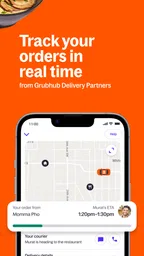
- Track delivery progress in real time
- Schedule orders for a later time
- Save favorite restaurants for quicker reordering
- Filter restaurants by cuisine and dietary options
What could be better
- Delivery fees can make small orders expensive
- Restaurant availability varies by location
- Estimated delivery times may change during busy periods
- Some restaurants require a minimum order
- Promotions may have eligibility restrictions





