


Luma: Events & Invites review
 Analysis by Appsdrops
I look at event apps through a practical question: do they help me decide where to go or bring people together without making the whole process feel opaque? Luma: Events & Invites is an events app from Luma Labs, Inc., and its appeal is easy to understand: it puts discovering and hosting events under one roof. That can be useful when a group chat is a poor place to keep track of plans, but an app’s value also depends on what choices it actually makes clear to its users.
What I would trust it to do
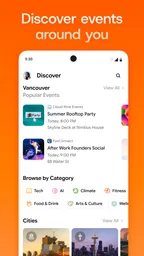
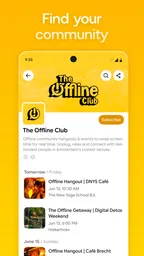
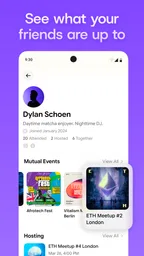
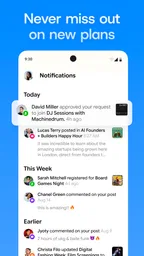
I’d consider Luma when I want a dedicated place to browse events or organize an invitation, rather than relying on scattered posts and messages. Its focus is social and practical: help people find things to attend and give hosts a way to bring a gathering together. It is not simply another general-purpose calendar, so it makes the most sense when the event itself is the center of the task.
That distinction matters for trust. An event app can shape what people see, where they choose to go, and how they coordinate with others. I’m comfortable judging Luma as a tool for those activities, but I wouldn’t treat the broad promise of event discovery as proof of any particular privacy practice. The useful approach is to pay attention to the choices shown in the app and decide what information you are comfortable sharing for a specific event.
The app is free, carries a Teen age rating, and has a 4.9 average from around 4.6 thousand ratings. It has passed 500 thousand installs, which gives a prospective user a sense that it has found an audience, but popularity alone is not a privacy guarantee or a reason to share more than necessary. I’d use those figures as context, not as a substitute for checking the actual prompts and settings I encounter.
Use the event itself as your guide
When opening an invitation or exploring an event, I’d first ask what I need to do: browse, decide whether to attend, or host. That simple distinction helps keep the experience intentional. If I’m only looking for ideas, I can avoid treating every event as a commitment. If I’m organizing, I can think through what attendees need to know before I send anything out.
A realistic example is planning a casual get-together with friends. In a busy message thread, the invitation, changes, and responses can disappear between unrelated conversations. A focused event app can make the event easier to refer back to. My advice is to settle the essential details before inviting people, then use the event’s available controls to communicate only what is relevant. That reduces confusion without assuming that an app will automatically solve every coordination problem.
For a public activity, discovery is more useful when I already know what kind of outing I want. I might browse with a rough plan—an evening activity, a community gathering, or something to do with friends—rather than scroll without a purpose. This is a small but meaningful habit: it makes recommendations and listings easier to evaluate on their merits and keeps me from confusing visibility with suitability.
Make deliberate choices when hosting
Hosting is the point at which I would be most careful. Before publishing or sharing an invitation, I’d review the event details from the perspective of someone who has never heard the plan before. Is the location understandable? Is the timing clear? Does the description reveal more than guests need? Thinking through those questions can prevent avoidable follow-up messages and reduce the chance of oversharing in the event information itself.
One useful workflow is to draft the event details separately before creating the invitation. I can decide what belongs in the description, what should be shared only with people I intend to invite, and what I should leave out altogether. That is not a claim about a special Luma feature; it is a practical way to retain control when using any event-hosting service. The app is most helpful when I bring that judgment to the process instead of assuming the defaults are right for every gathering.
I’d also keep the invitation audience in mind. A small dinner and an open community event have different expectations. For a private gathering, I’d be cautious about sharing details broadly. For a public event, I’d make the description useful while avoiding personal information unrelated to attendance. The trade-off is straightforward: more detail can make an event easier to understand, but unnecessary detail can expose information without improving the experience.
Pay attention to visible choices
My assessment of account and data control has to stay grounded in what the app actually presents. I would read each permission request when it appears, consider whether it is needed for the action I’m taking, and decline anything I do not want to enable. I would also inspect the account and event settings available in my version before relying on assumptions about visibility or sharing.
This is especially important because permissions and privacy choices can depend on the device, operating system, and the particular action being performed. A request should make sense in context: if I’m trying to use a feature that needs access to something on my phone, I can decide whether that benefit is worth granting access. If I’m merely browsing, I would not grant a permission out of habit. I prefer to make that decision at the moment it is relevant.
For account control, I’d look for the options exposed in the app and use them to manage the account or event when needed. I would not assume that a control exists just because another events service offers it, nor would I assume that one setting governs every audience or event. When an invitation is sensitive, I’d verify the audience and sharing choices directly before sending it. That extra check is more dependable than relying on a vague sense that an event is private.
Where it fits among familiar alternatives
The usual alternatives are group chats, social feeds, and calendar tools. A chat is convenient because everyone may already use it, but event details can get buried and responses become hard to scan. A social feed can help people stumble across activities, though its wider stream may be distracting when I simply need clear event information. A calendar is excellent for remembering a confirmed plan, but it is not necessarily the best starting point for discovering what to attend or coordinating an invitation.
Luma’s appeal is the combination of discovery and hosting. I’d choose it when those are the main jobs, and use a calendar afterward if I want a personal reminder. I’d stay with a familiar group chat when the plan is informal, the group is small, and nobody wants another app. For people who need strict control over sensitive guest information, I’d first inspect the available sharing choices and compare them with the requirements of the event; if those controls do not match the need, a more suitable private coordination method is the better choice.
There is also a social trade-off to consider. A dedicated event space can make plans feel more organized, but it asks participants to engage with another service rather than keeping everything in a tool they already open every day. That friction may be minor for an event people care about, yet it can slow down a spontaneous plan. I’d invite people in a way that gives them clear context, and I wouldn’t make the app itself a barrier to joining a simple gathering.
Who should try it, and who may prefer something else
I’d recommend trying Luma if you regularly look for events, host gatherings, or find that messages are an unreliable way to keep plans straight. It is especially well suited to someone who wants event discovery and invitations in one place and is willing to review the relevant choices before sharing information. The app is currently version 2.3.4 and requires Android 9 or later, so compatibility is worth checking before making it part of your routine.
I’d be less inclined to recommend it to someone who only coordinates an occasional casual meetup and already has a reliable group chat and calendar. In that situation, the extra step of adopting another app may outweigh the organization benefit. I’d also advise a cautious user not to equate a polished event experience with complete control over personal information. The right test is whether the visible options fit the event and the user’s comfort level.
For a first try, I’d begin with an event that is not especially sensitive. Browse with a specific purpose, inspect the choices relevant to attending, and, if hosting, draft a simple invitation before sharing it. Notice whether the process feels clear to you and to the people you invite. That small trial tells you more about practical fit than installing an app and immediately moving every social plan into it.
My cautious verdict
Luma: Events & Invites has a clear role: it helps people discover events and gives hosts a dedicated place to organize invitations. I like that focus, and I can see it being more orderly than a long chat when plans involve useful event details. The main caveat is not a flaw I can assert about its privacy practices; it is that trust depends on the choices actually presented for each account, permission, and event. I’d review those choices rather than assume.
If you often seek out events or host them, I think it is worth trying, especially when scattered conversations make coordination harder. If your plans are simple, or if an event calls for stronger privacy assurances than the visible controls provide, stick with a familiar alternative that better fits the situation. My recommendation is therefore positive but measured: use Luma for the event work it is designed to support, share thoughtfully, and let your own review of the app’s choices determine how much you rely on it.
What we like
- Create polished event invitations with customizable designs.
- Manage RSVPs in one place for easier guest tracking.
- Share event details and updates directly with invitees.
- Support a range of gatherings from casual parties to formal events.
- Offer a convenient way to keep event information organized.
What could be better
- Some design options may require a paid subscription.
- Guests may need the app to access certain event features.
- A Luma account is required to create and manage events.
- The experience depends on a reliable internet connection.
- Advanced planning tools may feel limited for large events.





