


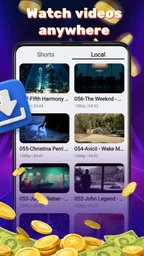

Lucky Video review
 Analysis by Appsdrops
I judge a video player less by how many controls it advertises than by whether it makes the ordinary job of watching a saved clip feel simple. Lucky Video is a free video-player app from Lucky-Tech Limited, and its straightforward pitch makes it worth considering if you want a dedicated place to play videos rather than a full editing suite. My view is cautiously positive: it sounds aimed at easy playback, but I would not assume that simplicity guarantees support for every file or smooth performance on every phone.
What to expect when you press play
The app’s focus is narrow: video playback, not a bundle of editing and publishing tools. That can be a practical advantage. If you mainly open clips from your device and want to watch them without first learning a complicated interface, a player built around that routine is easier to approach than an editor whose playback controls sit among timelines, effects, and export settings.
Still, “easy to use” and “fast” are not the same thing. Playback speed depends on the video file, the phone’s hardware, and how well the app handles that combination. I would expect familiar clips to be the fairest test: open one you already know plays properly elsewhere, check whether it starts promptly, and see whether basic controls are easy to reach. A single successful test is more useful than guessing from the app’s short description.
For a quick everyday check, try the kinds of videos you actually watch: a short recording, a longer download, and a clip with a larger picture or higher quality if you have one. That gives you a realistic sense of whether the player suits your library without treating a smooth first launch as proof that every file will behave the same way.
Useful for a simple viewing routine
A dedicated player makes most sense when watching is the whole task. Imagine getting home, opening a clip saved earlier, and wanting to view it without sorting through editing panels or social features. In that situation, a focused app may feel less distracting than a general video editor. It is also a reasonable option to try if you want a free player rather than paying before you know whether a separate playback app fits your habits.
The trade-off is that a narrow purpose does not answer every practical question. A player can be easy to open yet still be a poor match if it struggles with an important format, makes it awkward to find files, or lacks controls you rely on. I would treat your own files and routine as the test, rather than expecting the app’s broad positioning to settle those details in advance.
When a video puts more pressure on the phone
Heavy use is where a player’s strengths and limits become clearer. A short clip gives little time to notice whether playback remains steady, whether controls respond consistently, or whether the phone warms up during a longer session. If you plan to watch a full-length recording or a large video, test a similar file before relying on the app for a trip, a presentation, or a long stretch away from other options.
One useful habit is to keep the first test simple: close anything you do not need, start the video, and avoid judging performance while the phone is busy with downloads or updates. If playback then stutters, compare the same file in another player. That helps distinguish a file or device limitation from an app-specific problem. It also avoids the common mistake of blaming the player for a demanding video that challenges the phone elsewhere too.
Another practical check is to pause and resume a longer clip, then leave the player and return. This is not a claim that Lucky Video has a particular recovery feature; it is a way to see whether it fits your own multitasking habits. If you regularly switch between a video and messages, that behavior matters as much as the first few seconds of playback.
Stability matters more than a quick first impression
I would not call any player dependable based only on how it opens once. Try a few sessions, including one longer than a casual preview, and notice whether the app stays responsive when you use its controls. If it closes or loses your place, repeat the test with the same file. A repeatable issue is a stronger reason to switch players than a one-off interruption that might have come from the phone or the file itself.
For clips you cannot afford to fumble with—such as a video you need to show someone in the moment—I would keep a familiar alternative installed until Lucky Video has proved itself on that device. That is a sensible precaution, not a reason to dismiss the app. A new player earns trust through ordinary repeated use, particularly with the files that matter most to you.
There is also a useful distinction between playback and recovery. A video might play smoothly but still be inconvenient if returning after a call takes extra effort. Conversely, a brief pause does not necessarily mean the app is unstable. The right question is whether it resumes in a way that matches your routine. Check this before making it your default for long videos.
Choosing it for your device and library
Lucky Video is listed for devices running Android 7.0 or later. That makes the stated system requirement relatively approachable for people with older supported Android versions, but it does not guarantee identical performance across them. Older phones can have less room for demanding files and background activity, so I would test the app on the exact device you intend to use rather than infer speed from the minimum requirement.
The app is rated for Everyone, which is useful context for households choosing a general-purpose player. It does not tell you how to organize family videos or whether a particular file will open, so those decisions still come down to your device and the way you use it. If a child will use the phone, I would also check the device’s own settings and supervision arrangements rather than treating an age label as a substitute for them.
At the time described, the current release is version 1.0.1. With a version number this early in its sequence, I would be measured about making it the only player on a device before checking how it handles my library. That is not a prediction that it will fail; it is simply a reason to test first, especially if you depend on less common file types or need consistent behavior during frequent switching between apps.
How it compares with familiar alternatives
The usual alternatives fall into two broad groups: the player already on your phone and feature-rich third-party players. The built-in option has the advantage of being familiar and already part of your routine. A more specialized alternative may suit people who want extensive format controls or a carefully tuned playback setup. Lucky Video is most appealing between those extremes if you want a dedicated, free app and do not need an elaborate toolset.
If your main frustration is editing, trimming, or adding effects, a video editor is the better fit; Lucky Video is presented as a player, not as a replacement for creative software. If your main concern is opening unusual files, prioritize a player whose supported formats and controls you can verify against your collection. And if your existing phone player already starts your videos reliably, switching offers little benefit unless Lucky Video feels simpler in daily use.
That comparison is easiest to make with one familiar file in each app. Notice how quickly you can find and open it, how clear the playback controls feel, and whether returning after an interruption is comfortable. Those are concrete differences that matter more than a long feature checklist when all you want is to watch a saved clip.
Who should give it a try
The app has a 4.3 average from around 627 ratings, with more than 100,000 installs. Those figures suggest that people have tried it, but they cannot tell you whether it handles your particular videos or behaves well on your phone. I would use them as background, then make the decision based on a brief personal test.
Lucky Video is a reasonable candidate if you want a no-cost, straightforward player for ordinary viewing and you are comfortable checking your own files before depending on it. It is less compelling if you expect detailed control over formats, a proven workflow for long sessions, or editing features. People who already have a dependable default player may not gain enough to justify changing habits.
My practical recommendation is to install it, open a few representative videos, and try a pause-and-return cycle before choosing whether to keep it. That small test answers the questions that matter most: does it work with your library, does it feel responsive on your phone, and does it recover in a way you find convenient? The app is free, so trying it carries little commitment, but your own experience should decide whether it earns a place alongside the player you already trust.
Overall, Lucky Video makes sense as a simple playback option, not as a guaranteed upgrade for every Android user. Its appeal is the focused purpose; its limitation is that a concise pitch cannot promise a particular level of speed, stability, or file compatibility on your device. I would give it a fair trial for everyday clips, while keeping a familiar alternative for important or demanding videos until it has shown that it can handle them consistently.
What we like
- Simple controls make casual video browsing easy.
- A lightweight design can work well on older phones.
- Quick access to clips suits short viewing sessions.
- The interface is easy for new users to navigate.
- It offers a convenient way to discover video content.
What could be better
- The app may show frequent advertising.
- Video quality can vary between clips.
- Some content may not suit younger viewers.
- A stable internet connection is needed for streaming.
- Availability and features may vary by region.





