
Libby: Read Library Books review
 Analysis by Appsdrops
I think of Libby as a way to make a library feel less tied to a building or a particular reading routine. It brings ebooks and audiobooks from your local library onto your device, which is a different proposition from buying books one at a time or subscribing to a commercial reading service. The main question is not whether it has the biggest catalogue; it is whether your library’s collection and borrowing rules fit what you want to read.
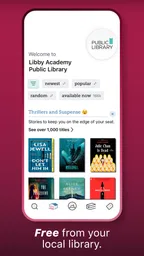
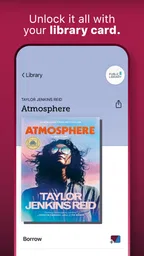
That distinction matters. Libby is a free Books & Reference app from OverDrive, Inc., but the books are accessed through participating libraries rather than purchased directly in the app. If you already have a library card, the appeal is straightforward: you can look for a title, borrow it when available, and read or listen on your device. If you do not have access to a library that participates, the app is less useful than a retailer or service with a catalogue you can browse and pay for directly.
Choose it for library access, not an unlimited catalogue
Before installing, I would ask myself three practical questions: do I have a library card I can use, does my library carry the kinds of books I want, and am I comfortable borrowing instead of owning? Those answers matter more than any general comparison of ebook apps. Libby works best when the library connection is already part of your life—or when you are ready to make it one.
The experience differs from buying an ebook. A purchase is typically yours to keep in a personal collection, while a library loan is temporary and may be subject to availability. That can make Libby an easy way to explore a writer or try a book I am unsure about, but it is less suitable when I need guaranteed, lasting access to a particular title. Availability can also depend on the library’s collection and lending arrangements, so a popular book may not be ready immediately.
Libby has a 4.8 average from around 766,000 ratings, and it has passed 10 million installs. Those figures suggest that many readers find the library-based approach useful, but they do not tell me whether a particular local catalogue will satisfy an individual reader. I would treat the app’s popularity as a reason to consider it, not as a substitute for checking what my own library offers.
What makes the library model worthwhile
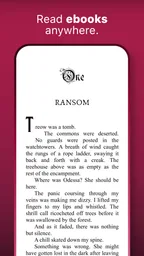
The strongest reason to choose Libby is the combination of convenience and borrowing. Instead of travelling to collect a print book, I can use a phone or tablet to read or listen to a library title. That is particularly handy for a commute, a lunch break, or a quiet evening when I want to continue a book without carrying a separate device. It also gives me a low-cost way to sample books before deciding whether I want to buy a copy for my shelves.
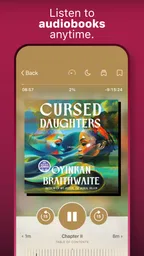
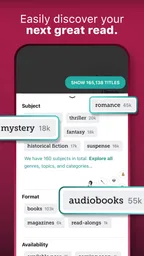
For audiobooks, the value is not just that a story can play while I do something else. Borrowing makes it easier to take a chance on a narrator or genre I might not pay for upfront. If it turns out not to suit me, I have not spent money on a purchase. For ebooks, the same logic works for reading projects, book-club selections, or a subject I want to explore without committing to ownership.
A useful habit is to search for a book before I need it. If a title is unavailable, I can decide whether to wait, choose another book, or look for it through a different source. This small change prevents the library model from feeling like a failed shopping trip: I approach the catalogue as a reading queue rather than expecting every book to be instantly ready. It is especially helpful when I have a few possible reads instead of one fixed choice.
Everyday use that suits Libby
Imagine I am heading out for a train ride and want something to read, but I do not want to carry a paperback. I can check my library’s available titles beforehand, borrow one that fits the trip, and use the app for the reading session. If I am driving or doing chores instead, an audiobook may fit better. In both cases, the key is planning around what the library has available rather than assuming a specific title will be waiting at the last minute.
Another good use is keeping separate reading interests moving at different paces. I might borrow an ebook for focused reading and an audiobook for moments when my hands are busy, while letting the library catalogue guide what I try next. That is a practical way to avoid buying several books just to see which one catches my attention. It also makes the app valuable for readers who enjoy browsing broadly, not only those following a carefully planned list.
For families or shared devices, I would be deliberate about which library card and account are in use before borrowing. A loan is connected to the library access used to obtain it, so keeping track of that choice can save confusion later. I would also check a title’s format before settling on it: someone who wants to listen should look for an audiobook, while a reader who wants to mark passages or read silently should choose an ebook where available.
Where it beats buying and subscription alternatives
Compared with an ebook shop, Libby’s main advantage is the chance to borrow rather than pay for each title. That makes it a sensible first stop for casual reading, new authors, or books I may only read once. The trade-off is control: a shop is often a better fit when I want a particular title immediately and want to keep it, while Libby is strongest when I am happy to work within a library’s available selection and loan period.
Compared with commercial audiobook or ebook subscriptions, Libby is tied to library membership rather than a single paid catalogue. I would not assume that the same titles appear in both places; each service has its own collection. A subscription may suit someone who wants one predictable commercial library to browse, while Libby may suit a reader who prefers to start with local library access. The right choice depends on the books, formats, and availability that matter to that person.
Print borrowing remains a better choice for readers who prefer paper, want to browse physical shelves, or value the feel of a book in hand. Libby does not replace those reasons to visit a library. I see it as an additional route to library reading, particularly for people who travel, have limited shelf space, or often want an audiobook alongside their day.
Small frictions and the cost of switching
The first hurdle is connecting library access. A reader needs a participating library and the means to use its card or account. Someone who has not used a library recently may need to confirm their membership details before the app becomes useful. That setup is a modest effort, but it is the difference between seeing a meaningful catalogue and having little reason to return.
The next adjustment is accepting availability as part of the experience. A title being absent or unavailable does not necessarily mean the app is broken; it may reflect the library’s collection or current borrowing demand. I recommend keeping a short list of alternatives, especially before a trip or a book-club meeting. If I must read one exact title by a fixed date, I would check availability early and have another source in mind.
Switching from a paid reading app also means changing expectations about ownership and access. I would not move my whole reading routine to Libby without first seeing whether my library carries enough of what I like. A sensible trial is to borrow a few different kinds of books—one ebook, perhaps an audiobook, and a title from a genre I do not usually buy. That reveals more about the fit than judging the app after a single search.
The app is free, and its content rating is Teen. It launched on January 17, 2017, and the current version is 9.5.0, with a minimum OS requirement of 7.1. Those details are useful when checking whether an older device can run it, but the more important practical test remains library access and catalogue relevance. Libby is not a universal replacement for every reading service; it is a focused tool for borrowing digital books through a library.
Who should choose it—and who should not
I would recommend Libby to readers who already have a library card, want to keep book spending down, or enjoy discovering titles without committing to a purchase. It is also a good match for people who alternate between ebooks and audiobooks and want library borrowing to fit into ordinary routines. OverDrive, Inc. has built an app around a clear purpose, and the scale of its use—along with tens of thousands of written reviews—shows that this approach has found a substantial audience.
I would hesitate to recommend it as someone’s only reading option if they need immediate access to specific books, want to own everything they read, or do not have a participating library. In those cases, a retailer, a paid subscription, or physical library borrowing may be a better fit. A reader who mostly rereads a personal collection may also gain less from a borrowing-first app than someone who is constantly looking for the next new title.
My practical recommendation is to install Libby if library borrowing sounds appealing, then judge it by the catalogue you can actually access. Search for a few authors you like, check whether the formats suit your habits, and see how comfortable you are waiting when a book is not immediately available. If those checks go well, it can become a genuinely useful part of a reading routine without adding another book bill.
For me, Libby is best understood as a convenient digital doorway to the library, not a promise of every book on demand. That boundary is also what makes the recommendation honest: when borrowing, choice, and low-cost discovery are priorities, it is an easy app to justify. When ownership and guaranteed access matter more, I would choose a different route—or use Libby alongside one.
What we like
- Borrow ebooks and audiobooks for free with a library card.
- Download titles for offline listening or reading.
- Adjust audiobook playback speed to suit your preference.
- Send many borrowed ebooks to a Kindle device.
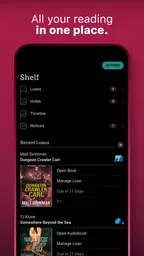
- Place holds on popular titles and track your position.
What could be better
- A participating library card is required to borrow titles.
- Available books vary by library and location.
- Popular titles may have long hold queues.
- Some ebooks cannot be sent to Kindle.
- Borrowing periods and renewal options depend on library policies.





