




Jellyfin review
 Analysis by Appsdrops
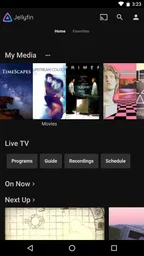
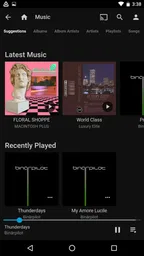
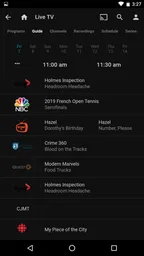
I like Jellyfin most when I think of it not as another video app with a huge catalogue, but as a way to watch media I already manage myself. The Android app is a client for a personal media library, so its usefulness depends on having a Jellyfin server and content available there. That distinction matters: if you want to open an app and immediately browse a ready-made streaming catalogue, this is not the experience you’re looking for. If you want to reach your own films, shows, music, and other media from a phone, Jellyfin offers a flexible alternative to relying on a commercial streaming service.
How the app fits into a personal media setup
Jellyfin is a free video player and editor category app developed by Jellyfin, though its central job is playback and library access rather than editing clips. The Android release began on June 10, 2019, and version 2.7.3 is the current version. It has an average rating of 4.2 from around 7,300 ratings, with 649 written reviews and over a million installs. Those figures suggest a well-established audience, but the app’s fit depends much more on your home media setup than on popularity alone.
The basic relationship is simple: the server holds and organizes your media, while the phone app gives you a way to browse and play it. That separation is a strength for people who want control over their collection, because a phone does not have to be the place where everything is stored. It is also the main hurdle for newcomers. Installing the client alone does not create a personal library, and anyone who has never set up a media server should expect some preparation before the app becomes useful.
I’d recommend this approach to someone who already keeps a collection of legally obtained media, wants to access it across devices, or prefers not to build their viewing habits around several subscription libraries. It is less suitable for a person who wants the least possible setup, automatic access to new commercial releases, or an app that works as a standalone streaming service.
What feels different from ordinary streaming apps
Most familiar streaming apps put their own catalogue first and make the user browse what the service currently offers. Jellyfin reverses that arrangement: your own library is the point of the experience. This is useful when a title you own is scattered across different services, unavailable in your region, or no longer included with a subscription. Rather than searching several catalogues, you can keep your collection in one place and use the phone as a viewing screen.
That freedom comes with responsibility. A commercial service handles much of the catalogue management and delivery behind the scenes. With Jellyfin, the quality of the experience depends on how carefully the library is prepared and how well the server is reachable when you want to watch. I see that as a fair trade for control, but it is not a trade everyone wants to make.
The app is rated for Everyone, and it is free. That makes it easy to try without a purchase decision, but “free” should not be confused with “nothing to organize.” The time cost is in setting up and maintaining a personal media library, not in paying for the Android client. If you already enjoy managing files and folders, that may feel natural; if you want everything handled automatically, it can feel like extra work.
A practical way to judge whether it suits you
Before investing time in a full library, I’d start with a small test: make sure your server is set up, add a handful of media items, and check how the app behaves on the network and device you normally use. This reveals the important details early: whether browsing feels clear with your collection, whether playback is convenient in your usual setting, and whether the server is available when you need it. A small trial is more informative than installing the app and expecting it to behave like a ready-made catalogue.
That test also helps separate client issues from server issues. If an item is missing or presented poorly, the cause may be the way the library is organized rather than the phone app itself. When a playback problem appears, it can be useful to check another item and another network before assuming the app is at fault. With a server-based setup, there are more pieces involved than in a typical one-device video player.
What the current release means for existing users
Version 2.7.3 gives users a clear point of reference for the current Android app, but a version number alone does not tell me exactly what changed from an earlier release. I would not treat it as proof of a particular new feature or a complete redesign. For someone already using Jellyfin, the practical advice is to update through the app store, then check familiar tasks—opening the library, finding a partly watched title, and starting playback—rather than assuming a new version has changed the whole workflow.
For a new user, the release history’s more useful implication is that this is not a one-off experiment: the Android client has been available since 2019 and is now at version 2.7.3. That establishes continuity, though it does not guarantee that every phone, server configuration, or media file will behave identically. I’d still make the small-library test before moving a whole household’s viewing routine onto it.
Existing users may also have routines built around how their server is arranged. In that case, changes to the client matter most when they improve the specific actions they repeat, not because a version number has advanced. I’d pay attention to whether browsing, resuming a show, and reaching the right library remain straightforward after updating. If your setup is working reliably, there is no need to rebuild it merely because the app has a newer version.
Everyday viewing: the strengths and the trade-offs
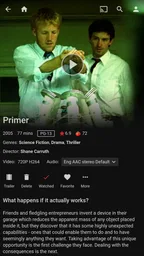
Imagine settling in after work and wanting to continue a film you started elsewhere. With the server available, the phone app can serve as a convenient doorway back into your own library instead of making you remember which service has the title. That is the everyday appeal: the value comes from having a consistent place to browse personal media, not from a large catalogue being supplied for you.
A less obvious benefit is that the server-and-client model can make the phone a lighter part of the setup. You do not have to treat it as the permanent home of your entire collection; it can be the screen you use when you want to watch. This can be especially helpful for people who move between devices or do not want to curate separate collections on each one. The trade-off is that access depends on the server being ready and reachable, so this is not the same as keeping a self-contained video file on the phone.
My practical tip is to plan around connection changes. If you usually watch at home, check the experience on your home network first. If you expect to use the app away from home, confirm that your server setup supports the access you intend to use before relying on it for a commute or a trip. A personal media server can be a great hub, but it does not remove the need to think about connectivity and availability.
Another useful habit is to keep library organization deliberate. Clear names and sensible grouping make a personal collection easier to browse than a folder full of ambiguously named files. This is not a cosmetic detail: the app can only present a useful library when the underlying collection is arranged well. For a large collection, putting a little effort into organization early can save repeated searching later.
Where the friction remains
The biggest limitation is the setup threshold. Someone expecting the familiar pattern of downloading an app, signing in, and pressing play may find the server requirement confusing. Jellyfin makes more sense to users willing to take ownership of the media side as well as the viewing side. If you do not want to manage a server or troubleshoot the connection between it and your phone, a mainstream streaming app or a straightforward local video player will probably be easier.
Playback can also involve more than the client. The server, the media file, the connection, and the phone all contribute to what happens when you press play. If a particular file does not work as expected, there may be a compatibility or server-side issue rather than a simple app setting to change. That layered arrangement is powerful, but it gives users more places to investigate than a service that controls both its catalogue and playback pipeline.
There is also a difference between owning access to your collection and having instant access in every circumstance. A server that is unavailable cannot provide the same convenience as a downloaded file already stored on the phone. I would not make this my only plan for watching video on a long journey unless I had checked that the media I need is available in the way I expect. For a reliable offline routine, a dedicated local player with files stored directly on the device may be the better fit.
Finally, Jellyfin is not a shortcut to new content. It helps organize and play the media you provide through your own setup; it does not replace a streaming subscription’s licensed catalogue. If your main goal is discovery of currently popular releases, another service will be more immediately satisfying. If your goal is dependable access to a collection you control, that difference is exactly why Jellyfin can be appealing.
Who should choose it, and what to watch next
I’d choose Jellyfin if I already had a personal media library, wanted one client for reaching it on Android, and was comfortable treating a server as part of the setup. It is particularly appealing to people who value control over where their collection lives and want to reduce dependence on multiple streaming catalogues. The app’s free price removes a direct cost to trying it, while the Everyone age rating makes its intended audience broad; neither point removes the need to understand the server-based workflow.
I’d skip it if I wanted an effortless, standalone service, had no interest in organizing media, or needed every title to be available without thinking about a home server. A commercial streaming app is more convenient for browsing a ready-made catalogue, while a local player is simpler when I only need to play files stored on one phone. Jellyfin earns its place between those options by offering more personal-library control than the usual subscription experience, at the cost of more setup and upkeep.
Looking ahead, I would judge future updates by the details that matter in daily use: whether common browsing and playback tasks feel more dependable, whether existing server setups remain easy to use, and whether the app continues to make a personal library manageable on a small screen. Those are sensible things to watch, not promises about what a later release will contain. For now, Jellyfin is a strong choice for the right kind of viewer: someone who wants a flexible window onto media they manage, and who accepts that a little hands-on work is part of the deal.
What we like
- Free and open-source with no subscription fees
- Supports a wide range of media formats
- Keeps media libraries on your own server
- Offers user profiles with individual viewing progress
- Apps are available for Android and iOS
What could be better
- Requires a separate server and setup
- Remote streaming may need router configuration
- Performance depends on your server hardware
- Some clients have less polished interfaces
- Server maintenance and updates are your responsibility





