
HubbleClub By Hubble Connected review
 Analysis by Appsdrops
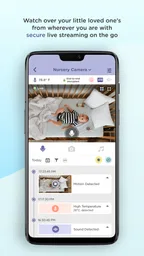
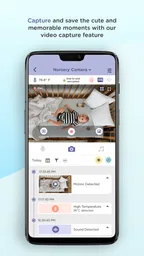
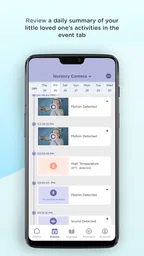
I see HubbleClub By Hubble Connected as a parenting companion for families who want monitoring, sleep tracking, and parenting material together rather than scattered across separate tools. Its appeal is less about replacing a parent’s judgement and more about making a few recurring tasks easier to keep in view. I’d consider it most useful when a caregiver already has a Hubble Connected monitoring setup and wants one place to check in, while being more cautious if they expect a single app to solve every sleep or childcare question.
A practical routine for checking in
The simplest way to approach the app is to build it into a routine you already have. For example, after settling a child for a nap, I’d use the monitoring function for a quick check, then return to the app later to review the sleep information or browse relevant parenting content. That sequence gives each part a purpose instead of turning the app into something to open repeatedly without a clear reason.
For a busy household, the value is that monitoring and sleep-related information sit alongside parenting resources. A parent can use the app during a quiet moment to check on a little one, then look for material that may help with a question on their mind. This is a more grounded use than expecting constant phone checks to make a child sleep better. The app can support a routine, but it does not replace attentive care or a conversation with a qualified professional when a health concern needs one.
A realistic example is a caregiver preparing to work in another room while a child naps. They can make a brief check through the monitoring tools, put the phone aside, and come back at a planned point rather than watching the screen continuously. That habit can make the app feel like a useful aid instead of another source of distraction. It also helps keep monitoring in proportion: convenient reassurance is worthwhile, but frequent checking can interrupt the work or rest the caregiver is trying to manage.
HubbleClub is a free parenting app from Hubble Connected. It has an average rating of 3.9 from around 6,900 ratings, with about 1,600 written reviews, and more than 100,000 installs. Those figures suggest that many families have tried it, but the mixed average is a good reason to judge it by fit rather than assume every household will have the same experience. I’d treat it as a practical companion whose usefulness depends on whether its monitoring and sleep tools match the way your family already cares for a child.
Make the app serve a repeatable habit
Experienced users are usually better off deciding in advance when they’ll use an app like this. A short check after putting a child down, another when they wake, and a deliberate time to look at sleep information is more manageable than opening the app every few minutes. The benefit is not a special trick; it is a repeatable pattern that reduces unnecessary phone handling and makes changes easier to notice.
It can also help to distinguish between information that answers an immediate question and material meant for later reading. If you are checking on a sleeping child, focus on that task first. Parenting content is easier to consider when you have the time to read it properly, rather than trying to absorb advice while distracted. This small separation keeps the app’s different roles from competing with one another.
Check the setup before relying on it
Before making the app part of a daily routine, I’d check that the monitoring equipment and the phone are set up in the way the household expects. A monitoring app is only reassuring when the caregiver understands what they are looking at and knows how to return to the relevant screen. Spend a little time learning the controls while things are calm; that is more useful than trying to work them out in the middle of a noisy or stressful moment.
I’d also review the available settings and adjust only what is useful to your routine. The right arrangement is personal: one caregiver may want quick access to monitoring, while another may prefer to keep the app closed until a scheduled check. Keeping the setup simple makes it easier for another trusted caregiver to use the same routine. If several adults share childcare, agreeing on a basic approach can prevent one person from relying on the app in a way another person does not understand.
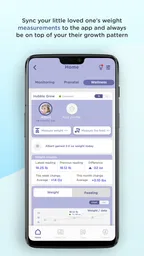
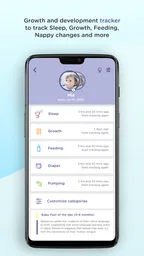
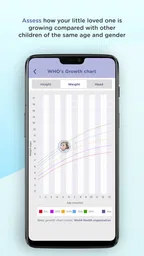
Sleep information deserves a similar check of expectations. Treat tracking as a way to observe patterns, not as a verdict on whether a child is sleeping “correctly.” A night or nap can vary for many ordinary reasons, and a record is most helpful when viewed over time alongside what the caregiver actually sees. If the information creates more worry than clarity, it is sensible to reduce how often you review it or rely more on your own observations.
Where it fits among other parenting tools
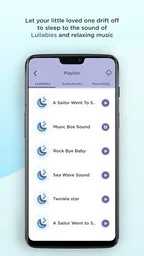
Compared with a basic audio or video monitor, HubbleClub’s broader idea is to bring monitoring together with sleep tracking and parenting content. That combination may suit someone who wants a more rounded companion rather than a screen used only to check a camera or monitor. On the other hand, a family that already has a monitor they like and simply wants a paper sleep diary may find a dedicated, simpler approach easier to maintain.
It also differs from general parenting websites and discussion groups. An app organized around monitoring and sleep can make those subjects feel more connected to daily care, while broad online sources offer a wider range of opinions and experiences. I would not treat either type of resource as automatically authoritative. Use the app’s content as a starting point for practical reading, and seek professional guidance for medical or developmental questions that need individual advice.
A useful workflow is to keep one consistent record-keeping habit outside the app if your family needs details for a caregiver handoff or a conversation with a clinician. That might mean noting a relevant observation in the method you already use, rather than assuming the app is the only place every detail belongs. This avoids the common problem of relying on a single tool for information that different caregivers may need to share in different ways.
Know what the app can and cannot do
The main trade-off is that bringing several parenting functions together can make the experience less focused than a single-purpose tool. If you only need monitoring, extra sleep and content sections may be more than you want. If you only want to track sleep, a dedicated tracker may feel more direct. HubbleClub makes the strongest case when you value the combination, not when you are looking for the most minimal option in any one area.
There is also a practical limit to any phone-based monitoring routine: it depends on having the app and the relevant monitoring setup available when you need them. I would not make the phone the sole foundation of a child’s safety plan. Keep ordinary caregiving practices in place, and make sure another adult can step in without needing to learn the entire app at a difficult moment. Technology is most helpful here as a supporting layer, not a substitute for supervision.
Cost is worth considering beyond the initial download. The app is free to install, but it offers in-app purchases ranging from $1.99 to $149.99 per item. I’d look carefully at any purchase details before paying and decide whether the specific extra would change your routine enough to justify it. Families who are content with the free experience can start there, while anyone considering an upgrade should make the decision based on a clear need rather than the hope that paid content will resolve a broader parenting challenge.
The app is rated for Everyone and was released on May 4, 2021. Its current version is 1.01.71, and it requires Android 7.0 or later. Those details make it useful to check compatibility before installing, especially on an older phone. Hubble Connected is the developer, and the app’s focus remains firmly on parenting rather than general household organization.
Who will get the most from it
I’d recommend trying HubbleClub if you are already using compatible Hubble Connected monitoring products and want monitoring, sleep tracking, and parenting material in one place. It may also suit caregivers who enjoy having a structured way to check in and are willing to establish a calm, repeatable routine. The best result is likely to come from using a few relevant parts consistently rather than treating every section as something that must be checked every day.
I’d skip it if you want a completely self-contained replacement for a monitor, expect sleep tracking to diagnose a problem, or dislike having several functions in one app. It may also be unnecessary if a straightforward notebook, a simple monitor, or your current family routine already answers the questions you have. In those cases, adding another app could create more steps without offering enough practical benefit.
Overall, I see HubbleClub By Hubble Connected as a potentially useful hub for parents who want a measured blend of monitoring and sleep-related support. Its strongest use is a deliberate one: check in when it matters, review patterns without overreacting to a single nap, and read parenting material when you have the attention for it. If that sounds like the kind of routine you want, it is worth exploring; if you need a simpler or more specialized tool, choosing one focused alternative may be the better call.
What we like
- Offers remote access to compatible Hubble cameras from a phone.
- Supports alerts for motion and sound on compatible devices.
- Lets users check live video while away from home.
- Can help track a baby's sleep and daily routines.
- Includes family sharing options for supported camera setups.
What could be better
- Many features require a compatible Hubble Connected device.
- Some advanced features may require a paid subscription.
- Video quality depends on camera hardware and internet speed.
- Alerts may be delayed by network issues or phone settings.
- Camera setup and app performance can vary by device model.





