



Hub Video Downloader review
 Analysis by Appsdrops
I judge a video downloader not just by whether it can save a clip, but by whether I can understand what it is doing and use it comfortably in ordinary situations. Hub Video Downloader is a free app from DOSA Apps in the video players and editors category. Its purpose is straightforward: help you download videos for offline viewing. My overall impression is that its appeal depends on how well that simple job fits your habits—and on whether its controls and supported sources work for the videos you want.
How readable and easy to navigate does it feel?
The app’s narrow purpose is a real advantage for anyone who does not want a full video-editing suite. There is less to learn than in an editor built around timelines, effects, and exports. If your goal is to find a video, save it, and watch it later, that focused workflow is easier to approach than a tool packed with unrelated creative options.
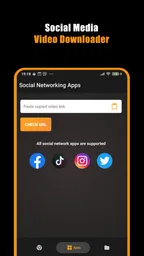
Still, simple purpose does not automatically guarantee clear navigation. When you try a downloader, pay attention to whether its labels make the next step obvious: can you tell how to start a download, where completed files go, and how to open one again? That matters especially if you are not comfortable exploring unfamiliar menus. I would test the basic path with a short, nonessential video before relying on the app for a long trip or a batch of saves.
Hub Video Downloader is at version 3.1.5, and it has an average rating of 4.5 from roughly 94,000 ratings. Those figures suggest that many people have tried it, but they do not tell me whether its interface will suit your eyes, hands, or preferred way of navigating. I would treat the app’s first few minutes as a practical usability check rather than assume that popularity means it will be effortless for everyone.
A useful habit is to decide where you expect your saved video to appear before downloading it. After the first save, look for the file inside the app and, if your device makes it easy, check whether it is also available through your usual media browsing method. This small test can prevent the familiar frustration of having a video downloaded but not knowing how to find it when you actually need it.
Make the first download a test, not a commitment
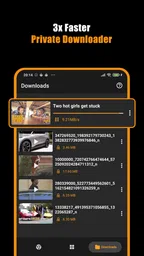
I would begin with a clip you can afford to download again. Watch how the app communicates progress and completion, and note whether the saved item is easy to identify later. If the process is unclear, pause before saving several files; a little checking up front is better than discovering that your offline library is difficult to navigate when you are away from a reliable connection.
This approach is useful for anyone who finds dense interfaces tiring. Rather than trying every option at once, establish one reliable routine: choose a permitted video, start the save, confirm that it finishes, then reopen it offline. Once that path is familiar, you can decide whether the app is comfortable enough for regular use.
Motor and sensory considerations in everyday use
Downloading a video can involve several precise actions: selecting the right item, starting the process, and later opening the correct file. For someone with limited dexterity, tremor, or difficulty making repeated taps, every extra interaction can become a burden. I would pay attention to whether the app lets you complete the task without having to move rapidly between screens or repeatedly correct a selection.
I cannot assume that Hub Video Downloader offers particular accessibility controls or support for a specific assistive technology. The practical choice is to try it with the settings and navigation tools you already rely on. If you use enlarged text, screen magnification, voice control, or a screen reader, check whether the app remains understandable during the actual download-and-playback sequence, not just on its first screen.
Sensory needs also vary. Some people want a quiet, uncluttered experience; others need clear feedback so they know whether a download has started or finished. A downloader that leaves you uncertain can lead to repeated tapping, accidental duplicate actions, or unnecessary checking. During your trial, notice whether the app’s status cues are easy for you to perceive and whether you can tell a completed save from one still in progress.
There is a useful trade-off here: the more focused the app is, the less material you may have to process, but a focused interface still needs clear labels and feedback. If you find it visually tiring, try using the app for one brief task at a time and leave file organization until you are comfortable with the basic flow. If even that feels effortful, your device’s built-in media tools or a downloader with controls that better match your needs may be a better fit.
Where offline access helps—and where it does not
The strongest everyday case is preparing ahead. Imagine you are about to commute through areas with patchy reception, or you know a family member will need something to watch during a wait. If the video is available to download through a source the app supports, saving it while you have a dependable connection can make playback less dependent on signal later. I would verify that the file actually opens offline before leaving, rather than treating the download icon as proof that everything is ready.
This can also help people who share a device or have limited opportunities to stream, but a downloaded file is not automatically a complete accessibility solution. Captions, audio tracks, and playback controls matter too. Check the saved video itself for the options you need; do not assume that downloading preserves every feature in the same way as watching from its original source.
For low-bandwidth situations, a sensible workflow is to save only what you expect to watch and confirm the result before deleting or replacing anything. Keeping a small, clearly named offline selection is usually easier than building a large collection you later have to sort through. That is particularly helpful if you rely on a device with limited storage or prefer not to manage lots of files.
The app is free to install, with optional in-app purchases ranging from $0.99 to $99.99 per item. I would check the purchase screen carefully before confirming anything, especially if another person uses the device or if you are testing the app with a child. Its content rating is Everyone, but that age label is not a substitute for checking the videos themselves or reviewing any purchase prompts.
For a quick comparison, a browser’s built-in playback is often simpler when you have a stable connection and do not need an offline copy. A general media player is a better choice if your videos are already saved and you mainly need dependable playback or library management. Hub Video Downloader is more relevant when the missing step is getting a suitable video onto the device for later viewing—not when you need editing tools, advanced cataloguing, or a guaranteed solution for every streaming source.
Limits worth checking before you rely on it
The biggest practical limitation of any downloader is that it cannot make every online video available to save. The source, its rules, and the way it handles playback all matter. I would only download content you are entitled to keep, and I would check that the specific source works before planning around it. If your main videos come from a service that restricts saving, that service’s own offline option may be the more dependable and appropriate route.
Storage is another ordinary but easy-to-miss constraint. Video files can take up space, so a long queue of downloads may leave less room for photos, messages, or other media. Before a trip, I would clear out clips I no longer need and test one representative file. If you have a device with very little free space, streaming when possible or using a purpose-built storage routine may be less hassle.
There is also a difference between saving a file and being able to use it comfortably. A video may be present but hard to locate, difficult to distinguish from similar clips, or missing a feature you depend on during playback. I recommend checking the saved file’s name, location, and playback behavior as part of the first trial. If those details create friction, the app may not solve the problem you care about most.
Hub Video Downloader has more than 10 million installs, and it is rated for Everyone. That reach may make it an easy app to consider, but I would not choose it solely because many people have installed it. The meaningful test is whether it handles your intended source and whether you can complete the process independently and comfortably.
Who I would recommend it to
I would suggest trying Hub Video Downloader if you often need to prepare videos for offline viewing and are willing to test each source before depending on it. It may suit someone who wants a dedicated downloader rather than a full editor, and who is comfortable checking where saved files go. Its focused role is the point: you are considering it for access to videos later, not for transforming them into polished projects.
I would be more cautious if you need a highly predictable accessible interface, rely on particular caption or audio options, or want a downloader that works with every video service. In those cases, try it with your own assistive setup and your actual viewing material before building a routine around it. A service’s official offline feature or a familiar player for existing files could be a better answer.
My inclusive verdict is that Hub Video Downloader is worth a careful, low-stakes trial, not an assumption of effortless access. Its focused purpose can be helpful when you want a video ready for a moment without dependable internet, and the app is free to start using. But comfort depends on the clarity of its controls, the compatibility of your chosen source, and whether the saved video remains usable for your needs. Start with one permitted clip, confirm that it opens offline, and keep it only if the whole process feels clear and manageable.
Hub Video Downloader is a practical option to investigate for offline video access, especially if your routine involves preparing ahead. I would keep it only if it makes finding, saving, and reopening a video easier for you than your current alternative. That small personal test will tell you more than an install count can.
What we like
- Supports downloading videos for offline viewing.
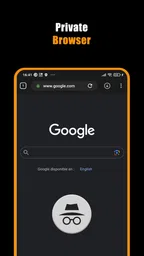
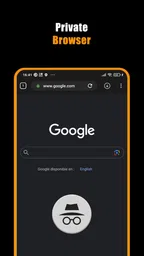
- Offers a built-in browser for finding video links.
- Lets users manage saved downloads in one place.
- Can help reduce mobile data use during playback.
- Simple controls make basic downloads easy to start.
What could be better
- Download options may vary by video source.
- Some sites block downloading or require an account.
- Large video files can consume substantial storage.
- Background downloads may be limited by device settings.
- Check permissions and privacy terms before use.





