Hoopla: Your Library, Anywhere review
 Analysis by Appsdrops
I like Hoopla most as a practical extension of a library, not as a replacement for every reading or streaming service. It brings several kinds of borrowed media into one app, which can make it easier to find something for a commute, a quiet evening, or a child’s screen time without starting a paid subscription. The catch is central to the experience: you need a library card, and what you can borrow depends on the library that provides access. If that arrangement suits you, Hoopla is a useful way to turn a library membership into a flexible digital shelf.
One library app, several kinds of media
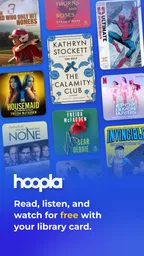
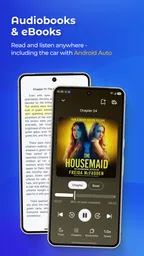
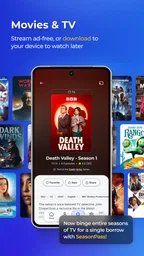
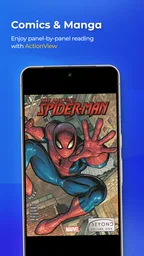
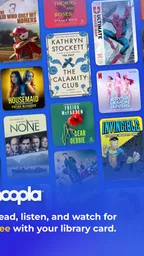
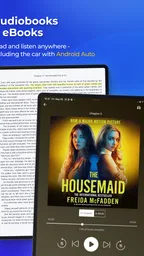
Hoopla is a free Books & Reference app from Midwest Tape LLC, but its appeal reaches beyond books. Alongside audiobooks and eBooks, it brings together comics, manga, movies, and TV shows. That range makes it feel different from an e-reader focused on books or a streaming service built around video. I can see the value in having one place to browse when I know what kind of entertainment I want but have not decided on a format.
The app has been available since May 25, 2013, and its established audience is reflected in a 4.6 average from around 220,000 ratings. Those numbers do not tell me whether a particular title will suit you, but they suggest that many people have found the library-based model worth using. It has more than five million installs, and it is free to download. Its Teen content rating is also a reminder that the catalog can include material intended for older readers and viewers, so families should check individual titles rather than assume every selection is suitable for children.
Getting started is not quite the same as opening a conventional subscription service: you need a library card that works with Hoopla. If you already have one, that requirement can be a welcome alternative to signing up for another monthly entertainment plan. If you do not, the first useful step is to check with your local library about digital access and card eligibility. The app’s breadth matters only after that access question is settled.
Why the mixed catalog is more than a long menu
Having books, audio, comics, and video together is useful when your day changes shape. I might prefer an audiobook while walking, an eBook when I have a few quiet minutes, or a film when I am at home. A single library-based starting point makes those choices easier to consider without committing to one medium. It is especially appealing if you like discovering something beyond your usual format.
There is a practical trade-off, though: a broad catalog is not the same thing as a guaranteed match for every taste. The available selection is tied to library access, so the app should not be treated as a universal catalog with every popular release waiting on demand. I would search for a few specific titles that matter to me before relying on it as my main source for a series, author, or film. If those searches come up short, I would keep another service or a physical library option in the mix.
How I would fit it into an ordinary week
Imagine a weekday with a bus ride, a lunch break, and an evening at home. I could look for an audiobook for the ride, use a short break to read a few pages of an eBook, and browse a movie later without treating each activity as a separate subscription decision. That is the strongest everyday case for Hoopla: it makes library borrowing feel relevant to more than the person who already sits down with a printed book every night.
A useful habit is to browse by the kind of time I have, not just by title. For a short, interrupted break, a comic or a few pages may be a better choice than starting a long audiobook. For a longer trip, audio can make borrowed reading more convenient. Thinking this way also helps avoid choosing something that does not fit the moment and then forgetting about it. The app’s variety is most valuable when I use it to match media to a routine, rather than simply treating the home screen as a list to scroll.
Where it sits beside familiar alternatives
Compared with buying an eBook or audiobook, borrowing through Hoopla can be a sensible first stop when I am curious about a title but not sure I want to own it. Compared with a dedicated reading app, its advantage is the variety of media rather than a narrow focus on reading tools. And compared with a conventional video subscription, its library connection is the defining difference: I am exploring borrowed access, not choosing a paid entertainment package built around a fixed subscription catalog.
Those differences also explain when another option may work better. If I want to keep a book permanently, purchase may be the more straightforward choice. If I need a particular blockbuster or want a predictable catalog centered on a specific kind of content, a dedicated service may be a better fit. Hoopla is strongest when I am open to borrowing from the selection my library makes available, rather than expecting it to mirror a commercial storefront or streaming platform.
The main limitation is access, not the idea
The library-card requirement is the first hurdle, and it is a real one. Someone without an eligible card cannot treat Hoopla as a standalone free media app. Even with access, the selection connected to a library may not line up with what I want at a particular moment. That can be frustrating if I arrive with a very specific title in mind and expect the app to behave like a retail search engine.
I would also avoid assuming that every format will be equally useful to every person. A reader who mainly wants to build a permanent digital collection may find borrowing less suitable than buying. Someone who only wants movies may not care that books and comics are included. And if I need an exact release for a book club, class, or family movie night, I would check the title’s availability before making plans around it. Those are not reasons to dismiss the app; they are reasons to use it with realistic expectations.
Another small but meaningful trade-off is choice overload. Moving between several kinds of media can encourage exploration, but it can also make browsing feel less focused than opening a specialist e-reader or a film app. I get more from Hoopla when I arrive with a simple intention—find an audiobook for travel, look for a comic, or see whether a particular film is available—then broaden my search if I do not find it. That approach makes the variety feel like a strength rather than a distraction.
Who is likely to get the most from it
I would recommend Hoopla to people who already use a participating library and enjoy switching between reading, listening, and watching. It is particularly well suited to readers who want to sample books without buying each one, commuters who like audio, and curious browsers who are happy to discover something outside their usual routine. Families may appreciate having different formats to explore, while keeping the Teen rating in mind and checking the suitability of individual titles.
It is less compelling for someone who wants a guaranteed, complete catalog of current favorites, permanent ownership of every book, or a service that works without library access. It may also be unnecessary if you already have a strong specialist app for one format and rarely use anything else. I would not add it just because it contains many media types; I would add it if library borrowing fits how I actually spend my reading and entertainment time.
A better way to decide whether it belongs on your phone
Before making Hoopla part of my regular routine, I would confirm that my library supports access and search for a handful of titles I genuinely want. I would include one book or audiobook, plus something in another format, to see whether the range is useful for me rather than merely impressive on paper. If the results suit my interests, I would then use the app as a discovery and borrowing companion. If they do not, I would know early that another source is more dependable for my needs.
That quick test also helps set expectations about the app’s role. I would not make it my only option for every reading or viewing plan. Instead, I would reach for it when I want to borrow, explore, or fill a spare stretch of time, and use a specialist or purchase-based alternative when I need a particular title or lasting ownership. The best setup may be a mix, with Hoopla covering the library-borrowing side.
My verdict: a strong library companion with a clear boundary
For me, Hoopla’s central strength is that it makes a library membership useful across several kinds of media, not just books. That breadth can bring a little more variety to a commute or an evening at home, and the free app is an appealing place to check before paying for something I might only want to try. Its reach is real, with around 87,000 reviews alongside its strong average rating, but popularity cannot remove the limits of library-based access.
I would recommend Hoopla to anyone with a compatible library card who is open to borrowing across books, audio, comics, manga, and video. I would skip it as a primary service if I needed a guaranteed title selection or wanted to own my digital media. Used for what it is—a flexible library companion rather than a universal replacement for bookstores and streaming subscriptions—it earns a place on my phone.
What we like
- Borrow ebooks and audiobooks at no extra cost with a participating library card.
- Download many titles for offline listening or reading.
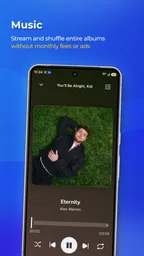
- Browse movies and music alongside books and comics.
- No late fees apply to borrowed digital items.
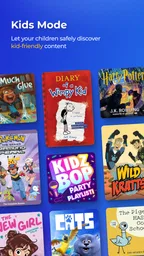
- Parental controls help limit access to mature content.
What could be better
- Access depends on having a card from a participating library.
- Libraries set monthly borrowing limits that can vary.
- Popular titles may not be available in every catalog.
- Some video rentals have shorter borrowing periods than books.
- Streaming can use substantial mobile data.





