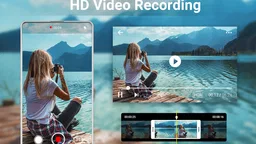
HD Camera for Android: 4K Cam review
 Analysis by Appsdrops
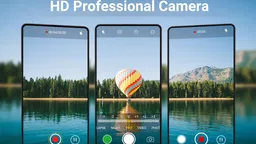
I tend to judge a camera app less by how exciting its filters look on the first day than by whether I reach for it a few weeks later. HD Camera makes a straightforward first impression: it is a photography app from iMediaStar that aims to give everyday shooting a more capable camera interface, including selfie tools, filters, and 4K recording. It is free to install, with optional purchases, so trying it does not require a commitment. The real question is whether it becomes a useful habit or just another icon I forget about.
From first-week appeal to everyday use
During the first few days, the appeal is easy to understand. A dedicated camera app can feel more inviting than opening the camera buried in a phone’s usual apps, especially if you want to take a quick portrait, try a filter, or look for a more deliberate way to frame a shot. The name promises a focus on clear, high-definition capture, while the app’s broader pitch brings together standard photography, selfies, and visual effects.
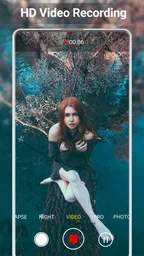
I would treat the 4K capability as a potential benefit rather than a guarantee that every phone will record in that resolution. Camera output depends on the device’s hardware and supported settings, so it is sensible to check what the app actually offers on your handset before planning a project around it. If the option is available, it may suit short clips where detail matters; for casual video, a lower setting can be a more practical choice when storage or sharing speed matters.
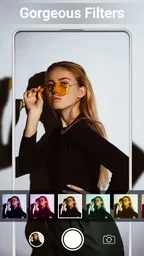
Filters are most useful when they help me make a decision quickly, not when they turn taking a picture into a long audition. A practical approach is to choose a look for a particular moment—warm indoor light, for example—and take a couple of frames rather than trying every effect. That keeps the camera responsive as a tool and makes it easier to compare the result with a plain image later.
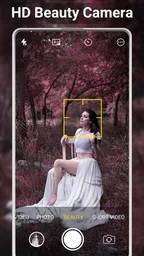
Selfies are another natural first-week test. I would use the app for a quick profile photo or a group picture when I want to see how its camera controls and filters suit the scene. For faces, subtle processing usually ages better than a dramatic look: skin texture, lighting, and the background still matter more than an effect. If the image is important, I would take a version with a filter and one without, then decide afterward rather than relying on a look that cannot be undone.
The app is rated for Everyone, which makes it approachable for a household camera experiment, though that rating is not a substitute for checking whether its features fit a particular child’s needs. Its minimum Android requirement is version 6.0, so it can be considered on a range of older devices as well as newer ones. Since camera quality and available recording options are partly shaped by the phone itself, I would test it on the actual device I plan to use rather than judging it from someone else’s handset.
Where it can earn a place in the routine
The strongest everyday use case is having one extra camera option ready for moments when the stock camera feels too limited or you want a filter-led shot without opening a separate editing app. Imagine taking a few pictures of a meal before friends arrive: I would frame the shot, try a restrained filter, and capture the image while the food still looks fresh. That is a small convenience, but it is the kind that can make a dedicated camera useful.
For a more considered workflow, I would use it to capture first and edit later when the photo matters. A quick filter can help with a social post, but a plain image gives more flexibility if the lighting is uneven or the effect looks different on another screen. This simple two-version habit is especially helpful for portraits, where a filter that flatters one face can make another look unnatural.
HD Camera has reached more than ten million installs and has an average rating of 4.6 from around 150,000 ratings, signs that many Android users have found a reason to try it. Those figures do not tell me whether it will suit my particular phone or habits, but they do suggest it is not an obscure experiment. I would still make my own judgment based on the camera controls and image results I get in familiar places, such as a bright window, a dim room, and an outdoor scene.
Compared with the camera app that comes with a phone, a third-party option is worthwhile only if it makes a recurring task easier or produces a look I actually prefer. The built-in camera is usually the simpler choice when I need dependable access to device-specific modes or want to avoid switching apps. A dedicated editing app is better when the goal is detailed retouching after the shot. This camera app sits between those approaches: its appeal is capturing and styling in one place, not replacing every tool in a photo workflow.
What keeps it useful after the novelty fades
After the first week, I would stop exploring every effect and settle on a small routine. One or two filters I genuinely like are more useful than a long list I rarely revisit. I would also compare a filtered result with an untouched shot now and then; that makes it easier to notice when a favorite look is no longer helping the image. This kind of restraint is a surprisingly important part of getting lasting value from a filter-focused camera.
For family gatherings or outings, the app can be a handy second option when someone wants a quick selfie or a more stylized picture. I would avoid making it the only camera I rely on for an unrepeatable moment until I have tested how quickly it opens and how it handles the lighting on my phone. A missed shot is more frustrating than a less decorative one, so for an important event I would keep the familiar camera app within easy reach.
Its recurring value also depends on what I photograph. If most of my pictures are simple documents, receipts, or scenes where accurate color matters, filters may not add much. If I regularly take portraits, casual social pictures, or short clips and enjoy choosing a look while shooting, the combination is more relevant. The useful question is not whether the app has effects, but whether those effects save me a step I would otherwise take elsewhere.
The app is free, while optional in-app purchases range from $2.99 to $9.99 per item. I would use the free experience long enough to establish a real need before buying anything. A purchase makes sense only if it addresses a specific limitation I have encountered; paying simply because an option is visible does not make the camera more useful by itself. This is a practical way to keep a casual photography tool from becoming an unnecessary expense.
Maintenance, friction, and reasons to move on
A camera app has a modest but real maintenance burden. I would check its available settings after installing it, confirm that the results look right on my device, and revisit the setup if a phone update changes how the camera behaves. I would also keep an eye on free storage before recording larger video files, particularly if I am experimenting with high-resolution capture. These are general habits for phone photography, but they matter more when choosing a separate app for clips as well as stills.
The app’s current version is 3.9.0. That gives me a concrete version to identify when installing or troubleshooting, but it does not mean every device will behave identically. If an image looks soft or a recording option is unavailable, I would first compare it with the phone’s default camera and check the device’s own capabilities before assuming the app is at fault.
One source of fatigue is choice overload. When I want a quick snapshot, browsing through effects can slow me down and make an ordinary moment feel like a mini editing session. Another is inconsistency: a filter that looks good outdoors may be too strong under indoor lighting. My workaround would be to use the plain capture option when speed or faithful color matters, and save filters for photos where a particular mood is part of the point.
I would skip this app if I need professional controls, a carefully managed photo library, or a complete editing suite. Its stated focus is camera capture, selfies, filters, and high-resolution video; that is not the same as a specialist workflow for manual exposure, extensive retouching, or organizing a large collection. In those cases, the stock camera or a purpose-built photography tool is likely a better fit. I would also stick with the familiar camera if switching apps adds friction to spontaneous shots.
iMediaStar is the developer, and the app has 873 written reviews alongside its broad rating history. I would not use public enthusiasm as a substitute for checking image quality on my own phone: camera apps can feel very different depending on the hardware, lighting, and what I expect from a photograph. A short personal test is more informative than installing it and assuming the advertised resolution will transform every picture.
My long-term verdict
HD Camera earns a lasting place only for someone who regularly wants a dedicated route to selfies, filters, and camera capture in one app. I like the idea of keeping a few preferred looks close at hand and using the app when a quick styled photo is the goal. Its free entry point makes that experiment easy, and the mix of still photography and 4K-oriented video gives it more than one possible use.
Still, I would not make it my automatic camera without testing it against the phone’s built-in option. The default app may be faster or better matched to a particular device, while a separate editor may offer more control once the picture is taken. For me, the best reason to keep this one is a repeatable habit: I reach for it because its capture-and-filter approach suits the photos I actually make, not because I am still curious about its effects.
Overall, this is a reasonable free photography app to try if your everyday pictures lean toward portraits, selfies, and quick visual styling. The first-week novelty is easy; the lasting value comes from using a small set of tools without slowing down the moment. If that sounds like your routine, it may stay useful. If you prefer unprocessed images, advanced control, or a camera that is always ready without switching apps, your existing camera is probably the better companion.
What we like
- Offers 4K recording for crisp video on supported devices.
- Includes photo and video modes in one camera app.
- Provides a straightforward interface for quick shooting.
- Supports front and rear cameras on compatible phones.
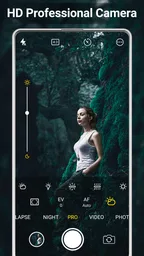
- Lets you adjust settings such as resolution and focus.
What could be better
- 4K recording may use substantial storage space.
- Some features depend on your phone's camera hardware.
- High-resolution video can drain the battery quickly.
- Image quality varies across Android devices.
- The app may request access to your camera and microphone.





