






Guardio - Mobile Security review
 Analysis by Appsdrops
I would consider Guardio if I wanted a more deliberate way to handle browsing and identity risks on my phone, rather than relying only on my own judgment when a link or message looks suspicious. It is a free Tools app from Guardio, aimed at everyday users rather than people who want a complicated security dashboard. My main advice to a first-time user is to treat it as an extra layer of caution, not as permission to stop checking what you tap.
What to expect from Guardio
The first thing to understand is the app’s scope: Guardio is built around browsing and identity protection. That makes it most relevant when you follow links from messages, search for unfamiliar services, or use your phone for accounts and personal tasks. It is not a general-purpose phone maintenance suite, and I would not install it expecting it to clean up storage or make a device run faster.
Guardio’s appeal is that it brings security concerns closer to the decisions people actually make on a phone. Many risks start with an ordinary-looking prompt or page, not with someone deliberately hunting for malware. A protection app can help you pause at those moments, but the useful outcome is better awareness and a safer choice—not a promise that every threat is impossible.
The app has a 4.4 average from around 30,000 ratings, with over 1 million installs. Those figures suggest it has found a sizable audience, though popularity alone cannot tell you whether its approach fits your habits. I would judge it by whether its protection makes your everyday browsing feel clearer without adding more friction than you are willing to tolerate.
Guardio is free to install, and the age rating is Everyone. There are in-app purchases priced at $18.99 per item, so I would look carefully at what the app presents before deciding to pay. If you only want to try the basic experience, begin with the free option and make the purchase decision based on a specific need, rather than assuming every protection feature must be bought.
Who is likely to find it useful?
I can see Guardio suiting someone who often opens links from texts or social posts, shops on unfamiliar sites, or wants a security-focused companion for routine browsing. It may also be a sensible choice for a less confident phone user who wants a clearer reason to stop and inspect a risky-looking situation before proceeding.
It is less compelling if you rarely browse outside a small set of trusted services, already have a security setup you understand and trust, or dislike adding another app to your routine. It is also not a substitute for unique passwords, account recovery options, or careful handling of verification codes. Those habits still matter even when a security tool is installed.
Getting through the first setup
On first launch, I would take a moment to read each setup screen instead of tapping through automatically. Security apps may ask you to enable or configure protections in ways that affect how browsing works. Since the details of a particular setup can depend on the device and the options shown, the safest approach is to follow Guardio’s own explanations and only enable a setting once you understand what it is intended to do.
My practical tip is to install it when you have a few quiet minutes, not while you are in the middle of paying a bill or trying to open an urgent link. That gives you time to finish setup, notice any prompts, and learn where the app puts its guidance. It also avoids the common mistake of confusing an unfinished setup with a successful protection check.
Guardio’s current version is 2026.110.3, and it requires Android 10 or later. If your phone runs an older version of Android, check compatibility in the app store before planning to use it. This is a straightforward detail, but it can save time if you are helping a relative install the app on an older device.
After setup, I would make a small personal rule: when Guardio raises a concern, stop before entering a password, payment detail, or identity information. Read the warning, check whether you reached the page through a source you trust, and decide whether to back out. The pause itself is useful; dismissing an alert without understanding it defeats much of the point of using a security tool.
Your first meaningful success
A realistic first success is not necessarily a dramatic security incident. It may be noticing that a page reached from an unexpected message deserves a second look, then choosing not to continue until you have checked it another way. If Guardio helps you avoid entering private details on a questionable page, that is a practical result even if nothing else happens that day.
For example, imagine receiving a delivery message while you are out and opening its tracking link on your phone. Rather than typing your name or payment information immediately, pause if anything about the page or its warning feels wrong. Close it and use a route you already trust to check the delivery. This workflow is useful because it does not depend on guessing whether a message is real from its logo or wording alone.
A second worthwhile habit is to treat an alert as a prompt to verify, not as a verdict that you can safely ignore everything else. If a page seems legitimate but the context is unusual, check the sender and the destination independently. If it is clearly unrelated to something you requested, leaving it is usually simpler than trying to prove it is safe. Guardio can support that judgment, but the final decision still belongs to you.
One trade-off with any protective layer is that extra checks can interrupt a task you expected to complete quickly. That friction is most acceptable when you are handling an unfamiliar link or sensitive information; it is more annoying when it appears during routine browsing. Give yourself time to learn how Guardio communicates concerns before deciding whether the interruptions are helpful or excessive for your normal use.
Common confusion and sensible limits
It is easy to mistake “mobile security” for a promise to protect every part of a phone. I would keep expectations narrower: Guardio focuses on browsing and identity protection, so it should be considered alongside basic account security rather than in place of it. Keep your operating system current, use strong and distinct passwords where possible, and never share a one-time login code with someone who contacts you unexpectedly.
Another point that can confuse first-time users is the difference between an app being free to download and every possible option being free. Guardio has paid in-app items, so check the terms shown in the app before confirming a purchase. If the free experience already addresses your concern, there is no reason to spend simply because an upgrade is visible. If you do consider paying, decide what specific extra value you expect first.
It also helps to distinguish a security warning from proof that an account has already been compromised. A warning can indicate a reason to be cautious, but it does not automatically mean your information has been stolen. Avoid panicking or rushing into a payment or password change through a link in a message. Instead, open the relevant service through a route you normally trust and review the account from there.
Compared with relying only on a browser’s built-in warnings, Guardio gives security-minded users a separate app focused on browsing and identity concerns. Compared with a broad device-security suite, its emphasis is more specific. Neither approach is automatically better: if your main worry is general device maintenance or features outside that focus, another kind of tool may suit you better. If your weak point is deciding what to do with questionable links, Guardio’s narrower emphasis may be a better match.
Making it useful after the first day
Once setup is complete, I would not spend time checking the app repeatedly just to feel protected. Use it as part of a consistent routine: pause on unexpected links, read any guidance it gives, and verify sensitive requests through a trusted channel. That routine is more valuable than treating any security app as a background guarantee.
If you are helping someone else get started, explain one scenario rather than giving them a long list of security rules. For instance, ask them to stop before entering payment details from a link in an unexpected text and to check the request independently. That simple practice is easier to remember and gives them a concrete way to use the app when they are unsure.
Guardio is developed by Guardio and has been available since May 4, 2023. The important question for me is not how long it has been around, but whether its focused protection fits the risks I actually encounter. A security tool works best when its role is clear: it can help you notice and respond to risky browsing situations, while careful account habits cover the rest.
My recommendation for a first-time user
I would try Guardio if suspicious links and identity-related concerns are a regular source of uncertainty for you. Install it, complete setup at a calm moment, and use the first warning or unusual browsing situation as a chance to practice stopping and verifying. That gives you a more grounded idea of its value than expecting it to solve every security problem on your phone.
I would skip it, or choose a different tool, if you need broader device-management features, already have a protection setup you prefer, or find added checks too disruptive. The app’s free starting point makes it reasonable to assess the experience before considering an in-app purchase, but I would keep my expectations measured. My overall view is that Guardio is most useful as a practical browsing and identity safety companion: a helpful nudge toward better decisions, not a replacement for them.
What we like
- Blocks access to many known phishing and scam websites.
- Provides alerts about potentially unsafe links.
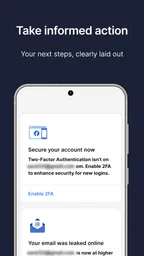
- Includes tools to check whether email addresses appear in data breaches.
- Offers a straightforward interface for reviewing security alerts.
- Can add an extra layer of protection while browsing on mobile.
What could be better
- Some security features require a paid subscription.
- Website detection cannot identify every new or targeted threat.
- Protection may depend on supported browsers and settings.
- Security alerts may require sharing browsing or account information.
- It does not replace keeping your device and apps updated.





