

GPS Phone Location Tracker review
 Analysis by Appsdrops
I would judge a location-tracking app not just by whether it can show a place on a map, but by how comfortably different people can use it—and whether it helps without creating a false sense of security. GeoLog is a parenting app from Geolog Technology, intended for checking a phone’s location. Its focus is practical, but location tools only work well when the person being located has agreed to participate and everyone understands what the map can and cannot tell them.
GeoLog - Real-Time Location Tracker is free to install, with optional in-app purchases, and is rated for Everyone. It has a 4.3 average from around 223,000 ratings and more than 1 million installs. Those figures suggest broad interest, but they don’t answer the most important question for an individual family: whether the app’s presentation and location information fit the way that family communicates.
Making the map understandable at a glance
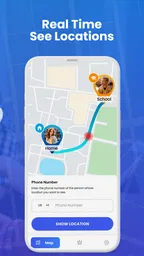
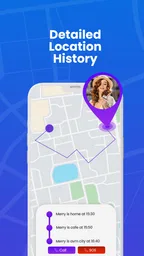
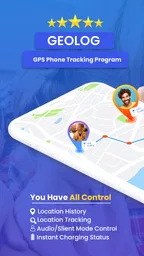
For a parent checking a child’s whereabouts, the central task is straightforward: open the app, identify the relevant phone, and interpret its location. A map can make that task more immediate than a chain of texts, especially when someone is travelling or plans have changed. The useful question is not merely “Where is the phone?” but “Is this location clear enough for me to decide what to do next?”
I would treat any map marker as a clue rather than a complete explanation. A location on a map does not tell you whether a person is inside a building, waiting at an entrance, or already walking to another place. When the distinction matters, a quick message or call is still the better way to confirm. That habit is particularly helpful for families who may otherwise read more certainty into a map than it can provide.
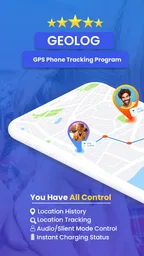
The app’s name and short description make its purpose easy to recognize, which helps someone deciding whether it belongs in a parenting toolkit. The more demanding part is the live interaction: map labels, controls, and status information need to be easy for each person to notice and interpret. I recommend trying the app together in a familiar setting before relying on it for a school pickup or an unfamiliar journey. That gives everyone a chance to learn what a displayed location means in practice.
For a household with varied reading comfort, agree on a simple routine rather than expecting every user to explore the interface under pressure. For example, the parent checking the app can say what they see and ask the other person to confirm by message. This is a small workflow adjustment, but it reduces the risk that someone who finds a map difficult to read has to make a decision from it alone.
Navigation should support a shared routine
Location tools are most useful when people know who is expected to check them and when. I would avoid making a child responsible for navigating an app while crossing a street or rushing to catch transport. Instead, let the person carrying the phone focus on getting to a safe place, then use a message or call to clear up any uncertainty. The parent can use the map as a prompt to check in, not as a substitute for conversation.
GeoLog sits in a different part of the parenting toolkit from a family calendar or a group chat. A calendar explains where someone is supposed to be; a chat lets them explain a delay; a location tracker offers a visual reference for a phone’s whereabouts. Combining these tools can be more useful than asking one app to answer every question. If you mainly need to coordinate schedules, a shared calendar may be simpler. If you need to confirm a change of plan, a direct message is usually clearer.
Motor and sensory needs in everyday use
Location checking can become a quick, repeated task: unlock the phone, open the app, find the right person, inspect the map, and decide whether to follow up. For someone with limited dexterity, tremor, or difficulty making precise taps, each step can add friction. I would test the app on the actual device and with the person who will use it, rather than assuming that a generally simple purpose means the controls will suit every hand.
A practical tip is to establish the app before a time-sensitive outing. Set up the family routine when nobody is hurrying, check that each person can get to the relevant view, and agree what to do if the map is confusing. That avoids asking someone to learn unfamiliar navigation during a stressful pickup. It also reveals whether a user would rather have another family member handle the map and share the result verbally.
Sensory needs matter too. A map may be visually busy or demanding to interpret, and people vary in how easily they distinguish labels, markers, and surrounding streets. If someone has low vision or finds visual maps tiring, they may prefer a trusted person to describe the location or use a direct call to establish a meeting point. I would not make the map the only route to important information when a spoken check-in is available.
There is a trade-off between glanceable information and context. A map can help a parent notice that a phone appears to be somewhere unexpected, but it cannot explain why. An anxious user may be tempted to refresh repeatedly or draw conclusions from a momentary discrepancy. Agreeing in advance when to check—and when to call instead—can make tracking less stressful for both the person looking and the person carrying the phone.
Situational access: school runs, travel, and changing plans
A realistic use case is a child walking home while a parent is still at work. The parent can check the map around the expected arrival time, then contact the child if the location raises a genuine question. If the child has stopped to speak with a friend or taken a different route, the conversation supplies the reason that a location marker cannot. The app is most helpful here as a way to guide a calm check-in, not as proof that something is wrong.
It can also be useful when a family is meeting in an unfamiliar public place. Rather than asking a child to describe nearby streets, a parent can use the location view as a starting point and then agree on a clearly identifiable meeting spot by phone. This is a better plan than asking someone to follow a map while moving through a crowded area. When mobility, fatigue, or unfamiliar surroundings make navigation harder, a known landmark and a spoken plan may be more dependable than a screen.
For a caregiver supporting an older child who wants more independence, the app may help balance reassurance with room to travel alone. I would discuss when location checking is appropriate and what will happen if the phone cannot be located or the marker seems unexpected. A transparent agreement matters: tracking should not quietly replace trust, and the person carrying the device should understand how their family intends to use it.
Location tracking also has limits in situations where phone position and a person’s position may differ. Someone can leave a phone behind, lend it to another person, or be separated from it. If the question is about a person’s immediate safety, the map alone is not enough; call them, contact the responsible adult, or use the appropriate local support. This distinction is easy to overlook when an app’s core task is showing a phone’s location.
Where friction remains—and who may prefer another option
The main limitation is inherent to this kind of tool: a location view offers a narrow slice of a changing situation. It may help answer where a phone appears to be, but not whether its owner is safe, why plans changed, or which entrance they used. Families who need a dependable conversation channel should keep calls or messaging as part of the routine rather than treating tracking as a replacement.
There is also a human cost to consider. Frequent checking can feel intrusive, especially for teenagers who are building independence. Before using GeoLog as a regular part of family life, I would agree on who can check, for what reasons, and how concerns will be raised. If the family cannot have that conversation openly, a tracker may increase conflict instead of reassurance. In that situation, a shared arrival message or agreed check-in time may be a better starting point.
The app is not an ideal choice for someone who wants a complete family organizer, detailed travel planning, or a communication tool first. A shared calendar is better for planned activities; a group chat is better for explaining a late bus; and a direct phone call is better when an immediate answer matters. GeoLog’s value is narrower: it gives a family another way to check a phone’s location, alongside those alternatives.
GeoLog is currently at version 64.0.0 and supports Android 7.0 or later. Optional purchases range from $1.49 to $24.99 per item. I would check the app’s current purchase details in the app store before deciding whether any paid option is relevant to your household. The app is free to start with, but families should still consider whether its ongoing role and any optional spending fit their needs.
Its 329 written reviews are a much smaller body of feedback than its rating count, so I would not use the average alone to decide whether it will suit a particular user. Accessibility is personal: a map that feels effortless to one parent may be tiring or hard to interpret for another. A short, low-pressure trial with the people who will actually use it is more informative than assuming one design works equally well for every ability or situation.
An inclusive verdict for families
I see GeoLog as a potentially useful, focused aid for parents who want a location-based check-in and are willing to pair it with conversation. Its strongest role is helping a caregiver decide when a calm follow-up might be useful—not replacing a child’s explanation, a phone call, or a clear plan. The developer is Geolog Technology, and the app is firmly aimed at parenting rather than general navigation or household scheduling.
I would recommend trying it if your family has a specific, shared reason to check a phone’s location, such as coordinating a school journey or meeting up after a change of plans. Start somewhere familiar, make sure each person can use or understand the information in a way that works for them, and agree on a backup that does not depend on the map. If visual navigation is a barrier, if location sharing would undermine trust, or if you need immediate two-way communication, choose a call, message, or agreed check-in instead.
My overall view is cautiously positive: GeoLog can add reassurance, but only when families use it with realistic expectations and respect for the person carrying the phone. The most inclusive approach is to let the app support a routine, not dictate one. When the map is unclear, a human check-in should remain easy, welcome, and available.
What we like
- Shows a phone's position on an interactive map.
- Can help families coordinate when members are apart.
- Location sharing can support everyday safety check-ins.
- A simple map view makes locations easy to understand.
- Useful for finding a misplaced phone when location access is enabled.
What could be better
- Accurate tracking depends on GPS and network coverage.
- Location updates can drain battery when used continuously.
- People must grant location permissions for tracking to work.
- Sharing location raises privacy concerns if not carefully managed.
- The app may not locate a phone that is switched off or offline.





