




Google Gemini review
 Analysis by Appsdrops
I find Google Gemini most useful when I treat it as a thinking partner inside a larger productivity routine, rather than as a place to hand over every task. It can help me get from a vague thought to a workable draft, plan, or explanation, but I still need to decide what matters, check important details, and keep the result somewhere I can return to. That distinction makes the app more valuable—and keeps its limits clear.
Start with a workflow, not a blank chat
Before opening Gemini, I try to name the next step I need help with. “Help me prepare for a busy week” is a start, but a more useful request gives it the shape of the work: outline a weekly plan around three fixed appointments, leave room for errands, and identify what can wait. The response is easier to judge when I have a real purpose and constraints in mind.
This approach fits the app’s role as a productivity assistant. Rather than replacing a calendar, task manager, or notes app, it can help me think through what belongs in those tools. I might ask it to turn a cluster of concerns into a short list of decisions, or to suggest a sensible order for tackling a project. I then choose which suggestions to keep and put the actual commitments where I normally track them.
A realistic example is planning a family gathering after work. I can describe the guests, the time available, and the need to keep preparations simple, then ask for a sequence of tasks and a shopping checklist. That gives me a useful starting point. I would still verify the list against dietary needs and what is already at home; a fluent answer is not a substitute for knowing the people involved.
The same distinction matters for work. If I have notes from a meeting, I can ask for a clearer summary or a draft follow-up message. I should review names, decisions, and deadlines before sending anything. Gemini can help with structure and wording, while accountability for the final message stays with me.
Turn a prompt into a useful brief
I get better results when I include the audience, desired format, and boundaries in the first request. For example, asking for a short explanation for a new colleague is more precise than asking for an explanation of a complicated topic. If the first answer is too formal or too long, I can ask for a revision rather than starting over. That back-and-forth is a practical strength for writing and planning.
There is a trade-off: a detailed prompt takes effort, and an underspecified one can produce polished but generic material. I treat the first response as a draft to react to, not an authoritative finished product. One useful habit is to ask for alternatives—such as a simpler plan and a more thorough one—then select what fits my real constraints instead of accepting the first proposal by default.
Capture ideas, then give them a home
For quick capture, a chat can be less fussy than opening a document and deciding how to organize it. I can describe an idea in everyday language, ask for a concise outline, and use the result to clarify what I actually want to do. This is particularly handy when I have a rough project thought but am not ready to write a full brief.
Still, I would not use a conversation as my only filing system. A useful output can become hard to find if I let unrelated questions accumulate in the same place. I try to give each work session a clear focus, then copy the final checklist, paragraph, or decision into the tool where I manage that kind of material. Gemini helps shape the content; a dedicated notes or task app is usually better for maintaining an orderly long-term record.
A non-obvious workflow that works well is to separate brainstorming from commitment. First I ask for possible approaches without expecting a final answer. Then I select one and request a short action plan with concrete next steps. That creates a natural pause to remove unrealistic suggestions before they become part of my schedule. It is a small safeguard against a plan that looks impressive but does not fit the day I actually have.
For longer writing, I also find it useful to bring a small, specific chunk rather than asking for an entire finished piece at once. I can work on an outline, then a paragraph, then a revision for tone. This makes it easier to notice when the wording drifts away from what I mean. The app can help me get unstuck, but my own examples and point of view are what make the final writing sound like me.
Make the routine repeatable
Gemini is more helpful as a regular checkpoint than as an emergency button I open only when overwhelmed. A simple routine could be to use it at the start of a planning session: explain the week’s main obligations, ask for a few possible priorities, and then decide which tasks deserve time. At the end, I transfer only the chosen actions into my calendar or task list. The important step is the selection, not the quantity of suggestions.
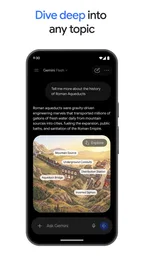
I also like using a conversation to learn a subject in manageable stages. I can ask for a plain-language explanation, follow up on the part I find confusing, and request an example related to my situation. That is more engaging than scanning an unfamiliar block of text. For anything where accuracy has real consequences, though, I would compare the explanation with a reliable source rather than treating a chat answer as the final authority.
Another practical technique is to ask Gemini to critique a plan against a constraint I might have overlooked: limited time, a small budget, or a need to keep the first step easy. This is not the same as asking it to make the decision for me. It is a way to expose assumptions and consider a different angle before I commit. The result can be especially useful when I have become attached to the first idea that came to mind.
Consistency matters more than elaborate prompt tricks. If I use the app to draft, plan, or learn, I get the most lasting value by saving the finished result in a place suited to it and noting what I changed. That makes the app one part of a sustainable system: it supports thinking, while my usual tools preserve commitments and records.
Where the workflow can break down
The biggest friction is that a smooth, confident response can still be wrong, incomplete, or poorly matched to the situation. I check factual claims, especially when a decision depends on them, and I do not rely on an answer merely because it is neatly formatted. For brainstorming, an imperfect suggestion may still spark a useful idea. For instructions, facts, or sensitive decisions, verification matters much more.
There is also a risk of spending more time refining prompts and responses than doing the task. If I have already explained the situation twice and the output is still not useful, I stop and use a simpler method: write the first draft myself, consult a person with relevant expertise, or open a tool designed for the job. The assistant is most valuable when it reduces friction, not when it creates a new loop of polishing.
Gemini is not my preferred place to manage a precise deadline, maintain a dependable inventory of tasks, or preserve structured records over time. A dedicated calendar is better for time-specific commitments; a task manager is better for tracking completion; and a document editor is better when careful formatting and long-term revision are central. I use a chat to prepare or clarify those materials, not to assume it replaces them.
Privacy and judgment deserve the same attention as accuracy. I avoid pasting details that do not need to be shared, and I think twice before using an AI-generated message for a delicate personal conversation. The app can help me find a calmer way to phrase something, but it cannot know the full history between people unless I explain it—and even then, the human context remains mine to handle.
It can also be a poor fit for people who want a strictly manual, distraction-free writing environment or who dislike conversational back-and-forth. In those cases, a conventional notes app, word processor, or search tool may be faster and more predictable. Gemini’s strength is flexible assistance across different kinds of thinking; that flexibility is less useful when a narrow, fixed workflow is what you need.
Who will get the most from it
Google Gemini is a free app from Google LLC in the productivity category. It has a 4.5 average from around 52 million ratings and more than a billion installs, so it has broad reach. Its age rating is Teen. It was released on February 5, 2024, and the current version is 1.0.995038376; Android users need version 9 or later to use it.
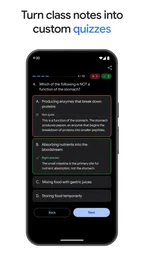
I would recommend trying it if you regularly need help getting started: students shaping a study outline, independent workers drafting a client update, or busy households turning scattered plans into a checklist can all find a useful role for it. It is particularly suited to people willing to revise, verify, and move good results into their existing organization system.
I would skip it—or keep it firmly secondary—if you expect a guaranteed-correct answer, need a specialized professional tool, or want all your planning and records managed in one structured place. Compared with ordinary search, a chat is more convenient for developing an idea through follow-up questions; compared with dedicated productivity software, it is less suitable for reliably tracking and maintaining work. Choosing between them depends on whether the job is to think something through or to manage it over time.
My recommendation is to begin with one recurring task that currently takes too long: outlining a report, preparing a weekly plan, or making sense of rough notes. Give Gemini clear context, ask for a result you can assess, and keep only what survives your review. Used that way, it can make starting easier without turning your whole productivity system into a conversation. Its best contribution is momentum; your judgment and your chosen tools still provide the structure.
What we like
- Handles follow-up questions while keeping conversational context.
- Can summarize long text into a more manageable overview.
- Supports voice interaction for hands-free conversations.
- Can analyze images shared in a chat.
- Works across Android and iOS devices.
What could be better
- Responses can include inaccurate or outdated information.
- Some features require a Google account and sign-in.
- Advanced capabilities may be limited by region or device.
- Usage limits can restrict access to certain models.
- AI-generated answers may need fact-checking before use.





