


Global Times review
 Analysis by Appsdrops
Keeping up with international news can feel like a job of its own: headlines arrive from everywhere, and it is not always easy to find a clear starting point. Global Times offers a focused option for readers who want English-language coverage from a Chinese newspaper. I find its appeal easiest to understand as a practical reading journey: open the app, choose a story, follow the coverage, and decide what to read next.
Starting with a distinct news perspective
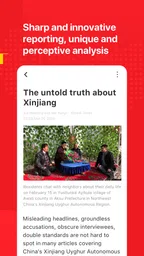
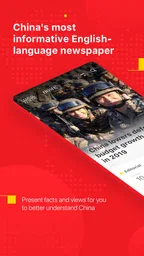
Global Times is an English-language newspaper from China under the People’s Daily, published by 《环球时报》社有限公司. That background is central to what the app is for. It is not simply a general-purpose news reader; it gives readers access to reporting and commentary from a specific publication and national perspective. If that is the viewpoint you are looking for, the app gives you a direct place to begin.
The app sits in the news and magazines space, and its core purpose is straightforward: read Global Times in English. That makes it potentially useful for international readers, students, people following Chinese affairs, or anyone who wants to compare how different outlets frame the same issue. I would treat it as one source in a broader reading routine rather than as a substitute for every other publication.
Getting started is uncomplicated in principle. The app is free, is rated for everyone, and requires Android 6.0 or later on Android devices. Its current version is 2.13.0. These details make the basic decision to try it fairly simple for compatible Android users. On the app’s store page, it has a 4.3 average from around 4,600 ratings and more than five million installs, suggesting that it has reached a sizeable audience.
From opening the app to choosing a story
A useful news app should help me move from a broad interest to a specific article without making the process feel like work. With Global Times, the natural workflow begins by opening the publication’s app and looking for a story that matches what I want to follow. The central task is reading its English-language journalism, so the experience is best judged by how well it supports that everyday habit: noticing a headline, understanding the subject, and continuing when a story matters to me.
My preferred way to use a publication like this is to start with a current topic rather than scroll aimlessly. I might be following a diplomatic development, a regional issue, or a wider international discussion. The app’s value then comes from giving me a dedicated route into Global Times coverage. Instead of searching the publication’s name each time, I can make it part of my regular news-reading routine and return when I want that particular editorial perspective.
That routine also helps set expectations. The app represents one newspaper, so the reading experience is tied to its selection and presentation of news. Readers who expect a neutral aggregator pulling together many outlets may find the scope narrower than they want. Readers who deliberately want to follow this publication have a clearer match between intention and product.
Following a story and moving between sources
The handoff from one news source to another is where a dedicated publication app can be most useful—and where readers should stay thoughtful. Global Times gives me a place to encounter its coverage, but understanding a developing event often means comparing accounts, checking context, and noticing which details are emphasized. I see the app as one stop in that process: it can introduce a perspective, while other publications and primary sources can help build a fuller picture.
This is especially relevant for international news, where the same event may be described differently depending on the outlet and audience. Reading Global Times can help me understand how this publication presents an issue. I would then compare important claims with reporting from other sources before drawing a firm conclusion. That is not a drawback unique to this app; it is simply a sensible habit when following news across borders.
The app’s English-language focus is a practical bridge for people who do not read Chinese but want to follow a Chinese newspaper. It can make the publication’s coverage more accessible to a wider audience and give readers a direct way to engage with its reporting. For English-speaking readers, that is a more specific benefit than a generic promise of “news in one place.”
What the reading experience delivers
The strongest reason to install Global Times is clear: it provides a dedicated mobile route to an English-language newspaper with a recognizable editorial identity. For readers who want that source, the app can help make checking its coverage a repeatable habit. I like that the purpose is easy to explain. You are not asked to treat it as an all-purpose information service; you are opening it to read Global Times.
That focus can be a benefit when I already know what kind of coverage I want. A publication-specific app offers a more direct connection to that outlet than repeatedly searching for its articles elsewhere. It can also make the reading routine feel more intentional: open the app, scan for a relevant story, read, and decide whether to continue investigating the topic through other sources.
The product’s reach is another indication that many readers have found a reason to use it. The app has over five million installs, and its store page lists 51 written reviews. Those figures are useful context, but they do not tell me whether every reader will agree with the paper’s viewpoint or find its coverage suitable. The best test is whether the publication’s role fits what I want from a news app.
Where the flow can feel limiting
The same focus that makes Global Times distinctive also defines its limits. A reader looking for a broad collection of competing outlets may prefer a news aggregator or several separate publications. This app is centered on one newspaper, so it makes the most sense when that is precisely the source you want to follow. If your main goal is to compare multiple editorial perspectives in one place, you will need to build that comparison into your routine yourself.
There is also a difference between access and context. Reading an article is only one part of understanding a complicated story. Some subjects benefit from background reading, independent verification, and coverage from outlets with different perspectives. I would not expect any single newspaper app to do all of that on my behalf. Global Times can be a useful input to that process, but the reader still has to decide how to interpret what appears on screen.
Another possible point of friction is simply whether its editorial approach suits you. A newspaper’s national and institutional context shapes its coverage, and that context may be exactly why one reader chooses it while another prefers a different source. Rather than treating the app as a universal recommendation, I would frame it as a good fit for people who intentionally want access to Global Times in English.
Making it part of a sensible news routine
For a balanced workflow, I would use the app to check the publication’s coverage of topics I am already following, read stories that provide a useful angle, and then compare consequential claims with other reliable sources. That approach gives the app a clear role without asking it to be something it is not. It also prevents a quick headline scan from becoming the whole process of understanding an event.
In practical terms, Global Times is most compelling when the reader’s starting point is specific: “I want to see what this English-language Chinese newspaper is reporting.” From there, the handoff is straightforward. The app provides the publication’s perspective; the reader supplies the questions, comparison, and judgment. The result is a more informed reading habit than relying on a single headline or source in isolation.
For Android users, the minimum operating-system requirement is Android 6.0. The app is free to download, and its content rating is Everyone. It was released on July 21, 2019, and the current version is 2.13.0. Those details make it easy to assess basic compatibility and availability before installing, while the more important choice remains whether this publication belongs in your personal news mix.
My take on Global Times
Global Times makes the most sense as a dedicated English-language news app for readers who want to follow the newspaper’s coverage and perspective. Its workflow is simple to understand: open the publication, find a story, read it, and use that coverage as one part of a wider effort to stay informed. I appreciate that its purpose is focused rather than pretending to replace every other source.
I would recommend it to readers curious about Chinese media, people who regularly follow international affairs, and anyone who wants a direct way to read Global Times in English. I would be less likely to recommend it as a reader’s only news app, particularly if they want a broad mix of outlets or built-in comparison between viewpoints. Used with that distinction in mind, it can be a worthwhile addition to a thoughtful news routine.
In the end, the app’s value depends on what you bring to it. If you want this newspaper’s English-language reporting at hand, Global Times offers a clear route from curiosity to reading. If you want comprehensive coverage from many sources, pair it with other publications. That modest, deliberate role is where the app feels most useful.
What we like
- Offers coverage of international affairs from a Chinese media perspective.
- Includes analysis and opinion alongside breaking news.
- Stories are organized by topic for easier browsing.
- Provides a dedicated source for China-related news.
- Useful for comparing coverage with other international outlets.
What could be better
- Its editorial viewpoint may not suit every reader.
- Some articles may require a subscription to access.
- Coverage can emphasize topics selected by the publisher.
- Opinion pieces may be difficult to distinguish from news at a glance.
- The app's usefulness depends on the availability of current updates.





