


GitHub review
 Analysis by Appsdrops
When a coding task is already moving, the last thing I want is to be tied to my desk just to keep an eye on it. GitHub’s mobile app gives me a practical way to follow repository activity, sort through notifications, and take part in reviews from my phone. It is not a replacement for a full development setup, but it can help keep work moving when I’m away from a computer.
Following work from the first notification
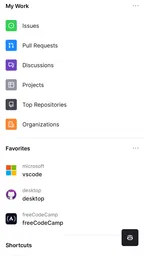
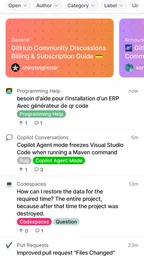
The useful starting point is a notification that needs attention: perhaps someone has asked for feedback, left a comment, or updated work that I’m following. Instead of treating those alerts as noise, I can use the app to triage them and decide what needs a response now and what can wait. That makes GitHub for Android and iOS most appealing to developers and teams who already use GitHub as part of their everyday workflow.
GitHub sits in the productivity category, though its appeal is quite specific. It is built around collaborative software projects, so the most value comes when I need to review, comment on, or merge work rather than create an entire project from scratch on a phone. The app’s central promise is simple: handle key GitHub activity from a mobile device and stay connected to ongoing work.
From alert to action
My first step is to open the notification and understand its context. A notification is only useful if it helps me get to the work behind it, and the app is designed to let me review activity without waiting until I’m back at my computer. I can sort through what has arrived, focus on the item that needs a decision, and move into a conversation or review rather than leaving everything unread.
That triage-first approach is a good fit for short pockets of time. If I’m between meetings or away from my desk, I can check what is happening and make a useful contribution without pretending that a phone is as comfortable as a full workstation. For me, the distinction matters: mobile GitHub is strongest as a companion for keeping a process unblocked, not as a promise that every coding task belongs on a small screen.
The app is free to download, and its store page lists a Teen content rating. GitHub is the developer, and the app has a 4.8 average from around 216,000 ratings. Those figures suggest broad adoption, but the practical question is whether the app suits the way I work. If my responsibilities include responding to project discussions and reviewing contributions, its mobile focus makes sense.
Reviewing and commenting on the move
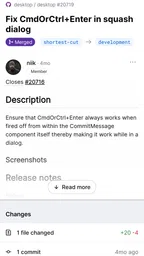
Once I’ve opened the relevant work, the next part of the flow is deciding what to do with it. A review is more than a quick glance: I need enough context to understand the proposed change and give feedback that another person can act on. GitHub’s mobile app supports reviewing and commenting, which means I can contribute to that handoff without being at my desk for every interaction.
I find the commenting side especially useful for keeping a conversation from going stale. A concise note can clarify a concern, answer a question, or tell a teammate what needs another look. The benefit is not that mobile makes thoughtful feedback effortless; it is that I can respond while the issue is still fresh. That can help a team maintain momentum when a discussion is waiting on a small but important decision.
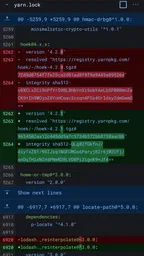
Still, reviewing on a phone asks for patience. Reading technical material on a compact display can be less comfortable than using a larger screen, and detailed work may call for a keyboard or tools outside the app. I treat mobile review as a way to inspect and discuss work when the task is manageable, then switch devices if I need a broader view or a more involved development environment.
Handing work back to the team
Collaboration is where the app’s workflow becomes more than personal notification management. A comment or review is a handoff: I’m giving another contributor information they can use to revise, clarify, or move forward. When I can do that from my phone, I’m less likely to let a small decision sit simply because I’m away from my computer.
The same is true when work is ready to merge. GitHub’s store summary specifically highlights merging from a mobile device, alongside triaging notifications, reviewing, and commenting. That makes the app relevant not only to people who monitor a project but also to contributors who have the authority and context to help bring work to completion. I would still make sure I understand the change before taking that step; convenience should not replace a careful review.
This is a useful division of labor between mobile and desktop. On my phone, I can keep up with activity, contribute feedback, and handle suitable actions. For extended coding or a complex investigation, I’d rather use a fuller setup. A good companion app does not have to duplicate every desktop task. It needs to make the right parts of the workflow accessible at the right time.
What the completed flow feels like
At its best, the process is straightforward: an alert draws my attention to project activity, I inspect the relevant work, I leave a useful comment or review, and the next person can respond. If the change is ready and I have enough context, the flow can continue toward merging. The result is less about doing everything on mobile and more about avoiding unnecessary pauses between people working together.
That makes GitHub a practical productivity app for an existing GitHub routine. It can help me stay informed and take part in collaboration while away from my computer. The app has reached over 10 million installs, and its current version is 1.284.0. It was released on February 15, 2020, and the listed minimum operating-system requirement is version 8.0. These details provide a quick sense of its availability, while the real deciding factor remains how often I need to act on GitHub work from my phone.
GitHub is free, though in-app purchases are listed at prices ranging from $9.99 to $99.99 per item. I would not assume that those purchases are necessary for every user or every mobile workflow; the app’s main appeal is its connection to GitHub activity and collaboration. For someone who already works with repositories and team discussions there, it is easy to see why a mobile companion could earn a regular place in the toolkit.
Where the workflow can slow down
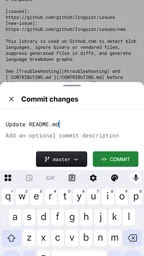
The same mobile convenience has limits. A phone is not ideal for every review, especially when I need to study a large change carefully, compare details, or produce substantial technical work. The app’s emphasis on notifications, reviews, comments, and merges is focused, which is a strength for quick collaboration but also means I should not expect it to feel like a complete desktop development environment.
Context is another possible source of friction. A notification may tell me that something needs attention, but I still have to judge whether I have enough information to respond responsibly. If I’m rushed, a quick comment can create more back-and-forth instead of clearing a blocker. I get the best results when I use the phone for actions that are clear and appropriately sized, then return to a larger setup when the task needs deeper investigation.
There is also a human side to triage. A steady stream of project activity can make it tempting to check every alert immediately. I prefer to use the app as a way to keep important work moving, not as a reason to be constantly available. Its value comes from making selected contributions easier, rather than turning every spare moment into another review session.
Who will get the most from it
I’d recommend GitHub to developers, maintainers, and collaborators who already rely on GitHub and want a convenient way to follow project activity away from a computer. It is especially useful when the task is to sort notifications, join a discussion, review a change, or handle a suitable merge. People who primarily need a full coding environment on their phone may find that this is not the app’s main purpose.
Overall, GitHub makes a sensible case for mobile collaboration: it puts key parts of the project workflow within reach and can reduce the wait between a request and a response. The experience works best when I treat it as a focused companion—useful for triage and handoffs, but not a substitute for a larger screen when the work demands one. If that balance fits the way you contribute, GitHub is a capable productivity app to keep close at hand.
What we like
- Track code changes and restore earlier versions with Git.
- Collaborate through pull requests and code reviews.
- Automate builds and tests with GitHub Actions.
- Find open-source projects across a wide range of topics.
- Use issues and project boards to organize development work.
What could be better
- The interface can feel crowded for first-time users.
- Advanced Git tasks may require learning command-line tools.
- Private repositories may have limits on included features.
- Large repositories can be slow to browse on mobile.
- Notifications can become overwhelming without careful settings.





