




Ge Browser - Safe & Smart review
 Analysis by Appsdrops
I’d consider Ge Browser - Safe & Smart when I want a separate place to browse privately and save videos for later, without turning my everyday browser into a cluttered catch-all. Its appeal is practical rather than elaborate: it combines private browsing and video downloading in a free tools app. That pairing can suit quick, occasional tasks, though it also means I would not treat the browser as a full replacement for a familiar, feature-rich daily driver.
A useful two-in-one idea, with boundaries
Made by Av sign international, Ge Browser is a tools app for people who want a browser with a more focused purpose. It has a 4.8 average from around 5,800 ratings, and has passed 500,000 installs. Those figures suggest it has found an audience, but they do not tell me whether it will fit an individual’s browsing habits. The useful question is whether its private-browsing and downloading focus matches what you actually do on your phone.
The name sets an expectation of a safe, smart browser, but I’d interpret that carefully. A private browsing mode can help keep a browsing session separate from ordinary history on a device; it is not a guarantee of anonymity or protection from every form of tracking. Similarly, having a video downloader does not automatically mean every video can be saved. The practical value depends on the pages and content you use, and on respecting the creator’s rights and the rules of the service hosting a video.
Where the combination makes sense
The strongest case for this app is convenience. If you sometimes look up something you would rather not leave in your usual browsing history, then switch to a video you want to revisit offline, having those jobs in one place may be more appealing than installing and juggling separate tools. It gives the app a clear role: a secondary browser for specific tasks, rather than a vague promise to improve every part of phone use.
That role is especially helpful when you want to keep one-off browsing away from your routine. For example, I might use a private session to compare a gift idea on a shared family tablet, then close it and return the tablet without leaving the search in the ordinary browsing trail. If I also find a video that I’m allowed to save for a later trip, the same app may cover the next step. This is a modest workflow, but it is a real convenience when the alternative is bouncing between apps.
A useful habit is to decide what you want to keep before downloading anything. Treat saved videos as a small, intentional offline collection: choose material you are entitled to store, then remove items when they are no longer useful. That avoids turning a downloader into a pile of files whose source or purpose you later forget. It is also a sensible way to keep expectations grounded: the app is a tool for specific tasks, not a substitute for a streaming service’s own offline options.
Private browsing is useful, not magical
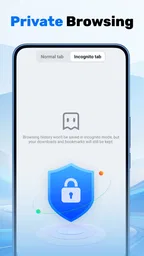
The word “private” can invite more confidence than a browser feature deserves. I would use a private session to reduce local traces on the device, especially for a temporary search or when sharing a phone. I would not assume it makes me invisible to websites, networks, employers, internet providers, or account services. Signing into an account can still connect browsing activity to that account, and privacy controls are not the same thing as a complete security system.
This distinction matters most if your reason for seeking privacy is sensitive. Ge Browser may be handy for separating casual browsing, but I would not rely on a browser’s private mode alone for high-risk activity. In that situation, I’d first look for a privacy option whose protections are clearly explained and match the threat I’m concerned about. The app’s privacy-oriented purpose is attractive; the responsible choice is not to read more into that purpose than it promises.
There is also a small practical trade-off with any separate browser: useful separation can mean less continuity. If you normally depend on saved passwords, familiar bookmarks, synced tabs, or a carefully arranged browser setup, moving a task into another app may add steps. I would start with one or two specific uses rather than trying to migrate my entire web life. That makes it easier to tell whether the convenience is worth the extra place to manage.
Downloading calls for a little judgment
The video-saving angle is compelling when you have a legitimate reason to keep something available offline, but it is not a universal answer to every “save video” problem. A page may not offer downloadable content, and a platform may restrict copying. If a video service already has an official offline feature, I would generally choose that route: it is clearer about what is permitted and keeps the content within the service’s intended experience.
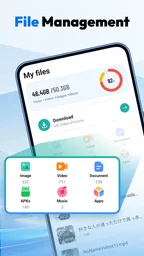
When a download is appropriate, I’d make the workflow deliberate. Check that the page is the right source, confirm that saving the material is allowed, and give the file a recognizable name if the app offers that option. I would also test playback before heading somewhere without reliable internet. These steps are not flashy, but they prevent the common annoyance of discovering later that the wrong clip was saved or that the file is not usable in the situation I had in mind.
I would not choose Ge Browser solely because I expect every online video to be downloadable. That expectation is likely to lead to frustration with any downloader, and it can overlook the rights attached to the content. Its stronger use is as a convenient option for compatible material that you are permitted to keep, not as a way around platform restrictions.
Who is likely to enjoy it
I can see this working well for someone who wants a simple secondary browser, occasionally uses private sessions, and has a legitimate need to save compatible videos. It may also suit a person who prefers one app for those two related jobs instead of opening a dedicated downloader and then returning to a standard browser. Because it is free, trying that limited role does not require paying for the app itself.
It is less suitable for people who want their main browser to be deeply integrated with an existing setup. If your daily routine depends on syncing across devices, extensive organization, or a familiar collection of browser tools, compare those needs with what you already use before switching. I’d also steer anyone seeking guaranteed anonymity, a comprehensive security solution, or unrestricted video capture toward options designed to address those specific requirements instead.
The Teen content rating is another reason to think about the intended user, especially if the device is shared with younger family members. A rating is a helpful age signal, not a replacement for household rules or supervision. I would decide whether the app’s browsing and download functions are appropriate for the person using the device, rather than treating an age label as a full account of what they may encounter online.
Version and everyday fit
The current version is 1.3.1, and the listed minimum operating-system requirement is version 8.0. Those details make it straightforward to check basic compatibility before installing, but compatibility alone does not prove that the app will feel right on your particular phone. I’d try it with a low-stakes task first: open a page you already know, explore the private-browsing workflow, and see whether the controls make sense before depending on it for anything important.
That trial is especially worthwhile because browser habits are personal. One person may value a dedicated private session more than a polished sync system; another may find it inconvenient to keep two browsers in rotation. The best test is not whether the app can theoretically cover a use case, but whether its actual steps are comfortable enough that you will use it consistently. If it adds more friction than it removes, keeping your existing browser is a perfectly reasonable choice.
My verdict: a focused companion, not an automatic replacement
My view of Ge Browser - Safe & Smart is positive but measured. Its useful idea is easy to understand: bring private browsing and video saving together in a free, focused tools app. That can make everyday tasks simpler for someone who wants a separate browsing space and occasionally needs compatible content offline. The app is most convincing when used for that narrow, practical purpose.
I would install it as a companion and judge it by a few real tasks, not by the broad promise of being “safe” or “smart.” Keep privacy expectations realistic, use downloads responsibly, and stick with a more established daily browser if its organization and continuity matter more to you. If that balance suits your needs, Ge Browser is worth trying; if you want deep browser integration or stronger, clearly defined privacy guarantees, I would choose a different tool.
What we like
- Simple interface makes browsing easy to learn.
- Built-in privacy tools can help limit tracking.
- Tabbed browsing keeps multiple pages organized.
- Bookmarks provide quick access to favorite sites.
- Useful for everyday web searches and reading.
What could be better
- Some websites may not display correctly.
- Privacy features do not guarantee complete anonymity.
- The browser may lack advanced customization options.
- Performance can vary on older devices.
- Some features may require internet access.





