
Fontmaker - Font Keyboard App review
 Analysis by Appsdrops
Most of us type the same familiar characters all day, whether we’re sending a quick message, writing a caption, or adding a personal touch to a note. Fontmaker takes a different route: it’s a productivity app built around making a font from your own handwriting, then using a keyboard to bring that personal style into your typing. I like the idea because it turns an ordinary text task into something more expressive without asking you to become a designer first.
From blank page to a more personal keyboard
Fontmaker is aimed at people who want their digital words to feel a little less generic. The starting point is straightforward: instead of choosing only from typefaces made by someone else, you create a font based on your own handwriting. That gives the app a clear purpose, and it makes the result feel connected to you rather than like another decorative style pulled from a preset list.
The app is free to download, and it sits in the productivity space rather than being just a novelty keyboard. That distinction makes sense to me. A handwriting font can be playful, but it can also help give social posts, personal messages, or other short pieces of text a consistent, recognizable look. The appeal is not that it changes what you say; it changes the visual character of how you present it.
Getting started with any handwriting-based tool involves a small shift in mindset. You’re not simply picking a finished font and moving on. You’re creating the raw material first, so the quality and personality of the output depend on the handwriting you bring to the process. If your writing is distinctive, that can be the fun part. If you’re hoping for a polished typeface without spending any attention on setup, the custom approach may feel like extra work.
Making the handwriting feel like yours
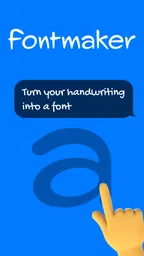
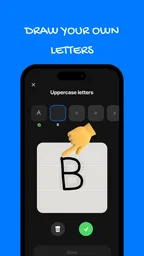
The core workflow is easy to understand even before you get into the details: provide handwriting, let the app turn it into a font, and use that font through its keyboard. That sequence gives the experience a satisfying before-and-after quality. Your handwriting begins as something you normally make with a pen; the app’s job is to carry its appearance into a digital typing routine.
I find that concept more appealing than a keyboard that offers only a row of preselected novelty fonts. A personal font has a reason to exist beyond decoration. It can resemble the way you write, which makes it suitable for casual communication where an individual touch matters. It also gives you a small creative project with a practical outcome: a style you can use rather than an image that stays trapped in an editor.
The process naturally asks for a little patience. Handwriting varies, and turning it into a usable font means the input stage matters. Taking care with the writing gives the app a better foundation to work from, while rushing through the setup can undermine the point of making something personal. This is a simple but important trade-off: the more individual the result is meant to feel, the less the experience resembles an instant, one-tap font switch.
Moving from creation to everyday typing
Once the font-making step is behind you, the keyboard becomes the handoff between the creative setup and daily use. That’s where the app’s idea either becomes genuinely convenient or remains a one-time experiment. A custom font is most useful when it can move into the places where you already type, rather than requiring you to create a separate graphic for every message.
That handoff is also where expectations need to stay realistic. A keyboard is a tool for entering text, while a font changes how that text looks; those are related jobs, but they do not automatically make every destination behave identically. The app’s central promise is the combination of your handwriting and a keyboard experience, not a guarantee that every service or screen will display custom text in exactly the same way. I’d treat it as a way to personalize suitable text, not as a universal redesign of every app on a device.
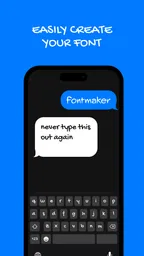
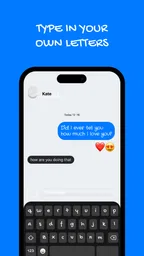
For short-form writing, the idea is easy to picture. You make a handwritten font, switch to the keyboard when you want that style, and type the words as you normally would. That is a more direct path than drawing each letter individually or composing every message as an image. It keeps the emphasis on typing, which is the practical reason a keyboard-based font maker can fit into everyday routines.
There is a useful distinction here between creating a font and using one. The creation stage is occasional and creative; typing is repetitive and functional. Fontmaker brings the two together, so the setup effort can pay off over repeated use. If you only want to try a handwriting style once, the setup may feel like more of a project than you need. If you enjoy using a personal visual style regularly, the same effort can feel worthwhile.
What the finished result is good for
The finished product is best understood as a personal styling option for text. It can make a message or caption feel more individual, and it gives you a way to carry a handwriting-like appearance into digital communication. I see that as the app’s strongest quality: it turns a familiar part of your identity—your handwriting—into a usable digital asset.
That does not mean every piece of writing needs a custom font. For long passages, dense information, or situations where plain readability is the priority, a distinctive handwritten look may not be the most comfortable choice. The app is more naturally suited to expressive moments and short messages than to replacing the standard typeface you rely on everywhere. Used selectively, the personal style can stand out; used indiscriminately, it may become harder to read or simply lose its specialness.
The keyboard format also shapes how I’d use it. It keeps the workflow close to ordinary typing, which is convenient when you want to write rather than design. At the same time, the visual result can depend on how text is handled in the destination where you share it. That makes it sensible to check the result in context before using the font for something important. The best outcome is the one that looks like your handwriting while remaining clear to the people reading it.
Fontmaker has a clear audience: anyone curious about turning handwriting into a digital font and bringing that style into keyboard use. It is not trying to be a full graphic-design suite or a general writing assistant. That focus helps the concept stay approachable. You know what you’re getting into: a creative route from handwriting to a personalized way of typing.
Where the workflow can feel less smooth
The main friction point is built into the idea itself: a custom font requires an input step. People who want instant variety may prefer a ready-made keyboard style, while Fontmaker asks them to contribute their own handwriting. That is not a flaw so much as the cost of personalization, but it does make the app less immediate than tapping a font from a catalog.
There’s also a gap between making a font and finding the right moments to use it. A personalized keyboard can be enjoyable, yet not every conversation calls for handwritten-looking text. The app’s value depends on whether you have a regular use for that style. If your messages are mostly practical, you may appreciate the idea more than you use it. If you like customizing how your posts and messages look, the keyboard can make the creation step feel more rewarding.
Another consideration is consistency. Handwriting is naturally imperfect, and that quality is part of its charm. But anyone expecting a perfectly uniform, professionally typeset result may be surprised by the character of a font based on personal writing. I’d approach the app with the goal of preserving personality, not eliminating every irregularity. In this case, a bit of unevenness can be exactly what makes the result feel authentic.
As with any keyboard-centered app, changing the way you type can interrupt habits at first. The experience has to fit into your normal routine for the font to become useful rather than something you set up and forget. That’s why I’d judge it not only by the novelty of creating a handwriting font, but by whether switching to it feels worthwhile during the kinds of conversations where you want a more personal look.
A focused app with a memorable idea
Fontmaker has been available since November 26, 2021, and its current version is 1.9.0.100. It has an average rating of 4.3 from around 127,000 ratings, with about 2,600 written reviews and over 5 million installs. Those figures suggest that the handwriting-to-keyboard concept has reached a broad audience, while the app’s focused purpose remains easy to explain.
It is free to get started, with optional in-app purchases ranging from $0.99 to $39.99 per item. The app is rated for Everyone, and it requires Android 8.0 or later. Those details make it useful to know what the basic download involves before deciding whether the custom-font workflow is something you’ll actually use. I’d think of any optional spending as separate from the central question: does typing with a font based on your own handwriting sound enjoyable and practical to you?
Overall, I like Fontmaker most as a small creative tool with a clear path to everyday use. It starts with your handwriting, turns that input into a personal font, and brings the result into a keyboard workflow. The handoff is the key: when you want to add character to a suitable message, you can type rather than build a new image from scratch. The trade-off is that setup takes more involvement than choosing a preset, and the handwritten look won’t suit every context.
If you want a handwriting font keyboard that makes your own writing part of your digital style, Fontmaker is an appealing option. I’d recommend it to people who enjoy personalization and don’t mind spending some time on the creation step. Go in expecting a distinctive, handwriting-led result rather than a universal replacement for standard text, and the app’s purpose comes through clearly: it helps your everyday typing feel a little more like you.
What we like
- Create custom fonts from your own handwriting.
- Use a range of styles to personalize everyday messages.
- The keyboard makes custom text quick to insert.
- A simple setup helps new users get started.
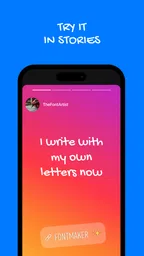
- Works well for adding personality to social posts.
What could be better
- Handwriting quality can affect how polished fonts look.
- Some features may require an in-app purchase.
- Custom fonts may not display consistently across apps.
- The keyboard needs access to input text to function.
- Decorative text can be harder for others to read.





