
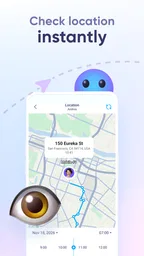





Findio: GPS phone tracker review
 Analysis by Appsdrops
Findio: GPS phone tracker is a family location app that makes a straightforward promise: help people keep track of where friends and relatives are. I see the appeal, especially for parents who want a shared point of reference during a busy day. But location sharing is only useful when everyone understands how it works and the phones involved can provide a reliable signal. My view is that Findio is best approached as a practical coordination tool, not a substitute for conversation or a guarantee of someone’s safety.
Where location sharing can get stuck
The most common frustration with a tracking app is not necessarily the map itself; it is seeing a location that appears old, vague, or different from where someone expects to be. GPS depends on the phone’s ability to determine its position, and updates can be affected by connectivity, the device’s settings, or whether the phone is available to send fresh information. If a family member’s position seems behind, I would first check whether that person can use the phone normally and has a connection, rather than assuming the app has failed.
That distinction matters in everyday use. If I am waiting to collect a child after an activity, a location view can help me orient myself, but I would still agree on a meeting point and a backup way to get in touch. A dot on a map is not the same as knowing someone has arrived safely. Treating it as supporting information rather than certainty keeps the tool useful without creating needless alarm.
Findio is listed as a parental control app, but the short description centers on location sharing. I would not assume that label means it replaces every kind of parental supervision. Families looking for extensive device-management features should check what the app actually offers on their own devices before relying on it for those tasks. Its clearest use is helping a group share location information, rather than serving as a complete parenting plan.
Agree on expectations before relying on the map
Location tools work better when the people being located know why the family is using them. I would explain who can see a location, when the family expects to check it, and what everyone should do if a phone is unavailable. That conversation is especially important with older children and other relatives who may not want constant monitoring. A shared understanding can prevent a useful check-in from feeling intrusive.
There is also a practical trade-off: a family may want reassurance, while the person carrying the phone may want privacy and autonomy. I would keep use focused on specific needs, such as coordinating a pickup or finding each other during an outing, instead of making routine map-checking the measure of trust. If the household cannot agree on those boundaries, a simple message or scheduled call may be a better fit.
Setup checks that prevent avoidable confusion
Before depending on Findio, I would make sure the intended family members have the app ready on their phones and know how to use it. Because the app is built around sharing, it is worth checking that the relevant people are included in the arrangement and can see the information they expect. A parent setting it up alone cannot assume that another person’s phone is ready to share a usable location.
Then I would test the basic routine at a low-stakes time. Ask one person to move to a nearby place, open the app on both ends, and compare what each person sees. This simple rehearsal can reveal misunderstandings about who is sharing, which device is being used, or whether the family is looking at the right person. It is much easier to sort out those basics at home than while someone is waiting at a crowded venue.
Phone settings deserve a calm check too. If location information is not appearing as expected, confirm that the app and phone are configured in a way that permits the intended use, and check that the device has a working connection. Settings and menus vary across phones, so I would follow the prompts on the device rather than copying instructions intended for another model. I would also avoid changing several settings at once; one adjustment at a time makes it easier to tell what helped.
Findio is free to install, which makes it easy to try, but it includes in-app purchases ranging from $2.99 to $99.99 per item. I would review any purchase prompt carefully and decide whether a paid option is actually needed for the family’s routine before confirming it. The presence of in-app purchases does not mean every household must spend money, but families should be comfortable with the purchase terms shown on their own device.
Make a small test part of the family routine
A useful habit is to test the setup before the first situation where everyone is counting on it. For example, if a parent plans to use the app when a teenager travels home from an after-school activity, they can check the sharing arrangement together beforehand and agree what to do if the map does not update. The teenager can send a message or call instead of having both people repeatedly refresh the screen and guess.
This also helps answer a common practical question: does a family need to open the app every time? I would not build a routine around an assumption that the map will always refresh in exactly the way someone expects. Test how it behaves on the actual phones in the household, and keep a direct contact method available. That approach is more reliable than treating any location app as a live, uninterrupted feed.
Recovering a routine when the view looks wrong
If a location seems stuck, I would work through a short sequence rather than immediately uninstalling the app. First, check whether the person’s phone is connected and available. Next, ask them to open Findio and confirm the expected sharing arrangement. Then give the app a moment and check again. If the result still looks wrong, compare it with what the person can report directly, such as their current street or a nearby landmark.
That last step is more valuable than it sounds. A map marker can be difficult to interpret around large buildings, busy roads, or unfamiliar places. A quick message like “I’m outside the library entrance” gives useful context that a location screen alone may not provide. For a pickup, agreeing on a named entrance or meeting point can save time even when the map is functioning as intended.
If the problem affects only one person, focus the checks on that person’s phone and connection rather than resetting everyone’s setup. If it affects the whole family, confirm that each person is looking at the same arrangement and that the devices are online. I would avoid repeatedly toggling settings or reinstalling as a first response, since that can create fresh setup work without addressing a temporary connection issue.
For a household with children, a fallback plan should be explicit: call or text, wait at the agreed safe location, and contact the responsible adult if plans change. A tracking app can make coordination easier, but it cannot make a phone battery last, restore a lost signal, or ensure that someone notices a notification. The sensible workflow is to use the location view to guide the next step, then confirm important details directly.
When the app may not be the cause
It is tempting to blame Findio whenever a marker does not match expectations, but the phone and its surroundings are part of the system. Weak connectivity, a device that is unavailable, or conditions that make positioning less precise can all affect what a map seems to show. If a location jumps or lags, I would check the person’s real situation before making a conclusion about their route or safety.
Battery and data use are also reasonable considerations for any location-sharing routine. I would not ask a child to keep a phone active solely for a map if that could leave them without enough charge for a call later. A quick check-in at a planned time may be a better choice for a long day, while location sharing can help when people are actively coordinating. Families should choose a level of reliance that suits their devices and habits.
For privacy-conscious households, the question is not just whether a location can be shared, but whether sharing is appropriate for each person and situation. I would explain the purpose clearly and revisit the arrangement as children grow older. If someone is uncomfortable with ongoing location visibility, a limited check-in plan or a different family agreement may work better than trying to force a tracking routine.
Findio is developed by Fortunex Limited and is available for everyone, with a minimum operating-system requirement of version 8.0. It was released on April 1, 2022, and its current version is 2.0.1. On the app store, it has a 4.1 average from around 7.4 thousand ratings, with 483 written reviews, and has reached over one million installs. Those figures suggest it is an established option, but they cannot tell me whether it will suit a particular family’s expectations or work smoothly on every phone.
How it fits beside familiar alternatives
Compared with simply texting “I’m here,” a location-sharing app can reduce the back-and-forth when people are trying to meet or coordinate a pickup. Compared with built-in family tools that may already be available on a household’s phones, Findio is worth considering if the family wants a dedicated app for sharing locations across its chosen group. The best choice depends on what everyone already uses and whether the app’s setup feels clear to all members.
I would not install it just to duplicate a feature the family already uses reliably. Nor would I choose it as the sole solution for urgent communication: direct calls and messages remain essential when a person needs help or a plan changes. Findio is most useful in the middle ground, where seeing a relative’s location can answer a practical question without requiring a phone call every time.
It may also be a poor fit for someone who expects a location marker to be perfectly precise, continuously current, or a replacement for consent. A family that needs detailed device rules should compare dedicated parental-control options and verify their specific functions before switching. A family that only needs occasional coordination may find a shared chat and clear meeting points simpler.
My practical verdict
Findio: GPS phone tracker makes sense for families and friend groups who want a shared location reference and are willing to test the setup, communicate expectations, and keep a backup plan. I like the practical idea: it can make pickups and meetups less uncertain, especially when people are moving between places. Its value depends less on staring at a map and more on using the information sensibly.
I would recommend trying it with a small, clearly defined routine first, such as coordinating one regular pickup. Check that the right people can participate, understand what they are sharing, and know what to do if the location view is unavailable. If that trial reduces confusion without creating privacy concerns, the app may earn a useful place in the family’s toolkit.
If the household needs guaranteed real-time accuracy, extensive controls beyond location sharing, or a system that works without a healthy phone connection, I would look at other approaches instead. For everyone else, Findio is a reasonable free starting point, provided you treat the map as a helpful clue rather than proof. That balance is what makes a location app genuinely useful—and keeps it from becoming a source of unnecessary worry.
What we like
- Location sharing can make it easier to coordinate with family members.
- A map view helps users check a contact's reported position.
- Useful for keeping track of a device when its owner has opted in.
- Can support safety check-ins during trips or outdoor activities.
- Designed for straightforward location monitoring.
What could be better
- Location tracking requires suitable permissions and enabled location services.
- Continuous GPS use can increase battery consumption.
- Accuracy may decrease indoors or in areas with weak signals.
- Tracking depends on an internet connection and location updates.
- Users must consider privacy before sharing their location.





