
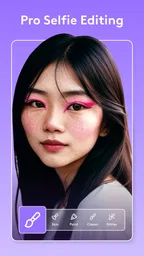
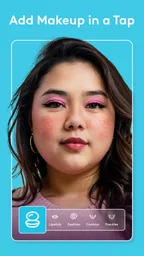
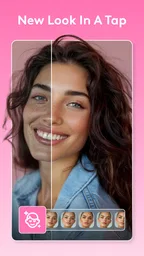
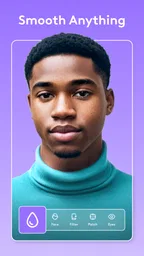
Facetune: Hair, Photo Editor review
 Analysis by Appsdrops
I reach for Facetune when a portrait is close to what I want but needs a little more care before I share it. It is a photography app from Lightricks Ltd., built around editing people and portraits rather than managing a whole photo library. That focus makes it approachable, but it also means I see it as a finishing tool—not a replacement for a full photo editor or a camera app.
Portrait editing that stays within reach
The useful thing about Facetune is how quickly I can move from spotting a small distraction to making a restrained adjustment. I do not need to understand layers, curves, or a complicated desktop-style interface to make a portrait feel more polished. For a casual user, that lowers the barrier to trying an edit; for someone experienced, it can be a convenient shortcut when a photo only needs a few deliberate changes.
Its current version is 2.63.0-free, and the app is free to install. Some options are offered through in-app purchases, with listed item prices ranging from $0.99 to $199.99. I would treat that broad range as a reason to check the exact purchase details before committing, rather than assuming every editing tool is included at no cost. The free starting point is useful, but it is sensible to explore the available controls first and decide whether the paid options fit your routine.
The scale of its audience suggests this is not a niche experiment: Facetune has over 50 million installs, with an average rating of 4.4 from around 827,000 ratings. Those figures do not tell me whether its approach suits a particular person, but they do help explain why many users consider a portrait-focused editor part of their photo workflow. The app is rated Teen, so it is worth keeping that audience designation in mind when choosing it for younger users.
A focused tool, not a complete photo workflow
I find the portrait emphasis most useful when I already have a picture I like and want to refine it without turning the task into a technical project. A quick profile photo, a family snapshot, or a portrait taken in uneven light can all benefit from selective attention. The aim, in my view, should be to preserve the person and the moment while reducing distractions—not to edit until the result no longer resembles the original.
That focus also gives the app a clear boundary. If I want to sort a large library, combine several pictures into a complex composition, or make fine-grained tonal corrections across a landscape, a broader editor is likely a better fit. Facetune makes more sense when the subject is a person and the desired result is a carefully finished portrait.
What its long-running presence means for existing users
The app was released on April 21, 2018, and its current version number shows that it has continued through many iterations. That history is relevant if you are returning after a break: you are not looking at a newly launched tool whose basic direction is still being established. Still, a version number alone does not tell me which features changed, how particular controls have evolved, or whether an update will alter a workflow I already depend on.
For someone who has used earlier versions, I would approach an update as a chance to check familiar habits rather than assume everything works exactly as before. Open a picture you know well, try the controls you use most, and compare the result with the untouched original. That small check is especially helpful with portrait edits, because subtle differences in strength can change the character of a face even when the adjustment seems minor.
Facetune is developed by Lightricks Ltd., a name users may recognize from creative editing apps. In practical terms, I would still judge this app by its own workflow: how easily I can reach the edit I want, whether I can keep the result believable, and whether the available free and paid choices make sense for my use. A developer’s broader presence does not guarantee that every tool will suit every editing style.
Small workflow choices that improve the result
My first useful habit is to keep an untouched copy of the original before I start. Portrait editing can be tempting because a change is immediately visible, but the original gives me a reliable reference when I begin to overdo it. I can step away for a moment, return with fresh eyes, and ask whether the edit still looks like the person I photographed.
A second practical tip is to work from the biggest distraction to the smallest one. If the overall image feels off, polishing tiny details first can waste time; I would begin by deciding what actually draws my eye, make the broadest necessary correction, and only then refine smaller areas. This order helps keep the session purposeful and makes it easier to stop when the portrait is already doing its job.
I also recommend judging an edit at more than one viewing size. A close view can make small imperfections seem urgent, while the image at normal phone size may already look natural. For a profile picture, I would check the crop and the face at the size people will actually see it. For a larger portrait, I would inspect the full frame as well, so that a polished face does not feel disconnected from the rest of the photo.
Finally, I try to make one kind of change at a time and pause between adjustments. That gives me a better sense of which edit helped and which one merely made the image more processed. It is a simple discipline, but it matters in a tool designed to make fast portrait changes feel easy.
Where the trade-offs show up
The biggest limitation is also part of the appeal: a specialized portrait editor is not the best answer to every photo problem. If I need precise control over color across an entire image, a more comprehensive editor may be easier to reason about. If I want an unretouched documentary look, even a light portrait adjustment can feel unnecessary. I would skip Facetune for those jobs and use a tool whose purpose better matches the picture.
Another trade-off is the temptation to keep editing because the controls make experimentation accessible. A portrait can quickly lose its natural texture or expression when too many changes accumulate. I recommend setting a simple goal before opening the app—such as making the image feel clearer or reducing one distraction—and stopping once that goal is met. The best result is often the one that does not announce itself as an edit.
The purchase model deserves a little attention too. Free access makes it easy to try the app, but in-app purchases can add cost, and the stated range is wide. Before building a regular workflow around a paid option, I would check what it costs and whether it solves a recurring need rather than a one-off curiosity. That is more useful than assuming the initial download tells the whole story.
How it compares with familiar alternatives
Compared with a general-purpose photo editor, Facetune puts portrait work at the center, which can make a quick people-focused edit feel more direct. A broader editor is usually the stronger choice when I want to adjust a whole scene, manage many kinds of image correction, or build a more involved composition. The right choice depends less on which app has more tools and more on whether the tools are organized around the task I have.
Compared with leaving a picture untouched, Facetune offers a way to make targeted refinements, but it cannot decide what level of retouching feels honest to me. I would use it for a picture that is nearly ready, not as a requirement for every portrait. If my main goal is to preserve a candid moment exactly as it happened, the camera’s original image may be the better choice.
For someone deciding whether to install it, the key question is simple: do you regularly take portraits that you want to refine quickly? If yes, the focused approach may save effort. If most of your editing involves scenery, text, collages, or detailed color work, I would look first at a more general tool and avoid choosing an app just because it is popular.
Who I would recommend it to
I would recommend Facetune to people who share portraits often and want a straightforward way to tidy an image without learning a complex editing workflow. It is also a reasonable option for someone who occasionally needs a more considered profile photo or wants to give a family picture a light finishing pass. The strongest use case is a specific portrait with a clear, modest goal—not editing every image by default.
I would be more cautious about recommending it to anyone who values extensive manual control, wants one app for every kind of photography, or finds retouching uncomfortable on principle. Those users may be happier with a general editor, a less portrait-focused workflow, or no extra editing at all. The Teen content rating is another point for families to consider rather than overlook.
Facetune is available for devices running Android 8.0 or later. Before installing, I would check that your device meets that minimum and think about whether the app’s portrait-first purpose matches the pictures you take. That quick decision can prevent the common frustration of downloading an editor that is capable but poorly suited to your actual needs.
What I would watch as it continues
With a mature app such as this, I would pay attention to whether future changes make everyday portrait editing clearer without encouraging unnecessary retouching. I would also watch how the balance between free access and paid options feels in practice, especially if a tool I rely on becomes central to my routine. Those are sensible things to monitor, not promises about what a future update will contain.
For existing users, the most useful test is whether the current version still makes their usual edits simple and predictable. For new users, I would begin with one photo, keep the original, and explore only the controls that serve a clear purpose. That approach gives a fair sense of the app without turning a quick edit into a long session.
Overall, Facetune earns its place for me as a convenient, portrait-specific editor rather than an all-purpose photography suite. Its approachable focus is a real advantage when I need a careful finishing touch, while the purchase choices and the risk of over-editing call for some restraint. If you want quick portrait refinement and are comfortable making your own limits, it is worth trying; if you need broad image control or prefer untouched photos, another route will suit you better.
What we like
- Easy-to-use tools make quick portrait edits accessible to beginners.
- AI features can speed up common retouching tasks.
- A range of filters helps create a consistent photo style.
- Edited images are easy to share on social platforms.
- Basic editing options let users try the app before subscribing.
What could be better
- Many advanced tools require a paid subscription.
- Some AI edits may look unnatural on close inspection.
- Results can vary depending on lighting and image quality.
- Frequent feature updates may make the interface feel busy.
- Export options may be limited on the free plan.





