

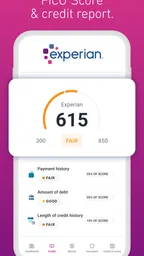






Experian® review
 Analysis by Appsdrops
I judge a finance app not just by the numbers it puts on screen, but by how easy it makes ordinary money tasks to understand and complete. Experian® is built around credit and personal finances, and its most useful promise is practical: give people a place to keep an eye on their credit picture without turning every check-in into a research project. My overall impression is that it can be a helpful companion for routine monitoring, especially if you want a familiar starting point, but it is not a substitute for every financial tool or for taking time to understand what a credit score can—and cannot—tell you.
Clear enough for a quick check-in
The app’s financial focus gives it a more defined job than a general-purpose budgeting app. Rather than asking me to build a complete picture of every purchase first, it is oriented toward credit and finances. That makes it appealing when the question on your mind is narrow: “Has anything changed?” or “Where should I look before applying for something?” Experian is developed by Experian, and its finance category is a sensible fit for that kind of recurring check-in.
Navigation matters particularly in a finance app because unclear labels can make a small concern feel bigger. I prefer tools that let me distinguish a headline score or account view from the explanation behind it. When using Experian, I would approach the first visit slowly: look through the main screens, note which sections report a status and which offer guidance, and avoid treating every notification or visual change as an urgent problem. That simple habit makes the app easier to use thoughtfully rather than reactively.
The app has a 4.7 average from around 723,000 ratings, with over 208,000 written reviews. Those figures suggest that many people have made it part of their financial routine, though popularity is not proof that every screen will suit every reader. Its reach—over 10 million installs—does make it a familiar option for someone who would rather begin with a well-known credit-focused service than an unfamiliar finance app.
One useful way to read any credit dashboard is to separate three questions: what is the current status, what changed since the last time I checked, and what action is actually available to me? I find that distinction more helpful than repeatedly refreshing a score. A number can be a useful signal, but it is not a complete account of financial health, and a screen designed for quick reassurance should not be mistaken for a full explanation of every lender’s decision.
Reading without rushing
For people who find dense financial language tiring, the best workflow is a short, deliberate session. I would open the app with one purpose, read the main information first, and then explore supporting explanations only if they answer that purpose. This is especially useful after receiving a financial notice or before a planned application: it keeps the session focused and reduces the chance of clicking through several sections without knowing what each one is meant to clarify.
I also recommend comparing what the app shows over time rather than drawing a conclusion from one visit. A single check is a snapshot; a repeated pattern is more useful for spotting whether something deserves follow-up. If a detail looks unfamiliar, pause and verify it through the relevant account or official channel before making a decision. That is a sensible safeguard with any credit-monitoring service, not a reason to assume the app itself is wrong.
Different bodies, different ways of using a phone
Experian’s usefulness depends partly on how comfortably someone can read and operate the interface on their device. People with low vision may need to adjust their phone’s text size, contrast, or magnification before a finance screen feels manageable. I would check that important figures remain readable after those changes and that zooming does not make it difficult to understand which label belongs to which number. In financial information, a legible value without its context can still be confusing.
For someone with limited dexterity, the practical test is whether common tasks can be completed without precise, repeated taps. I would try the central actions at a comfortable pace and see whether the interface gives enough room to move between sections without accidental selections. If a task feels fiddly, using the phone’s built-in interaction settings or a larger-screen device may make it less frustrating. I would not assume that an app’s finance purpose automatically makes every control easy for every hand or movement pattern.
People who rely on screen readers or other assistive technology should test the particular screens they expect to use, especially any page where a number, status, and explanation need to be understood together. A useful check is to move through the screen in reading order and confirm that labels make sense when heard aloud, rather than relying on visual placement alone. I can’t infer the quality of every assistive-technology interaction from the app’s category or popularity, so this is a case where a personal trial is more reliable than a general promise.
Sensory needs also shape a good financial routine. If alerts, bright displays, or too much information at once are distracting, I would keep check-ins brief and choose a quieter moment rather than opening the app while juggling other demands. The goal is not to inspect every detail every day; it is to make the information usable when it matters. Anyone who feels anxious about credit may benefit from deciding in advance what they want to learn before opening the app.
When and where it fits
A realistic use case is preparing for a major purchase. Before looking for a loan or another credit product, I might check my general credit picture in a calm moment, note anything that needs investigation, and then verify relevant details with the institution involved. That sequence makes the app a preparation tool, not a promise about approval. It is particularly useful for someone who wants a regular point of reference but does not want to build a complicated spreadsheet just to remember whether something has changed.
Another situation is a brief check after a life change that makes finances feel less predictable, such as moving or taking on a new recurring expense. I would use the app to orient myself, then move to the appropriate account provider if I needed transaction-level information or a specific account action. That division of labor matters: a credit-focused app can help with the broader picture, while a bank’s own app is usually the more direct place to handle day-to-day balances, transfers, and payments.
For a shared household, I would be cautious about treating one person’s view as a complete picture of everyone’s finances. Each adult should understand which information concerns them and keep personal financial access private. The app can be a useful individual tool, but it should not replace a household conversation about bills, savings priorities, or who is responsible for a particular payment.
Access also depends on the moment. A small phone screen, poor lighting, a noisy commute, or a weak attention window can make careful reading harder. If I needed to interpret an unfamiliar change, I would wait until I could sit down and review it rather than trying to do so while distracted. That is a simple but important usability choice: financial apps are most helpful when the person using them has enough time and attention to understand what is on screen.
Where it may not be the right tool
Compared with a bank’s app, Experian is better approached as a credit-oriented companion than as the place to manage every part of daily banking. If your main need is to categorize purchases, plan a household budget, or move money between accounts, a dedicated budgeting service or your bank’s own app may suit you better. Those tools answer different questions, so I would not choose this one simply because it sits in the broad finance category.
It is also not the best fit for someone who wants every financial task consolidated into one interface, or who prefers not to use a credit-monitoring service at all. A person who only needs occasional information may find a less frequent routine sufficient. And if credit figures tend to trigger stress, more frequent checking can create noise rather than useful insight. I would set a reasonable schedule and avoid turning a dashboard into a measure of personal worth.
Another trade-off is that quick summaries are convenient but can encourage overconfidence. A score or status cannot explain every factor behind a lender’s decision, and it should not be treated as a guarantee of a particular outcome. For a consequential choice, I would use the app to identify questions, then confirm the details with the lender or relevant financial institution. That is more reliable than assuming one screen provides the whole story.
Getting started and setting expectations
The app is free, carries an Everyone age rating, and is listed for devices running Android 8.0 or later. Its release date is May 12, 2016, and the current version is 4.2.37. Those details make it straightforward to judge basic compatibility, but the important decision is whether a credit-focused service matches your routine. Before relying on it, I would install it from the appropriate app store, review the screens that matter to me, and check that the experience works with my device settings.
When deciding whether to keep it, I would ask three practical questions after a few visits: Can I find the information I came for? Can I read and interpret it comfortably? Do I know what to do next if something seems unfamiliar? If the answer to the first two is yes but the third is no, the app may still be useful as a starting point, but I would pair it with a clear plan for contacting the relevant financial provider rather than guessing.
It is worth keeping expectations modest. A finance app can make information easier to revisit, but it cannot remove the need to make careful decisions or resolve every issue on your behalf. For me, the strongest approach is to treat Experian as one stop in a larger process: check the broad picture, investigate anything that needs attention, and use the institution responsible for the specific account or application for the final answer.
A considered recommendation
I would recommend Experian® to someone who wants a recognizable, credit-centered way to check in on their finances and is comfortable taking a little time to learn the screens. Its scale and strong average rating make it an obvious candidate to consider, but the value is in whether its information is readable and useful for your own decisions—not in the numbers attached to its popularity.
For inclusive use, I see it as a tool worth testing rather than one I would declare suitable for everyone. Try it with your preferred text and interaction settings, check whether assistive technology presents the information clearly, and use it in situations where you can focus. If those basics work for you, it can support a measured credit-monitoring routine. If you need detailed budgeting, daily banking controls, or an interface that has already been confirmed to meet a specific accessibility need, another option may be a better match. That honest distinction is what makes this app easier to recommend to the right person.
What we like
- Free access to credit scores helps users track their credit profile.
- Credit monitoring alerts can flag changes to a credit report.
- Identity protection tools add an extra layer of account security.
- The app brings credit and personal finance tools into one place.
- A credit simulator helps users explore how choices may affect scores.
What could be better
- Some features require a paid membership.
- Credit scores may differ from those used by lenders.
- Identity protection benefits can vary by plan.
- Users may receive offers for Experian financial products.
- The app handles sensitive personal and financial information.





