







DuckDuckGo, optional Duck.ai review
 Analysis by Appsdrops
I find privacy tools easy to admire for a day and easy to abandon a week later. A browser only earns a lasting place on my phone if it makes ordinary tasks comfortable, not just if its purpose sounds reassuring. DuckDuckGo is most convincing when I treat it as a practical everyday search and browsing app, with privacy as a steady benefit rather than another chore to manage.
DuckDuckGo is a free productivity app from DuckDuckGo, and it has grown into more than a search box: I can use it to browse, search privately, block ads, and access optional AI and VPN features. The core experience is straightforward, but the extra tools mean it is worth taking a little time to decide which parts fit your habits. Its strongest long-term case is that privacy can become part of a routine you already have.
What feels useful in the first week
On a first launch, the clearest change is the search-and-browser combination. Instead of opening one app to search and another to read results, I can keep the whole task in one place. That makes DuckDuckGo a reasonable trial for someone who wants a less complicated way to move away from a browser they use mainly out of habit.
The search experience is familiar enough that I do not have to learn a new way to ask questions. I can look up a recipe, check a product detail, or find directions in the same casual manner I would elsewhere. The difference is the app’s privacy-first emphasis, not a demand that I change how I use search. That low learning curve matters: if a privacy app adds too much friction, it tends to get replaced as soon as I am in a hurry.
In normal browsing, the built-in ad blocking can make pages feel less cluttered. I especially appreciate this when I am reading an article or comparing a few items and do not want the page crowded with promotional elements. Blocking is not a promise that every page will behave perfectly, though. Some sites rely on advertising or tracking-related scripts in ways that can affect page features, so if a site looks broken, I would first try reloading or use another browser for that particular task rather than assume the whole app is unreliable.
A useful first-week habit is to make DuckDuckGo the browser I open for quick searches, while keeping a second browser available for sites that depend on a particular account or browser setup. This lets me test it in real conditions without turning a simple experiment into a disruptive migration. I can learn whether its search results, page handling, and everyday pace suit me before moving more of my browsing over.
Optional AI is a choice, not the whole point
Duck.ai is an optional part of the experience, which is important for people who want a privacy-focused browser without making AI the center of their setup. I would approach it as an extra tool for occasional questions or brainstorming, not as a reason to switch browsers by itself. If you do not want AI in your routine, you can focus on the search and browsing experience instead.
That separation helps the app appeal to different kinds of users, but it also means expectations should be specific. Someone looking for a dedicated AI assistant with a deep collection of specialist features may prefer an app built around that purpose. Here, I see AI as an optional companion within a broader privacy-oriented product, rather than the main event.
Why it can remain useful month to month
The real test comes after the novelty of trying a privacy app has passed. For me, recurring value comes from using it for small, repeated tasks: searching for a shop’s opening hours, reading an article from a message, or checking a question while waiting for a bus. If those actions work smoothly, I do not need to remember to “do privacy” as a separate project; I simply keep using the browser.
DuckDuckGo has an average rating of 4.7 from around 2.5 million ratings, and it has been installed over 50 million times. Those figures suggest it has reached a large audience, but they cannot tell me whether its search style will match yours. I would judge that by trying the queries you actually make, especially local searches, product comparisons, and topics where you rely on a particular search engine’s presentation.
One practical workflow is to use it as the starting point for browsing, then be selective about exceptions. For example, I might search for a household item, open a few results, and compare descriptions in DuckDuckGo. If a retailer’s checkout or a work portal behaves oddly, I can complete that one task in another browser. This is more realistic than expecting a single app to handle every website equally well, and it avoids letting one awkward page undo the value of a generally useful habit.
The app also makes sense for people who want several privacy-minded tools gathered in one place. Search, browsing, ad blocking, optional AI, and VPN access give it a broader role than a search-only app. The trade-off is that more features can make it harder to know what you actually use. I recommend starting with the browser and search, then adding other tools only when you have a clear reason. That keeps the experience purposeful instead of turning it into a collection of toggles you rarely revisit.
For a household, student, or frequent traveler, the value may be less about dramatic changes and more about a dependable default. A person who often looks up unfamiliar businesses or reads links from chats may appreciate having a privacy-oriented browser ready without having to launch a separate service for every search. On the other hand, someone who spends most of the day inside a managed work browser, or depends on tightly integrated account features elsewhere, may gain little by switching their main setup.
Keeping the setup light
My advice is to keep the app’s role clear. Use it for everyday searches and general browsing first; do not turn on every available extra just because it is there. This is a non-obvious but useful way to judge whether it deserves space: after a few weeks, ask whether you reach for it naturally, rather than whether you have configured every privacy option. A tool that fits into your routine is more valuable than one that requires regular attention to feel worthwhile.
It is also sensible to check the app after an update if a familiar page or workflow changes. The current version is 5.302.0, and software can evolve, so I would not assume that every menu or behavior stays exactly the same forever. A quick look at the settings after updating is enough for most people; there is no need to treat routine browsing like system maintenance.
The app is rated for Everyone and supports Android 9 or later. That makes it an option for a broad range of Android users, though compatibility still depends on the device and its software. It is free to install, with in-app purchases listed from $9.99 to $199.99 per item. I would check the purchase details inside the app before paying for anything, and use the free core experience first to decide whether the browser itself suits me.
Where fatigue or friction can set in
Privacy-focused does not automatically mean effortless. Some websites behave differently when ad blocking or privacy protections affect their page elements. A video, sign-in, or checkout may need a second attempt, or I may decide that another browser is simply more convenient for that one site. That occasional exception is not a deal-breaker for me, but it is a real reason not to promise yourself a perfectly uniform web experience.
Search preference is another possible sticking point. People get used to how their usual engine ranks results, displays maps, or handles specialized queries. Even when DuckDuckGo returns useful answers, the presentation may not match what a longtime user expects. I would not switch based only on a general privacy preference; I would test a handful of searches that matter to me and see whether I can find what I need without extra work.
The bundle can also create decision fatigue. If all you want is a browser, the presence of AI and VPN options may feel like extra noise. If your main goal is a dedicated VPN or a specialist AI assistant, a focused alternative may be easier to understand and better suited to that particular need. DuckDuckGo is most appealing when you value the combination, not when you expect each component to replace every specialist app you already use.
There is a personal balance to strike between privacy protections and convenience. If a page does not work, I do not recommend disabling protections everywhere just to fix one problem. Try a refresh, revisit the site, or use another browser for that task. Keeping exceptions narrow is a more sustainable approach than repeatedly changing settings without remembering what you changed.
There is also a habit cost to switching. Bookmarks, saved logins, and familiar browser workflows can make a new default feel slower at first, even if the app itself is simple. I would transition gradually rather than erase a setup that already works. Start with links opened from casual searches, then expand use if the experience proves comfortable. That gives you a fair comparison and makes it easier to identify whether any friction comes from the app or from changing routines.
Who I would recommend it to
I would suggest DuckDuckGo to someone who wants a straightforward search-and-browser option with privacy as a central priority, and who is willing to keep another browser available for occasional exceptions. It is particularly appealing if you want to try ad blocking and optional AI without making either feature mandatory to your daily routine. Its free entry point also makes it easy to test the core experience before deciding whether any paid offering is relevant to you.
I would be more cautious about recommending it as a complete replacement to a person who depends on a specific browser’s account integration, specialized search tools, or carefully tuned website workflows. I would also steer someone seeking only a dedicated VPN or an advanced AI workspace toward comparing purpose-built alternatives. A broad app is convenient, but breadth is not the same as being best at every individual job.
When comparing it with the usual alternatives, I think of DuckDuckGo as a privacy-minded general browser rather than a direct substitute for every tool in the category. Mainstream browsers may fit more naturally with a user’s existing accounts and synced setup; a dedicated search app may offer a narrower experience; a standalone VPN or AI app may provide a more focused interface for its specialty. DuckDuckGo’s advantage is the everyday combination, while its limitation is that users with very specific needs may still want other tools.
My long-term verdict
After the first-week appeal fades, DuckDuckGo earns its place when its privacy-first browsing becomes a quiet default, not a project you have to maintain. I like that the core use is easy to understand and that optional features do not have to define the whole experience. I also think it is fair to expect occasional website friction and to keep a fallback browser for tasks where compatibility matters more than consistency.
The developer is DuckDuckGo, and the app has been available since April 8, 2011. That long presence and its large audience make it a familiar option in the privacy space, but the decision is still personal: try it with your real searches, your most-used sites, and your normal daily links. If you find yourself opening it without thinking, it has likely passed the most important test. If you keep switching back because your regular sites or search habits fit another browser better, there is no need to force the change.
My recommendation is to give it a low-pressure trial as a daily search and browsing app, not to treat it as a pledge to abandon every other tool. For people who want privacy features built into an ordinary routine, it can offer lasting value. For people who need deep ecosystem integration or a specialist tool above all else, another option may remain the more comfortable choice.
What we like
- Blocks many third-party trackers by default.
- Private search is available without creating an account.
- The Fire Button clears tabs and browsing data quickly.
- Email Protection can remove trackers from forwarded emails.
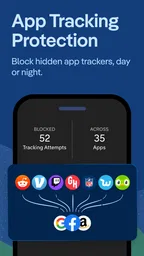
- App Tracking Protection can block trackers in other apps on Android.
What could be better
- Search results may be less comprehensive than those from larger search engines.
- Some websites may not work properly with strict privacy protections.
- App Tracking Protection is available only on Android.
- The Fire Button can erase tabs you wanted to keep.
- Duck.ai features may vary by region and can change over time.





