



Downloader by AFTVnews review
 Analysis by Appsdrops
I see Downloader as a focused utility rather than a general-purpose file manager. Its job is to help you fetch a file when you already have a usable address or short code, with app APKs being one possible reason to reach for it. That makes it handy in a particular moment—when a file is awkward to get onto your device through the usual route—but less compelling if all you need is ordinary browsing or downloads from familiar apps.
In my view, the key to using Downloader smoothly is knowing where its task begins and ends. It can start a download from information you enter; it cannot make a broken address valid, ensure that every file is trustworthy, or resolve a problem with the device that receives the file. Those boundaries explain most of the friction users encounter, and they also make it easier to decide whether this tool fits your routine.
Where a download can get stuck
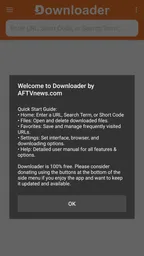
The app is a free tool from AFTVnews.com, and its straightforward premise is useful: enter a URL or short code to retrieve a file. The catch is that this puts some responsibility on you. If the address has a typo, the short code is wrong, or the source no longer serves the file, the download may not proceed as expected. I would check the exact text first, especially if I had copied it from another screen or read it aloud.
A second source of confusion is expecting a successful download to mean a successful installation. These are separate steps. Downloader can help bring an APK to a device, but installation and the app’s later behavior depend on the device and the file itself. If the file arrives but will not install, repeating the download is unlikely to help until you have checked that you meant to install that file and that your device allows the next step.
That distinction matters for safety as well as convenience. An APK is software, not just a document, so I would only use one from a source I trust and would pause if I could not identify who provided it. A tool that makes file retrieval easier does not validate the publisher or guarantee that a download is safe. For routine documents and media, the app or service that originally hosts the file is usually the clearer choice.
Downloader is listed in the Tools category and is rated for Everyone. That broad age rating describes the app’s audience classification, not the trustworthiness of every file a person might choose to retrieve. I would explain that difference to anyone sharing a device: the app may be suitable for general use, while individual downloads still call for sensible judgement.
Start with the source, not repeated attempts
When a download stalls or fails, I would avoid immediately trying the same entry again and again. First confirm that the source is the one you intended to use, then compare the entered address or code character by character with the original. A single missing symbol can send a request somewhere else or make it unusable. If you received the details in a message, reopening the original message can be more reliable than relying on a shortened note or a remembered fragment.
It is also worth asking whether the file is still available at its source. A download utility cannot restore a file that has been removed or repair a source that is temporarily unavailable. If the source offers another official route, such as an app-store listing for an app, that route may be simpler and easier to verify than manually fetching an APK.
Check the device before blaming the app
Before a first attempt, I would make sure the device has enough room for the file and that its connection is working normally. These are plain checks, but they distinguish a bad input from a device-side interruption. If a transfer stops, a quick check of available storage and network stability can save time that would otherwise go into re-entering a perfectly good address.
Compatibility is another sensible early check. The current version is 2.0.4-ForGoogleAndroidDevices, and the minimum operating-system requirement is Android 6.0. A device running an older system is not a good candidate for assuming the app will work as intended. Even on a compatible system, the downloaded app may have its own requirements, so I would check those before treating an installation problem as a Downloader fault.
For a shared television or another device that is awkward to type on, prepare the address or short code before opening the app. This is a practical improvement rather than a hidden trick: reducing the amount of typing on a remote or small on-screen keyboard makes transcription mistakes less likely. If you do need to type manually, review the entry before starting instead of discovering an error after waiting for a download.
A steadier recovery workflow
My recovery routine would be simple. I would verify the source and entry, check the connection and storage, then make one fresh attempt. If the file downloads but cannot be installed, I would stop there and investigate the device’s installation settings and the app’s compatibility rather than downloading the same file repeatedly. If the download itself fails, I would see whether the source works through another trusted route before deciding the utility is at fault.
This separation is useful because the same symptom can have different causes. A missing or mistyped address is an input problem; an unavailable file is a source problem; a full device is a storage problem; and an APK that will not install may point to compatibility or device settings. Treating those as different stages gives you a more useful next step than simply restarting the whole process.
For an everyday example, imagine you are trying to get a specific APK onto a device where typing a long address is inconvenient. I would obtain the address or short code from a source I already trust, enter it carefully, and confirm that the downloaded file is the one I meant to retrieve before moving on to installation. If the code fails, I would check it against the original source rather than searching for a replacement code at random. That small bit of discipline reduces both wasted effort and the chance of installing something unintended.
When the problem lies elsewhere
Not every failed attempt is an app failure. A weak connection can interrupt a transfer; limited free space can prevent a file from being saved; and an outdated device can complicate compatibility. A source can also change or stop serving a file. Downloader sits in the middle of this chain, so its role is only one part of the result.
That is why I would compare like with like. If an address fails in Downloader but the source itself is unavailable elsewhere too, the source is the more likely issue. If other downloads work and one particular file does not, check that file’s address and availability. If a file completes but installation fails, focus on the device and the file rather than assuming that downloading it again will fix anything.
Downloader has an average rating of 4.3 from around 67,000 ratings, with about 520 written reviews, and more than 50 million installs. Those figures suggest it has reached a broad audience, but popularity does not remove the need to check sources or understand the separate download and installation stages. I would treat the figures as context, not as a substitute for deciding whether this specific workflow is right for you.
How it compares with familiar alternatives
For a file offered through an established app store, I would generally choose the store. It is a more natural path for installing apps and reduces the amount of manual source checking involved. For a document hosted in a service you already use, that service’s own download option may be easier because it keeps the file in the same place you found it.
Downloader makes more sense when you already have a direct address or short code and need a practical way to retrieve the file on the target device. Its advantage is that focused handoff; its trade-off is that you must bring the correct source information and make your own judgement about the file. It is not a replacement for a full file-management workflow, and I would not choose it simply because I want a conventional browser or a general place to organize downloads.
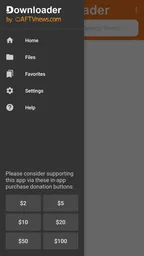
The app is free to install, though in-app purchases are listed from $2.00 to $100.00 per item. I would check the purchase details in the app store if those matter to you rather than assuming that every part of an experience is free. The important decision for most people is still whether they actually need a URL-or-code-based download tool; if they do not, a built-in browser or the original source’s own app is likely less effort.
Who I would recommend it to
I would recommend Downloader to someone who regularly needs to retrieve a particular file on a device where entering or opening a conventional download route is inconvenient. It can also suit users who understand the difference between getting an APK and installing it, and who are comfortable checking where a file comes from. The strongest use case is a deliberate one-off or repeat task, not indiscriminate downloading.
I would steer a less technical user toward an official app-store route whenever one is available, especially for installing apps. I would also skip Downloader if my main need were to browse the web, manage a large collection of files, or automatically discover safe software. Those are different jobs, and expecting this compact utility to cover them is likely to create frustration.
One practical habit I would keep is recording the trusted source alongside the file you intend to retrieve, rather than saving only a code with no context. That gives you a way to check whether the code still points to the expected item and makes it easier to spot a mismatch before installation. It is a small extra step, but it is more valuable here than rushing through a download.
My practical verdict
Downloader does a useful, narrow job: it gives you a way to fetch a file when you have an address or short code ready. I like that this can solve an awkward device-to-device workflow without pretending that every download problem is the same. The friction is real, though: accurate source details matter, typing can be error-prone on some devices, and an APK that downloads successfully may still need separate compatibility and installation checks.
With Android 6.0 or later, a reliable source, and a clear reason to retrieve a file directly, I think it is worth considering. If you only install apps through a store or download everyday files from their original services, you probably do not need another step in the process. My recommendation is therefore conditional but positive: use it when direct retrieval solves a genuine inconvenience, and keep the source and installation checks firmly in your own hands.
What we like
- Supports direct downloads from URLs.
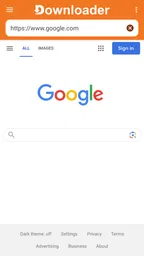
- Includes a built-in web browser for finding files.
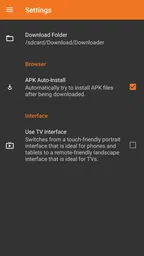
- Offers a simple interface suited to remote controls.
- Can open downloaded files with compatible apps.
- Provides a short code option for easier downloads.
What could be better
- Some sites block downloads initiated by the app.
- It does not include a media player.
- Downloaded files may need manual organization.
- The built-in browser may not handle every website well.
- Some file types require a separate compatible app.





