




Download video no watermark review
 Analysis by Appsdrops
I look at a TikTok clip differently when I’m collecting it for a creative project rather than simply watching it once. I may want a reference for a pacing idea, a moment to discuss with a collaborator, or a video I can revisit when I’m offline. Download video no watermark is aimed at that narrow, practical job: saving videos associated with TikTok for later use. It is a focused utility, not an editing suite, so its value depends on whether collecting clips is a regular part of your workflow.
From a passing clip to a useful reference
In the video player and editor category, this app is best understood as a companion to creative work rather than a place to make it. The useful question is not whether it can replace a full editor—it cannot be treated as one—but whether it makes it easier to keep a clip you have found and want to study or use appropriately later. That distinction matters if you are choosing between a downloader, a social platform’s own save tools, and a conventional editing app.
The name Download video no watermark makes its intended task clear, while the store’s short description is simply “Download video.” I’d approach that promise as a convenience for personal reference, not as permission to repost someone else’s work or remove attribution from a creator’s video. A saved clip can be useful in a mood board, an editing reference folder, or a private discussion, but ownership and permission still matter when the plan is to publish it.
The app is developed by ETM Video Downloader and is free to install. Its audience is broad: the content rating is Everyone, and it has passed the scale of fifty million installs. That popularity suggests many people have a straightforward need for this kind of tool, though popularity alone does not tell me whether it suits every workflow. The average rating is 4.6 from around 726,000 ratings, with roughly 4,200 written reviews.
Choose the clip before you choose the tool
A good use case is collecting a few examples before you begin editing your own short video. Imagine planning a recipe demonstration: you spot a creator’s clever opening, want to remember how quickly it gets to the main action, and save the clip as a reference. You can then study its rhythm later without relying on your watch history or searching through a busy feed again. The benefit is less about building a giant archive and more about keeping a small, deliberate set of references close at hand.
That workflow works best when you know why you are saving each clip. I’d keep a short note alongside a reference—such as “strong first three seconds” or “clear overhead framing”—rather than treating downloads as a substitute for organizing ideas. The app’s job is the capture step; your own naming or folder habits do the creative thinking. Without a simple system, saved videos can become as hard to find as posts lost in a feed.
Keep the making process focused
Because this is a downloader rather than a video editor, I would not choose it when the next step is trimming, adding captions, correcting color, or arranging several shots into a finished piece. For those tasks, a dedicated editor is the better tool. The practical sequence is to use this app to obtain a reference or eligible source clip, then move into an editor for actual production. Keeping those roles separate can make a small creator workflow easier to understand and less cluttered.
One non-obvious advantage of that separation is creative distance. When I save a clip for analysis, I can focus on its structure instead of immediately trying to imitate or modify it. I can note the hook, transitions, or timing, then make a new version with my own footage and voice. That is a more responsible and useful way to learn from short-form video than treating a download as ready-made material for a new post.
There is also a trade-off: a dedicated downloader adds a step between discovery and editing. If you only need to watch something again, saving it inside the social app may be simpler. If you regularly collect references from TikTok and want them outside the feed, a separate utility can make more sense. The right choice depends on whether you value a local copy enough to accept an extra action and the need to manage those files yourself.
Iteration without turning a folder into a feed
For iterative work, I’d use saved clips as comparison points, not as a collection of templates to duplicate. A useful routine is to gather a few examples around one specific question—how creators introduce a product, for instance—then review them together and identify what works across different approaches. This is more revealing than saving every entertaining clip you encounter. It also keeps the reference collection small enough to be useful when you return to it.
The app’s latest listed version is 2.11.0, and it supports Android 8.0 and later. That makes the compatibility question easy to check before installing: confirm your device’s Android version, then decide whether a separate downloader fits the way you already collect material. The app is free, but in-app purchases range from $0.99 to $24.99 per item. I would check the purchase details in the app store before relying on a paid option; the existence of purchases does not by itself tell you which capability, if any, is essential to your use.
One limitation I would keep in mind is that a downloader’s usefulness can depend on the source and the specific clip. I would not build a deadline-sensitive publishing process around an assumption that every video will always be available to save. If a particular reference matters, capture it while you are planning and verify that it is accessible for your intended, permitted use. For a creator who needs dependable asset management, a properly licensed media library is a safer foundation than a collection of social videos.
Handing a reference into a real project
When a saved clip is intended for a project, I’d treat it as a reference until I have a clear right to use it. That distinction avoids a common mistake: confusing “I can download this” with “I can republish this.” If you are discussing a clip with a client or teammate, use it to explain a visual direction and then source your own footage or obtain permission for any material that will appear in the final edit.
For personal handoff, a concise workflow can be enough: collect only the clips relevant to the current idea, review them before editing, and remove references that no longer serve the project. This prevents a phone’s storage from turning into an uncurated archive. It also makes it easier to tell which saved material is inspiration and which assets are actually cleared for delivery. Those labels are a habit you bring to the workflow rather than something I would assume a downloader handles for you.
If your main goal is to publish polished videos, use a full editor for the handoff stage. It will give you the tools to assemble original footage, refine timing, and prepare a finished piece. If your goal is simply to keep a clip for later viewing, the platform’s own save or bookmark options may be more convenient. This app sits between those choices: useful when a local download is the specific need, but not a replacement for either a publishing workflow or a social platform’s organizational features.
Who will get the most from it
I’d recommend it to people who repeatedly collect TikTok clips as private references and prefer a dedicated download tool over searching their feed again. It may suit a freelance editor gathering examples before a client conversation, a student studying short-form storytelling, or a hobby creator who wants to review a few clips while planning an original video. In each case, the strongest benefit is a more direct path from discovering a clip to revisiting it.
I’d skip it if you rarely need local copies, want to edit videos inside the same app, or need a professional asset library with clear licensing and project organization. It is also not the right shortcut for reposting other people’s work without consent. For occasional viewing, the social app’s built-in features are likely enough; for production, an editor and properly sourced assets are the more complete setup.
My creator verdict
Overall, I see Download video no watermark as a narrowly useful capture tool. Its appeal is the simple role it can play between finding a TikTok clip and returning to it during creative planning. The large user base and strong average rating make it an established option in its niche, but my recommendation is still conditional: it earns a place on your phone if you genuinely save references often, not just because downloading sounds convenient.
I’d use it with a small, purposeful workflow: save a clip for a clear reason, treat it as inspiration unless you have permission to reuse it, and move to a proper editor when it is time to make something original. That approach gets the practical benefit without confusing a downloader for a complete creative toolkit. For a creator who needs that one capture step, it is worth considering; for everyone else, the built-in save tools or a dedicated editor may be the cleaner choice.
What we like
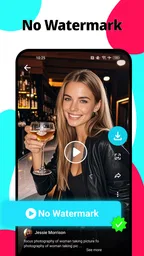
- Offers a straightforward way to save videos without a visible watermark.
- Can be useful for keeping clips available for offline viewing.
- The simple workflow may suit users who want quick downloads.
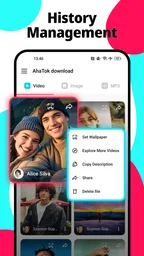
- Saved videos can be easier to organize outside the original app.
- Useful for personal backups when downloading is permitted.
What could be better
- Download options may vary depending on the source platform.
- Some platforms restrict saving or sharing their video content.
- Downloaded videos may use considerable storage space.
- Video quality may differ from the original upload.
- Using saved clips without permission can violate creators’ rights.





