Document Reader & PDF Editor review
 Analysis by Appsdrops
I reach for a document reader when I need to open a file quickly, not when I want another complicated office suite to manage. Document Reader & PDF Editor is aimed at that everyday task: it brings several common document formats together in one mobile app. In my experience, that makes it most useful as a practical file viewer for someone who receives PDFs, Word documents, spreadsheets, and presentations on the go.
A practical reader for mixed document folders
The app is a free productivity tool from QR Code Scanner, with a 4.5 average from around 526,000 ratings and more than 100 million installs. It is rated for Everyone and is currently at version 1.3.5.83. Those figures suggest broad adoption, but they don’t tell you whether its approach suits your habits: the important question is whether you want one place to open different kinds of files, rather than a specialist app for each format.
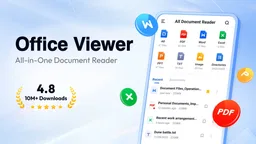
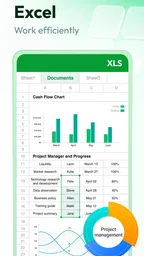
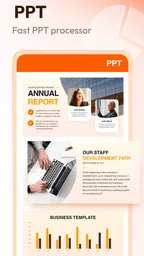
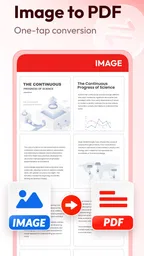
Its appeal is straightforward. Instead of switching between separate viewers just to check a PDF, a DOCX file, an XLS spreadsheet, a PPT presentation, or a TXT document, you can use one reader for that mix. That is particularly handy when a file arrives through a message or email and you simply need to inspect it before deciding what to do next.
I’d think of it first as a mobile document viewer, not as a full desktop office replacement. A phone screen is fine for reading a contract, checking a figure, or reviewing a few slides. It is much less comfortable for carefully editing a long report or working through a large spreadsheet. Keeping that distinction in mind helps set realistic expectations.
Where an all-in-one reader earns its place
The best case for this app is variety. If your day includes a PDF invoice, a DOCX attachment from a colleague, and a presentation you need to glance at before a meeting, a single reader can reduce the little interruptions involved in finding the right app each time. It is a modest convenience, but a repeated one.
One useful habit is to treat the app as a first-pass inspection tool. Open an unfamiliar file, confirm that it is the document you expected, and check the key information before deciding whether it needs more serious work on a computer. That workflow is less frustrating than trying to do every task on a phone, and it makes the app’s broad format coverage more valuable.
For example, imagine you are leaving a shop and a service provider sends a PDF estimate while a family member shares a DOCX form. You can check the estimate on the spot, then open the form without hunting for another viewer. If either file requires detailed changes, you can move to a dedicated editor later. The reader is most helpful when it removes that initial friction, rather than pretending a small screen is ideal for every document job.
What the version history can—and cannot—tell you
The app’s release date is July 29, 2022, and its current version is 1.3.5.83. That gives a useful snapshot of its product timeline: this is not a newly released reader, and the version number indicates that it has gone through multiple iterations. Still, a version number by itself does not reveal which tools changed or how a particular update affected the reading experience.
For existing users, the sensible way to judge an update is by the tasks they rely on. After installing a new version, try opening one file from each format you commonly use, especially a document that matters for work or travel. Check that the pages or slides you need are legible and that the file opens as expected. This small check is more useful than assuming that a higher version number guarantees a specific improvement.
If you are considering switching from another reader, don’t migrate your routine based only on the broad format list. Test the files you actually receive: a simple PDF, a spreadsheet with several columns, and a presentation with dense slides are different kinds of stress tests. An app can be convenient for quick checks yet still be a poor fit for a particular work document. Keeping your existing specialist app available until you have tested your usual files is a sensible compromise.
How it compares with familiar alternatives
Compared with using separate format-specific viewers, Document Reader & PDF Editor has the advantage of consolidation. You avoid maintaining a different app for every attachment type, which can make casual document access feel simpler. The trade-off is that a dedicated PDF reader or office app may be a better choice when you need a more focused workflow for one format.
Compared with opening documents on a laptop, this app is about access rather than depth. A phone is excellent for confirming a date, checking a page, or reading a short text file while away from your desk. A laptop is usually the better tool for comparing spreadsheet cells, revising long passages, or preparing a presentation. I would use the mobile reader to stay informed between work sessions, not to replace a full-size setup for demanding tasks.
The name includes “PDF Editor,” but I would not assume that every kind of editing is equally suited to every file type. The confirmed format coverage tells you what it is intended to read; it does not establish that complex editing workflows are available across PDFs, DOCX, XLS, PPT, and TXT. If editing is the main reason you are choosing an app, check the specific tools and limitations shown in the app store before relying on it for a deadline.
Small workflow choices that make it more useful
First, use a representative test file before you depend on the app for an important trip or meeting. A short, plain document can open comfortably in almost any reader, while a wide spreadsheet or a presentation packed with information is more revealing. If you can read the exact rows, pages, or slides you need, you have a stronger basis for deciding whether the app belongs in your routine.
Second, separate “read now” from “edit later.” When a document only needs a quick check, a general reader keeps the task lightweight. When the file needs revisions, careful formatting, or extensive data entry, switch to a tool built for that job. This avoids the common mobile trap of spending more time wrestling with a small interface than the document itself deserves.
Third, use the range of formats to simplify incoming-file triage. If you receive several attachments in a row, inspect each one first and identify which deserves attention. A PDF may be ready to read, while a spreadsheet may need a closer look on a larger screen. This approach turns an all-in-one viewer into a useful sorting step, even when it is not the final tool for every file.
Costs, fit, and the people I’d recommend it to
The app is free to install, with in-app purchases ranging from $4.99 to $35.99 per item. If you only need to open documents now and then, I would start with the free experience and see whether it covers your everyday tasks before paying for anything. If an in-app purchase is presented, read its terms carefully and judge it against a specific need rather than assuming it is necessary for basic reading.
I’d recommend it to students who regularly receive mixed-format class materials, people who want to check work attachments away from a desk, and anyone who prefers one general reader over several separate apps. It is also a reasonable option for occasional use: someone may not need a full office suite just to look at a PDF or check a text document.
I would skip it as a primary work tool if your routine depends on precise document editing, heavy spreadsheet analysis, or presentation authoring. In those cases, a specialist office app or desktop software is likely a better match. It may also be unnecessary if your phone’s existing document tools already open the formats you use reliably. The value is in having a dedicated all-in-one option, not in installing another app for its own sake.
What I’d keep an eye on
When deciding whether to keep using it, watch how it handles your own recurring documents rather than focusing only on the number of supported formats. A reader earns a place on my phone when it makes routine access dependable and saves me from switching tools. If a particular file type repeatedly sends me elsewhere, that is a useful sign that a specialist app would serve me better.
I’d also pay attention to the boundary between reading and editing as the app develops. The current version offers a clear point of reference, but I would treat future changes as something to evaluate from the actual update details and my own testing, not as a promise of new capabilities. For existing users, testing a familiar document after an update is a low-effort way to make sure the app still fits their workflow.
My overall take is that Document Reader & PDF Editor is most appealing as a convenient first stop for everyday files. It brings common formats into one mobile reader and can make quick document checks less fussy. Its limits are just as important: broad reading access is not the same as a full office workspace, and demanding edits are better handled by tools designed for them. If you want a single place to inspect mixed attachments and know when to hand a task off to a more specialized app, it is worth considering.
What we like
- Opens common document formats alongside PDFs.
- Search helps locate specific words in long files.
- Bookmarking makes it easier to resume reading.
- Page thumbnails provide quick document navigation.
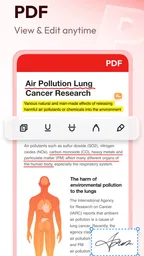
- Annotations can make review and study more convenient.
What could be better
- Editing tools may be limited for complex PDF changes.
- Large documents can take longer to load.
- Some features may require a paid upgrade.
- Scanned files may need OCR for text search.
- Document layout can vary across file formats.





