






Daniel Tiger for Parents review
 Analysis by Appsdrops
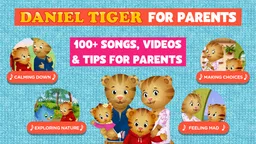
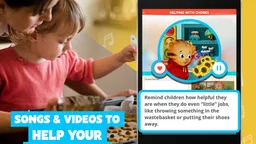
When a toddler is upset about a small but very real problem—a toy that will not work, a turn that has to wait, or a goodbye that arrives too soon—I like having a familiar character to help start the conversation. Daniel Tiger for Parents is a free parenting app from PBS KIDS, built around helping families use Daniel’s world to talk through everyday lessons. It is best approached as a parent’s aid, not as a replacement for a grown-up’s attention or a promise that one tap will settle a tantrum.
What to expect from Daniel Tiger for Parents
The app’s focus is narrower than a general parenting library: it centers on the little social and emotional moments that can feel huge to a young child. That makes it potentially useful when you want a simple way into a conversation about feelings, patience, or routine, rather than broad advice on every aspect of raising a child. The familiar Daniel Tiger setting can make a lesson feel less like a lecture, especially for a toddler who already knows the character.
That focus is also a real limitation. If you are looking for a broad collection of activities, a full early-learning curriculum, or personalized developmental guidance, this is not the right kind of app. Its value depends on whether Daniel Tiger is a character your child responds to and whether you, as the parent, want a prompt for talking together. I would treat it as a small tool to use in context, not something that does the parenting for you.
The app is listed in the parenting category, carries an Everyone age rating, and is free. PBS KIDS is the developer. Its average rating is 3.7 from around 800 ratings, which gives a useful snapshot of mixed user impressions without telling you whether it will suit your family. It has been installed over 500,000 times, so it is not an obscure experiment, but popularity alone is no reason to expect a perfect fit.
For a first-time user, the most helpful expectation is modest: open it when you have a real-life moment you want to discuss, look for a relevant way to bring Daniel Tiger into it, and stay involved. A child may enjoy the familiar framing while still needing you to explain what it means in your own family. That parent-child link is the point, not an optional extra.
Start with the moment, not a long session
I would not introduce the app by handing over a phone and expecting a toddler to explore independently. Start with one familiar situation instead. If your child has just struggled to wait, for example, you can make that the subject of a short shared visit. The goal is not to keep a child occupied for as long as possible; it is to find a gentle opening for a conversation that might otherwise be hard to begin.
This approach also helps set expectations. The app is not a substitute for a calm adult, and it cannot know the reason a child is distressed. A screen may help get their attention, but a parent still needs to notice whether the child is ready to listen or needs comfort first. Use it as a conversation starter, then put the device aside if talking, cuddling, or simply giving the child time is more helpful.
A reassuring first setup
The first step is uncomplicated: find the app in your device’s app store and install it. It supports devices running version 7.0 or later of its operating system, and the current version is 2.0.4. Because the app is free, you can assess whether its approach suits your family without making a purchase decision first. I would still take a moment to check that you have selected the intended Daniel Tiger app before starting, especially if your child is already eager to use the device.
After opening it, explore together rather than trying to prepare a perfect lesson in advance. Let your child see the familiar character and notice what catches their interest, while you keep the real-life purpose in mind. If you are hoping to talk about a specific routine or feeling, use that as your guide; if your child is tired or distracted, it is fine to leave the app for another time. There is no benefit in turning a parenting aid into a demand.
One practical tip is to decide your stopping point before you begin. For instance, you might agree with yourself that you will use the app to open one conversation, then transition to getting dressed or heading out. This keeps a useful prompt from becoming a negotiation over more screen time. It also makes the app easier to fit into ordinary family life, where attention is short and the next task rarely waits.
Make the first useful moment small
For a realistic first success, imagine your toddler becoming frustrated when a block tower falls just before you need to leave. Rather than searching for a perfect lesson or asking the app to fix the mood, pause and name what happened: the tower fell, and your child feels disappointed. Then use the familiar Daniel Tiger context to help begin a brief exchange about that feeling. The useful outcome is not instant cheerfulness; it is a moment when your child feels understood and can rejoin the next part of the day.
Another good use is preparing for a transition before it becomes a conflict. If a routine is coming up, you can look for a chance to talk about it while everyone is calm, rather than waiting until your toddler is already overwhelmed. That is a small but important distinction: tools about life lessons often work better as preparation than as emergency buttons. I would try the app at a quiet moment first, then see whether its familiar framing is still welcome when a harder moment comes.
Keep your language concrete and tied to what just happened. A toddler may not connect a broad lesson to a specific problem unless an adult makes that bridge. Ask a simple question or describe the next action you can take together, then give your child time to respond. If the app holds their attention but the conversation does not, that is still useful feedback: the character may be engaging, while the lesson needs a more direct connection to your child’s own experience.
Where first-time users can get confused
The main confusion to avoid is treating the app like a complete solution. A character-led lesson can give you shared language, but it cannot judge whether your child is hungry, overstimulated, frightened, or simply done with screens. If the child is escalating, start with their immediate need. You can return to a Daniel Tiger conversation later, when they are ready to engage.
It is also easy to mistake interest in the character for understanding of the idea. A toddler may enjoy seeing Daniel without taking away the lesson you hoped to discuss. That is not necessarily a failure. Repeat the idea in your own words during a relevant everyday moment, and keep it brief. The strongest use is often the connection you make between a familiar story world and the child’s actual day, not the amount of time spent in the app.
Families should also be realistic about audience. A toddler who does not know Daniel Tiger may not find the character especially motivating, while an older child seeking more detailed explanations may find the approach too simple. In those cases, a book you can read together, a direct conversation, or a resource aimed at the child’s particular age and concern may be a better choice. This app is most promising when the character already feels familiar and the need is an everyday lesson rather than specialist support.
Compared with general parenting apps, its appeal is its recognizable, child-friendly framing rather than a wide catalogue of advice. Compared with a video or other passive screen activity, the parent’s involvement can make it more purposeful—but only if you participate. If you want a resource that delivers information to an adult, a dedicated parenting guide may fit better. If you want a child to practise a skill through a structured program, look for a tool designed specifically for that kind of learning rather than assuming this one does it.
Build a routine that works for your family
Once you have tried one short conversation, decide whether the app belongs in a regular part of your day. A useful next step might be to bring it out when a familiar challenge is approaching, then follow up naturally when that situation happens. For example, a conversation before a transition can give you a shared reference point later. Keep the reference warm and supportive, not as a threat or a way to shame a child for struggling.
I would also pay attention to whether the app helps you speak more clearly with your child. If it gives you a simple opening and makes a difficult topic feel less intimidating, that is a meaningful benefit. If it repeatedly distracts your toddler from the conversation or creates a fight about the device, do not force it. A quiet chat or another familiar activity may work better for your household.
Daniel Tiger for Parents was released on February 1, 2017, and its current version is 2.0.4. Those details are useful context when considering an app, but the practical decision is personal: does your child respond to Daniel, and do you want a character-based prompt for life’s small lessons? I would try it when there is no urgent deadline, so you can learn how your child reacts without pressure.
My recommendation is to give it a try if your toddler already likes Daniel Tiger and you want a gentle prompt for talking through everyday feelings or routines. Keep your expectations grounded, stay beside your child, and use the app briefly enough that the conversation remains the focus. If you need tailored parenting advice, a broad learning program, or a solution that works without your participation, choose a different resource. For the right family and the right moment, this app can make a small conversation easier to start.
What we like
- Offers practical ideas for turning everyday routines into learning moments.
- Features familiar characters that can help children feel comfortable engaging.
- Includes activities designed for young children and their caregivers.
- Can support conversations about emotions and social skills.
- Provides parents with content inspired by the Daniel Tiger series.
What could be better
- Some content may appeal mainly to families who already know the series.
- Activities may require a parent to participate alongside the child.
- The app may not suit older children looking for more challenging content.
- Available features can vary by device and operating system.
- Parents should check whether any in-app purchases are offered.





