
CrispTone: Offline Music review
 Analysis by Appsdrops
CrispTone makes the most sense when you want a straightforward way to listen to music already stored on your device, rather than another service built around streaming catalogs and discovery. I like that focus: it keeps the central job clear and puts offline listening, playlists, equalizer controls, and background playback together. The trade-off is just as important. If you expect recommendations, a large cloud library, or a polished streaming experience, this is not the app I’d choose.
Made for music you already own
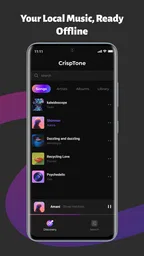
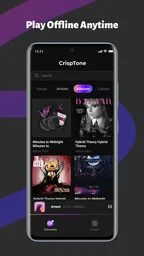
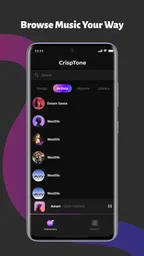
As a Music & Audio app, CrispTone is aimed at people with audio files on their phone who want to play them without relying on a data connection. That makes it useful in familiar situations: a commute through patchy coverage, a flight, a workout where you would rather leave streaming aside, or a long day when conserving mobile data matters. The appeal is practical rather than expansive.
The app is free, and Technology Hub Pro is its developer. Its current version is 1.1.2, with a minimum operating-system requirement of 8.0. The age rating is Everyone, which fits a general-purpose local music player. It has a 4.0 average from around 2.7 thousand ratings, and over 1 million installs. Those figures suggest it has found a broad audience, though they don’t tell me whether its controls will suit your particular listening habits.
The key distinction from the usual streaming alternatives is where the music comes from. A streaming service is the better fit if you want to search for unfamiliar artists, follow curated mixes, or move between a large catalog. CrispTone’s purpose is narrower: use the tracks you have available locally and make them convenient to play. That can feel refreshingly direct, but it also means your library organization matters more than it would in an app that supplies its own catalog.
Where the simple approach helps
Offline playback is especially valuable when you plan ahead. Before leaving home, I’d make sure the tracks I want are actually on the device and then create a playlist for the occasion. That small bit of preparation avoids the familiar frustration of opening a streaming app somewhere with poor reception and discovering that the music you expected to hear was never downloaded.
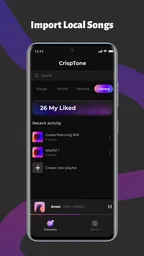
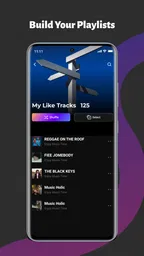
Playlists are more than a convenience here; they are a way to make a personal collection feel ready for specific moments. A short list for a morning walk, a longer one for travel, and a quieter selection for winding down can save time when you don’t want to scroll through every file. If you already keep your music in folders or have a collection with inconsistent names, deciding on a simple naming and playlist routine before you start will make local playback feel much less chaotic.
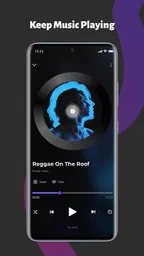
Background controls matter because a music player should not demand your full attention once playback starts. Being able to keep listening while using other apps is the difference between a practical everyday player and one that feels like a temporary demo. I’d still test the controls you rely on most—such as pausing or skipping while the phone is locked—early in your routine. The app’s stated emphasis on smooth background controls is encouraging, but your own device setup and habits determine whether that convenience feels seamless in practice.
The equalizer is a useful extra for people who want a little control over how their existing tracks sound. It can be worth adjusting when a collection feels too bass-heavy or thin through the headphones you use most. My advice is to make modest changes and compare them with the original sound rather than immediately applying a dramatic setting. A pronounced adjustment can flatter one album while making another tiring, so a restrained approach is more likely to work across a mixed library.
What to check before relying on it
The biggest practical question with any local music player is whether the files you want are accessible to it. CrispTone’s offline focus does not remove the need to have music stored on the device in the first place. If your collection lives only in a streaming account, this app will not replace that catalog. If your files are scattered across folders or have confusing names, spend a few minutes locating and organizing them before expecting playlists to be effortless.
This is also a less compelling choice for people who treat music apps as discovery tools. There is no reason to pick a local player as your main destination for finding new releases, browsing a vast catalog, or letting a service build a listening queue from your tastes. Those needs point toward a streaming alternative. CrispTone is strongest when the listening decision has already been made: you know what you want to hear, and you want it available without a network connection.
Another trade-off is that local libraries ask you to take responsibility for keeping your collection usable. A playlist only helps if the tracks are present and recognizable, and an equalizer only helps if you are willing to adjust it to your preferences. That hands-on quality is a benefit for listeners who like control, but friction for anyone who wants an app to handle the library, recommendations, and listening choices automatically.
For a realistic example, imagine preparing for a train ride through areas where reception is unreliable. I would select a few albums or a travel playlist while still at home, confirm that the intended tracks appear in the local library, and start playback before putting the phone away. If I were using unfamiliar headphones, I’d try a subtle equalizer adjustment on several songs rather than judging it from one track. That workflow makes the app’s strengths useful while avoiding the assumption that “offline” automatically means every desired song is ready.
Who will get the most from it
I’d recommend CrispTone to someone who already keeps a personal music collection on an Android device and wants a free, focused player for everyday listening. It is a particularly sensible option if you travel, exercise away from reliable Wi-Fi, have limited mobile data, or simply prefer hearing tracks you have selected yourself. The combination of playlists, an equalizer, and background playback addresses the core jobs such a listener is likely to care about.
It may also suit someone who uses streaming for discovery but wants a separate place for favorite albums, recordings, or other audio files stored locally. That split can be useful: let a streaming service handle exploration, then use a local player when you want a predictable selection without depending on a connection. The important point is to treat CrispTone as the player for that personal collection, not as a replacement for every kind of music service.
I would skip it as a primary music app if your listening depends on cloud access, social sharing, radio-style recommendations, or finding artists you have never heard before. I’d also think twice if you don’t want to manage local files or build playlists yourself. In those cases, an app centered on streaming and discovery will probably feel more natural, even if it is less focused on playing a ready-to-go offline collection.
A balanced verdict on CrispTone
What I appreciate most about CrispTone is its clear purpose. It brings local listening, playlists, sound adjustment, and background use into a free app rather than asking you to treat a streaming catalog as the center of everything. Its 4.0 average and more than 1 million installs make it a well-used option, but the best reason to try it is simpler: its approach matches the way you already keep and play music.
The limitation is not a minor footnote; it defines the experience. You need local tracks, and you should be comfortable taking some responsibility for organizing them. For listeners who want a searchable world of music and effortless recommendations, that will feel like too much work. For someone who wants a dependable routine around a chosen offline library, it is a reasonable trade.
My verdict is that CrispTone is worth considering as a focused local music player, especially if you want playlists and a little sound control without paying for the app itself. Set up a small playlist first, check that your preferred files are available, and try the background controls during a normal day. If that simple workflow fits, it can earn a useful place on your phone; if you want discovery and a ready-made catalog, choose a streaming-first alternative instead.
What we like
- Plays saved music without an internet connection.
- A focused design keeps music playback easy to navigate.
- Useful for listening during travel or in areas with weak signal.
- Offline playback can help reduce mobile data use.
- A dedicated music player avoids the distractions of streaming feeds.
What could be better
- You must add music to your device before listening offline.
- The available tracks depend on the files stored on your device.
- No internet access means no instant discovery of new music.
- Playback quality depends on the source audio files.
- Local music libraries may need manual organization.





