




Cleanup Master review
 Analysis by Appsdrops
When my phone starts feeling cluttered, I want to know what is taking up space before I delete anything. Cleanup Master is built around that practical problem: it brings junk-file cleanup, photo and app management, and battery information into one productivity app. I like the idea of having those housekeeping tasks together, but I would treat it as a place to review and organize—not as a button to tap blindly and expect every phone problem to disappear.
Cleanup is most useful when it helps you choose
The app’s central appeal is straightforward: it can help you look for files that may be safe to clear and make it easier to manage photos and installed apps. That is more useful than a vague promise to make a phone “faster.” Storage pressure is often a matter of small decisions: whether to remove a forgotten download, keep a duplicate-looking image, or uninstall an app you no longer use. A cleanup tool is valuable when it makes those choices easier to spot.
In my view, the strongest reason to try Cleanup Master is convenience. Instead of hunting through separate parts of the phone for storage, pictures, apps, and battery details, you can use one app as a starting point for routine maintenance. That does not mean every item it identifies should be deleted. The helpful part is the review process: check what is being flagged, decide what matters, and make changes deliberately.
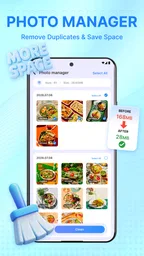
That distinction matters because “junk” is not always obvious. A file may be temporary and disposable, or it may be something you still need. Similarly, two photos that look alike at a glance may differ in crop, quality, or timing. I would use the app’s cleanup suggestions as prompts to inspect, not as proof that a file has no value. Keeping control of each deletion is the habit that makes a cleaner phone less likely to become a lost-file problem.
A single place for several maintenance jobs
Cleanup Master is a free productivity app from Alpha Black Car Services Inc 2. It has a 4.3 average from around eight thousand ratings, with more than 500 thousand installs. Those figures suggest that it has reached a sizeable audience, but they do not tell me whether it will suit a particular phone or cleanup routine. Its content rating is Everyone, and the current version is 15.
The combination of file cleanup, photo and app management, and battery information gives the app a broader role than a basic storage screen. Still, the most useful way to think about it is as a maintenance companion, not a replacement for the phone’s own settings. Built-in settings are often the clearest place to inspect system storage or uninstall an app; Cleanup Master may be more convenient when you want to bring several housekeeping tasks into one session.
It is also worth setting expectations about battery information. Being able to check battery details can help you pay attention to the phone’s condition, but information alone does not guarantee longer battery life. If your concern is that a particular app drains power, the next step is to identify the cause and change how you use the phone, not assume that clearing unrelated files will solve it.
How I would use it without rushing
I would start a cleanup session by looking at the proposed files before confirming any removal. If I am trying to free space for a trip or a new batch of photos, I would first ask whether the items are genuinely disposable: old downloads I can get again, for example, are different from documents I have not backed up. I would then move to photos and review likely candidates one at a time rather than treating visual similarity as a reason to delete automatically.
That workflow is especially useful for anyone who takes many casual pictures. A quick burst can leave several near-identical shots, but the one that looks least sharp in a thumbnail might still be the best expression or the only image with everyone looking at the camera. My practical tip is to compare the full-size versions and keep the one you would actually share. The small amount of attention this takes is a worthwhile trade-off against recovering a picture later.
For apps, I would use the management view to identify things I have stopped opening, then check whether they hold information I care about before uninstalling. A rarely used travel app may still contain tickets or saved plans; a work utility may be needed only at certain times of the year. The decision should depend on what the app stores and whether I can sign back in or restore its contents, not simply on how long it has sat unused.
One realistic example is a phone that is nearly full just before a weekend away. I would use Cleanup Master to review removable files, sort through a few obvious photo duplicates, and check which apps I can live without for now. I would avoid a large, hurried deletion session at the station or airport, where I may not have time to verify what I am removing. The app is best used as a prompt for careful preparation, not as an emergency fix performed while distracted.
Where it fits alongside built-in tools
Most phones already include storage and app controls, so Cleanup Master has to earn its place through convenience. If I only need to uninstall one app or see what is filling storage, the system settings may be enough and can feel more direct. If I want to combine a broader file review with photo and app housekeeping, a dedicated organizer can be more approachable than switching among several menus.
There is a trade-off in using an all-in-one utility: fewer places to visit, but another app to learn and keep on the phone. I would not install it just because I expect any cleanup app to boost performance. Removing unnecessary files can make space available, which is useful when storage is the problem; it is not a universal remedy for a slow phone, poor signal, or a battery that no longer lasts as expected. Knowing what issue I am trying to fix keeps the tool in its proper role.
I would also keep a sensible boundary between cleanup and backup. Before removing meaningful photos or documents, I would make sure I have another copy if I cannot easily replace them. That is not a special trick of this app; it is the most important safeguard in any cleanup workflow. A tidy storage screen is not worth losing family pictures, work files, or travel records.
Trade-offs that affect the experience
The main limitation is that cleanup still requires judgement. An app can bring candidates together, but it cannot know which old image matters to you or whether an app you rarely open is essential next month. If you prefer full manual control, the phone’s own file and app settings may be a better fit. If you expect a one-tap operation to safely decide what to keep, this kind of tool may disappoint.
There is also a risk of turning maintenance into busywork. Checking every category too often can encourage unnecessary deletions, especially when storage is not actually a problem. I would use Cleanup Master when I have a clear goal—making room, reviewing pictures, or checking battery information—rather than running through every option as a daily ritual. A focused session is easier to evaluate and less likely to remove something impulsively.
Its breadth is a strength for a casual user, but someone who wants deep control over a particular area may prefer a dedicated file manager, a photo organizer, or the phone manufacturer’s own battery tools. Those alternatives can be more appropriate when the task is specialized. Cleanup Master makes more sense when the priority is having a convenient starting point for several ordinary maintenance jobs.
Who is likely to get the most from it
I would recommend giving it a look if your phone gradually collects downloads, old apps, and more pictures than you enjoy sorting, and you want one place to begin reviewing them. It is especially suitable for people who are comfortable checking suggestions before acting and who value convenience over highly detailed control. The free price also makes it easy to consider, though I would still judge it by whether its routine is genuinely more helpful than the settings already on the phone.
I would skip it if you rarely run low on space, already have a cleanup routine that works, or mainly need advanced photo or file management. I would also be cautious about using any cleaner as a substitute for backing up important material. The app can support better housekeeping; it cannot make personal decisions about what you should preserve.
Cleanup Master is available for devices running Android 8.0 or later, and its Everyone age rating makes its intended audience broad. For me, the best case is not dramatic performance improvement but a calmer, more organized way to review storage and related maintenance tasks. If you approach its cleanup suggestions thoughtfully, it can be a handy organizer; if you want automatic certainty, the phone’s built-in controls or a more specialized tool may suit you better.
What we like
- Quickly identifies junk files that may be safe to remove
- Simple interface makes common cleanup tools easy to find
- Can help free storage when a device is running low
- Includes tools for checking battery and device performance
- Scans can highlight large files that are easy to overlook
What could be better
- Some suggested files may need a careful review before deletion
- Cleanup results depend on the device and its storage habits
- Background features may use battery or system resources
- Ads or upgrade prompts may interrupt the cleanup experience
- Cleaning cache can make some apps reload data or sign in again





