


Chirp Audiobooks review
 Analysis by Appsdrops
I tend to reach for audiobooks when reading time is hard to find: on a walk, while cooking, or during a commute when I can’t keep my eyes on a page. Chirp Audiobooks is aimed at that kind of listening, with an approach that may appeal to people who would rather choose books individually than commit to a recurring subscription. My impression is that it makes most sense for listeners who are comfortable browsing for a particular title and building their listening habit around what they want to hear next.
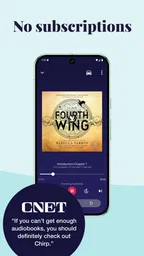
Chirp is a free Books & Reference app from Pubmark, and its central idea is straightforward: audiobooks without subscriptions. That does not mean every listening choice is automatically free; the useful distinction is that the app is built around finding and selecting books rather than paying for an ongoing membership. If you are weighing it against subscription-based audiobook services, that difference should shape your expectations from the start.
Getting past the first decision
The first point of friction is not necessarily installing the app. It is deciding whether this way of choosing audiobooks suits you. Subscription services can feel simpler when you want a regular monthly supply and prefer to explore a large included collection. Chirp is more appealing if you would rather decide title by title and avoid a recurring subscription commitment.
That trade-off affects how I would use it. I would start with a specific author, subject, or book I already want, then see whether the app fits the way I like to discover and listen. I would not assume that a subscription-free model means unlimited listening at no cost. Treating the app as a place to find audiobooks you choose, rather than as an all-you-can-listen library, is a more grounded way to approach it.
It is also worth asking what you want from a listening app before settling in. If your priority is the freedom to sample a broad catalog under one membership, a subscription service may be a better match. If your priority is avoiding a recurring plan and making individual choices, Chirp’s structure is more relevant. Neither approach is universally better; the right one depends on how often you listen and how much control you want over each purchase decision.
What to check before you settle into a book
I would begin with the basics: make sure you are using the account and device you intend to use, check that the book you want is available to you in the app, and confirm that playback works before planning a long session around it. This is simple preparation, but it can prevent a frustrating discovery when you are already out the door or ready to sleep.
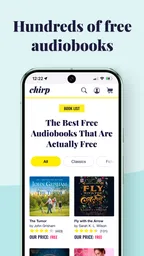
If a title does not appear where you expect it, I would first revisit the search terms and look for the exact title or author rather than assuming the app is broken. Audiobook editions can be listed differently from print editions, so trying a shorter title phrase or the author’s name is a sensible next step. If you are deciding between several books, checking the narrator and description before choosing can also help you avoid a mismatch in tone or subject.
The app has a 4.6 average from around 26,000 ratings, and it has been installed over 500,000 times. Those figures suggest that many people have found it useful, but they do not tell me whether any particular title or listening style will suit you. I would use the app’s own book details to make that decision rather than treating its popularity as a guarantee.
Chirp is rated for Everyone, which makes the age classification broad, not a substitute for checking whether an individual audiobook is appropriate for the person who will hear it. That distinction matters if you are choosing a title for a child or sharing a device at home. I would review the book’s subject and description instead of relying on the app’s general age label to assess every audiobook.
A listening routine that avoids common snags
For an everyday example, imagine I want to listen while making dinner. I would choose the book in advance, check that I can start it, and leave the app ready before my hands are busy. If playback fails at that point, I can troubleshoot calmly instead of trying to search, choose, and fix everything with a pan on the stove. It is a small change, but it turns an app check into part of the routine rather than an interruption.
A second useful habit is to separate discovery from listening. I would browse when I have time to compare descriptions and make a considered choice, then return later for the actual listening session. That avoids making a rushed selection just because I have a few spare minutes. It also helps clarify whether a title was hard to find or whether I simply had not decided what I wanted to hear.
If a book seems to vanish from your immediate workflow, avoid repeating the same search in a hurry. Reopen the app, check that you are in the account you expect, and search by a different identifying detail such as the author. If the issue persists, make a note of the title and what you tried before contacting support through the app’s available help route. A concise description is more useful than a vague report that “the audiobook is gone.”
When playback stops unexpectedly, I would work through the least disruptive checks first: make sure the device still has a working connection if the task requires one, close and reopen the app, and try the same title again. If other audio apps also struggle, the cause may be the device or its connection rather than Chirp. If only one book is affected, checking that specific title and the app’s account state is a more focused next step.
When the problem may be elsewhere
It is easy to blame an audiobook app when listening is interrupted, but not every failure starts inside the app. A weak connection, a device temporarily struggling with audio, or an account mismatch can all make an otherwise straightforward session feel unreliable. I would test another audio source and confirm basic device behavior before deciding that Chirp itself is at fault.
There is also a difference between a book not being what you expected and the app malfunctioning. If the narration or subject does not suit you, that is a selection issue; it does not necessarily say anything about playback quality. Reading the title details before committing is a practical safeguard, especially when you are trying a new genre or choosing a book for a specific mood.
Version 5.23.5 is the current version identified for the app, so keeping the installed app up to date is a reasonable general check if something behaves oddly. I would also restart the app after an update or a device restart before drawing conclusions from a single failed attempt. These are ordinary troubleshooting steps, not a promise that every problem will be solved that way.
One limitation of a title-by-title approach is that it asks you to be more deliberate than a membership library does. If you finish books quickly, you may prefer the predictability of a subscription catalog. If you listen occasionally, or want to avoid recurring charges, choosing individual audiobooks may feel easier to manage. I would compare the way each model fits your habits, not just the number of books visible in a catalog.
Who will get the most from Chirp
I would recommend Chirp to listeners who know what they want to hear, enjoy choosing books individually, and do not want a recurring audiobook subscription to be the default. It can also suit someone who listens in bursts: a book during a trip, another during a busy week, then a pause without feeling that a membership is going unused. The key is being comfortable making a separate decision about each title.
I would look elsewhere if my main goal were a broad included collection that I could browse continuously under one plan, or if I wanted a service that removes nearly all purchase decisions from the listening routine. In that situation, a subscription-based alternative may make the experience feel more fluid. Chirp’s appeal is not that it eliminates choices; it is that it offers a different relationship to them.
The app has been available since June 8, 2018, and its current version is 5.23.5. I mention that only as context for someone deciding whether it is an established option to try, not as a reason to expect a particular feature or flawless performance. The more important question is whether its individual-title approach matches the way you listen.
My practical verdict
My overall view is that Chirp is worth considering if you want audiobooks without making a subscription the center of your routine. Its strongest practical advantage is the choice to approach listening book by book. The main trade-off is that you should not expect the same feel as browsing an included subscription catalog, and you will need to be thoughtful about what you want before each session.
For a low-friction start, I would install it, search for one title I genuinely want, check the book details, and test playback before relying on it for a commute or evening routine. If that process feels natural, the app’s model may suit you. If you find yourself wishing for a large rotating library that is always ready to explore, another audiobook service will probably fit better.
My recommendation is to try Chirp when avoiding a recurring subscription matters more to you than having an all-in-one listening catalog. It is a focused option for deliberate audiobook choices, and the clearest way to judge it is to use it with a real book you want to hear rather than expecting it to work like every other audiobook service.
What we like
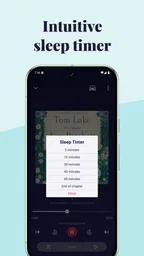
- A sleep timer helps stop playback after you drift off.
- Bookmarks make it easy to return to a favorite passage.
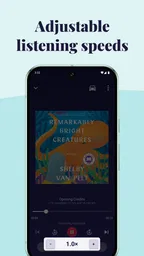
- Playback speed controls let you adjust narration pace.
- The app offers a sample before you commit to a title.
- Purchased audiobooks remain available in your library.
What could be better
- The catalog may be smaller than subscription-based services.
- Some titles can cost more than their print editions.
- Audiobook availability can vary by country.
- The app depends on a stable connection for streaming.
- Playback controls may take time to learn.





