






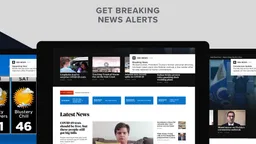

CBS News - Live Breaking News review
 Analysis by Appsdrops
I find CBS News - Live Breaking News most useful as a shared-room news screen rather than as a personal, all-purpose reading app. Its focus is live television and reporting gives it a clear role: someone can put the news on while breakfast is being made, or check in during a developing story without building a complicated routine around headlines. That can work well in a household where people want a common starting point for the day, though it is less suited to readers who prefer quiet, highly tailored feeds.
This is a free News & Magazines app from CBS Interactive, Inc. It has an average rating of 3.9 from around 1.3 thousand ratings, and more than a million installs. Those figures suggest it has reached a broad audience, but they do not guarantee that its style will suit every viewer. I would treat it as a convenient way to watch CBS’s coverage, not as a replacement for checking several outlets when a story matters to you.
Using the live news stream in a shared room
The strongest household use case is simple: one person starts the coverage, and others can follow along without each needing to search through a separate feed. For example, if a major story breaks while people are getting ready for work or school, a live broadcast can provide context and updates in a familiar television format. I find that easier to share than passing around phones and comparing separate headline lists.
That shared-screen advantage comes with a trade-off. A live stream sets the pace and subject matter; it is not the same as choosing a specific article and reading it on your own schedule. If a family member only has a few minutes, they may arrive in the middle of a segment and need to listen for context. I would use it as a window into ongoing coverage, then look for a written report when I need to revisit a detail or understand a topic more carefully.
It also helps to agree on who is choosing what to watch. In a shared space, the person holding the device can steer the session, while everyone else may be listening passively. That is convenient when the household wants one common update, but not ideal if different people are looking for different subjects. The practical answer is to treat the stream as a shared news moment rather than assume it will satisfy everyone’s individual interests.
Keep the device’s role clear
On a family tablet or another device used by several people, I would make the app’s purpose clear before handing it around: it is there for news viewing, not a private household profile or a shared account hub. The confirmed description centers on watching CBS coverage, so I would not assume there are family profiles, child-specific settings, or tools for separating one person’s activity from another’s. If those boundaries matter in your home, check the app’s current settings and your device’s own user controls rather than relying on features you have not verified.
This distinction matters most when several people use one device. A shared device can make it easy to resume a news session, but it can also blur who selected the content and when. My low-friction approach would be to keep the device in a common area for group viewing and use a personal device for individual browsing. That gives the app a clear household role without pretending it offers account separation.
Before a planned viewing session, I would also check that the device is ready and the app opens normally. That is a small step, but it avoids turning a short news check into a family-wide troubleshooting exercise. For a household that relies on a television for routine updates, the app is best treated as one convenient option on a compatible device, not as the only way to receive important information.
Coordinate viewing without turning it into a routine
Live coverage can help a household coordinate around the same event: one person can mention that a report is on, and others can join when they have time. I would not build a rigid schedule around it, though. News changes quickly, and different household members may have different priorities; a broadcast that is useful to one person may not answer another person’s question.
A helpful habit is to decide what the session is for before opening the app. Is everyone looking for a quick overview, or is one person following a particular development? That simple distinction prevents a common frustration: expecting a continuous broadcast to behave like a searchable, personalized article collection. If the group needs a specific fact, pause the shared viewing and consult a focused report from a source that directly addresses it.
For coordination, I also prefer summarizing what was useful rather than expecting everyone to watch the same segment. A person who caught the beginning can bring others up to speed, while someone arriving later can decide whether to join. This is a household workflow, not a special app function, but it makes live news easier to fit around meals, chores, and different schedules.
Age context and trust in a household
The app’s content rating is Everyone, which makes its general audience context clear, but a broad rating does not mean every news report will be comfortable for every child. Breaking coverage can include serious events and upsetting subject matter. I would stay nearby when younger viewers are watching, explain what they are seeing in age-appropriate language, and switch to another activity if the coverage becomes distressing.
For adults, trust is less about treating one broadcast as the final word and more about using it carefully. A live report is valuable for immediacy, but early coverage can evolve as facts develop. When a decision depends on a detail, I would check a later update or compare reporting from another outlet instead of treating a first viewing as settled. That is particularly important when everyone in the room is repeating what they just heard.
The developer is CBS Interactive, Inc., and the app is free to install. Its content rating and price make it approachable for a shared household device, but they do not remove the need for an adult to guide younger viewers or for viewers to apply their own judgment to developing stories. I see the app as a source of coverage, not a substitute for discussion or verification.
Where it fits among other news options
Compared with a newspaper-style news app, this one’s defining appeal is watching live coverage rather than scanning a personalized stack of written stories. That is a better fit when you want a broadcast in the background or prefer to hear a reporter explain events. A text-first app is usually the better choice when you need to find one topic quickly, read at your own pace, or avoid having a stream set the agenda.
Compared with switching on a conventional television news channel, using an app can be more convenient when the household’s available screen is a phone or tablet. The compromise is that a small personal device is not automatically a good group screen. If several people are meant to follow the same report, a larger shared display is more comfortable; if only one person wants an update, a phone is a more natural fit.
There is also a difference between a dedicated broadcaster’s coverage and a multi-source news aggregator. An aggregator can make it easier to compare headlines from different publishers in one place. CBS News is the more direct choice when you specifically want CBS reporting and a live channel, while an aggregator is preferable when breadth and side-by-side perspectives are the priority. I would keep both approaches in mind rather than expecting one app to do both jobs equally well.
Compatibility, updates, and everyday expectations
The app was released on October 6, 2016, and its current version is 8.6.0-1792693002. It requires Android 5.1 or later, so an older device below that minimum is not a suitable choice. If you are setting it up on a household tablet, checking the operating system first is a practical way to avoid disappointment. The release history also means this is an established app, but I would still judge it by how it behaves on your own device rather than assume every screen or connection will feel identical.
Because the main appeal is watching a live stream, your experience depends on having a suitable moment and a stable way to view it. If you need silent, discreet updates while commuting, a broadcast-centered app may be awkward; a text source is easier to skim without sound. If you want company while cooking or a shared update in the living room, video coverage makes more sense. I would choose the format around the situation instead of expecting the app to be equally convenient everywhere.
Its free price removes a purchase decision, but it does not make it the right choice for every household. Someone who wants a customized reading list, broad international comparisons, or a quiet offline routine may be happier with a different news tool. Someone who wants CBS coverage ready to watch, especially in a shared room, has a clearer reason to keep it installed.
My household verdict
I would recommend CBS News - Live Breaking News to people who want an accessible way to put CBS’s live reporting on a phone or tablet and occasionally watch together. The app’s best role is specific: a shared source for current coverage, not a complete family information system or a personalized news organizer. I would use it for a short group check-in, then turn to written reports or other outlets when the household needs detail, comparison, or a calmer pace.
For families, the key is setting expectations. Keep the device’s use transparent, supervise younger viewers when stories are serious, and do not assume shared access means separate profiles or child controls. With those boundaries, it can be a useful addition to a household’s news habits. If your main priority is reading on your own terms or comparing many publishers, I would choose a text-focused app instead; if live CBS coverage is what you want, this is a straightforward free option to try.
What we like
- Live news coverage helps users follow major events as they unfold.
- Customizable alerts can bring important headlines to your attention quickly.
- On-demand video reports make stories easier to follow.
- A range of topics helps users browse beyond breaking headlines.
- The app offers a familiar source for U.S. and international news.
What could be better
- Frequent alerts may feel distracting if notification settings are not adjusted.
- Video playback can use substantial mobile data.
- Some stories may require scrolling through a busy news feed.
- Coverage and viewpoints may not suit every reader's preferences.
- Live streams may be unavailable or buffer on a weak connection.





