

Cast to TV - Screen Mirroring review
 Analysis by Appsdrops
The appeal of Cast to TV - Screen Mirroring is straightforward: it gives me a way to move video from a phone to a larger screen without first transferring the file or plugging in a cable. That sounds like a small convenience, but it changes how easily I can share a clip with other people or settle in to watch something from my phone on a television. The experience depends on the devices being compatible and connected, so I see it as a useful bridge between phone and TV rather than a guaranteed replacement for every built-in casting option.
Why casting matters more than mirroring alone
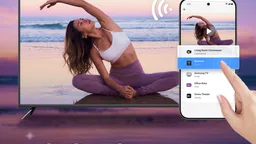
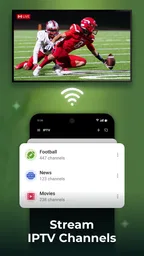
This is a free Android app in the video-player and editing category, made by Video Player & Cast to TV. Its focus is wireless viewing: sending video to a Smart TV or streaming device, with screen mirroring as another part of the appeal. In practice, those are related but different jobs. Casting a video is usually the better choice when I want the TV to show a particular clip while I keep using my phone. Mirroring is more like showing the phone’s display itself, which can be handy when the content does not behave like a straightforward video.
That distinction is worth keeping in mind before installing. If I am sharing a saved video, a direct cast is the cleaner route because the TV becomes the viewing destination and the phone remains available as a controller. If I need to show an app screen or something that is not a video file, mirroring may be more relevant, but it also means the phone’s screen is the presentation. I would choose the mode based on what I want people in the room to see, not simply tap the first option that sounds familiar.
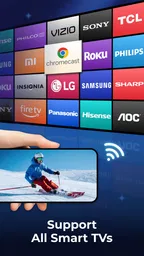
The app’s central promise is convenience across several kinds of living-room equipment, including Roku, Chromecast, and Fire TV, as well as Smart TVs. That breadth is useful for households where the television setup is not all from one maker. It does not mean every model or network arrangement will behave identically: wireless discovery and playback depend on the devices being able to communicate. I would check that the phone and TV are on a compatible local network before troubleshooting the app itself.
What the wireless handoff changes
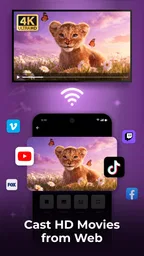
For me, the strongest benefit is avoiding the awkward routine of passing a phone around. A family member can pick a clip, send it to the television, and let everyone watch from the sofa. The phone is still part of the process, but it no longer has to be the screen everyone crowds around. This is especially useful for short videos, travel clips, or a recording someone wants to show without having to upload it somewhere else first.
There is also a practical difference between showing a video and projecting the whole phone display. Casting is generally the more focused experience for watching a clip; mirroring is better understood as a broad display tool. If I only need to share a video, mirroring can be more than necessary. If I need to show a page or app that cannot be cast as video, mirroring gives me a more flexible fallback. Knowing that trade-off helps avoid unnecessary fiddling once everyone is waiting for the picture to appear.
Getting a useful result in the living room
A sensible first try is to open the app with the television or streaming device already turned on, then make sure both ends are reachable on the same home network. I would choose the video-casting route for a clip and use mirroring only when displaying the phone itself is important. This order keeps the test simple: first establish whether the TV is discoverable, then decide which kind of display fits the content. If the target does not appear, checking the network and device connection is more useful than repeatedly selecting options at random.
One non-obvious tip is to prepare the content before starting the cast. Find the exact video and make sure it is ready to play on the phone, then connect to the TV. That reduces the time spent navigating while the television is already showing the room’s attention. For mirroring, I would also close unrelated screens and notifications before presenting; anything visible on the phone may become visible on the TV. This is not a special feature, but it is an important consequence of sharing the full display.
Another useful habit is to keep the phone close by during the first connection, rather than treating the app as a one-tap remote that needs no further attention. Wireless playback involves both the phone and the receiving device, so the phone remains part of the workflow even after the television takes over the viewing. If the picture or connection is not behaving as expected, returning to the app and checking the selected destination is a more grounded first step than assuming the TV has stopped supporting casting.
A realistic use case: sharing a trip video
Imagine getting home from a weekend away and wanting to show relatives a few phone videos over dinner. With a small screen, everyone has to take turns holding the phone, and the person sharing has to keep passing it around. With this app, I can try sending the selected clip to the living-room TV instead. The payoff is not a new way to edit the video; it is a simpler group viewing setup that keeps the clip in the center of the room.
For that situation, I would use casting rather than mirroring if the clip is the only thing I need to show. It keeps the task narrow and avoids projecting every change on the phone display. If I want to walk people through a phone app or show a screen that is not itself a video, mirroring is the more natural option. That distinction is the app’s most useful everyday lesson: pick the method to match the material, and the wireless connection becomes less of a guessing game.
The same approach can suit a casual movie night when the video is already available on the phone and the TV is a convenient larger screen. It is less compelling if I already watch that content through a TV’s own apps or a familiar player with reliable built-in casting. In that case, an extra app may add a step rather than remove one. I would keep it as an option for phone-based content and mixed-device households, not assume it should replace every existing way of watching.
Where the experience can feel less effortless
Wireless casting is convenient partly because it avoids cables, but that convenience comes with a dependency: the phone and receiver must cooperate over the network. Device discovery can be the point of friction, particularly when a household has multiple televisions or streaming devices and it is not obvious which one is the intended destination. I would be patient during initial setup and confirm the target before starting playback, especially when more than one compatible screen is nearby.
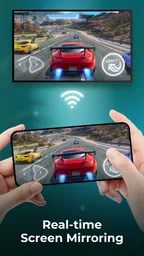
Mirroring also has a different feel from casting a video. Because it shows the phone display, the phone’s activity becomes part of the presentation. That can be useful for explaining something, but it is not ideal if I want a clean, dedicated viewing screen while continuing to use the phone privately. For a group watching a film, a TV-native app or a direct video-casting workflow may be more comfortable. For a quick demonstration, mirroring can make more sense.
Compatibility is another real-world consideration. The app is designed for several familiar receiver types, but the names of those platforms should not be taken as a promise that every television model, software setup, or network configuration will connect in the same way. If a TV already has a dependable manufacturer casting feature, I would compare that built-in route first. It may be simpler for that particular set. This app is more attractive when I want one phone-side tool to try across different supported receiving devices.
There is also a cost detail to weigh even though the app is free to install. It offers in-app purchases ranging from $6.99 to $36.99 per item. I would try the basic experience and decide whether it fits my routine before spending anything. Someone who only casts an occasional family clip may have little reason to pay for anything; someone who depends on the app regularly should assess the purchase options inside the app and judge them against the convenience they actually get.
Who is most likely to appreciate it
I think this is a good fit for Android users who often have videos on their phone and want a practical way to put them on a shared television. It is also worth considering in a home with different receiving devices, since the app’s intended reach includes Smart TVs, Roku, Chromecast, and Fire TV. The age rating is Everyone, and the app is free to download, so it is easy to try as a household utility rather than a major commitment.
People who already rely on a TV’s built-in casting tools may not gain much from adding another step. The same goes for anyone whose main need is a full-featured video library or editing suite: this app is centered on getting phone content onto a larger screen, not on turning the phone into a comprehensive media workspace. If my priority were to watch subscription services, I would usually start with their native television apps. If my priority were to show a locally available clip, a phone-to-TV tool is more directly relevant.
It is also a sensible option for someone who wants occasional screen sharing but does not want to build a workflow around cables. The key question is whether the convenience comes up often enough to justify keeping a separate app handy. If I only need this once, a built-in device feature may do the job. If I regularly share clips with friends or family and move between different compatible receivers, having one app to try can make the process more approachable.
Popularity, version, and my verdict
The app has an average rating of 4.1 from around 21,000 ratings, with roughly 1,100 written reviews and over 1 million installs. Those figures suggest that many Android users have tried it, while the ratings leave room for the sort of unevenness that can come with wireless connections and varied television setups. It was released on February 10, 2023, and version 1.7.9.1 is the current version. Android 7.0 or later is required.
My overall view is that Cast to TV - Screen Mirroring is most useful when I treat it as a focused connection tool, not as a magic fix for every TV. Its value lies in making phone-based video easier to share and offering mirroring when the phone display itself is what needs to be seen. The best results come from matching the method to the content, checking the network before blaming the app, and using the television’s own options when those are already more convenient.
If you often find yourself passing a phone around to show a video, I would give it a try. If your TV already handles your viewing needs smoothly or you rarely share phone content, it may add little. For the right household, though, the trade-off is clear: a little attention to the wireless setup in exchange for a larger, more social screen.
What we like
- Supports casting photos and videos to compatible TVs.
- Can mirror your phone screen for presentations or demonstrations.
- Offers a convenient way to view mobile content on a larger display.
- Works with supported streaming devices and smart TVs.
- Useful for sharing content with friends and family.
What could be better
- Casting requires a compatible TV or streaming device.
- Phone and TV may need to use the same Wi-Fi network.
- Screen mirroring can introduce noticeable delay.
- Video quality depends on network strength and device support.
- Some features may require in-app purchases or subscriptions.





