
Cartoon Network App review
 Analysis by Appsdrops
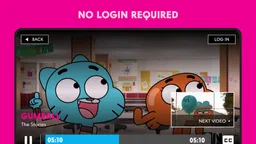
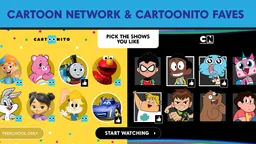
When a phone or tablet gets passed around at home, a familiar show can be an easy way for everyone to settle on something to watch. Cartoon Network App is built around that simple idea: it brings full episodes of Cartoon Network and Cartoonito shows to a mobile screen. I see it as a focused video-watching option rather than an all-purpose entertainment service, which makes it particularly easy to understand in a shared-device setting.
A familiar screen for shared viewing
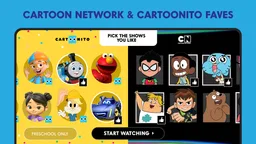
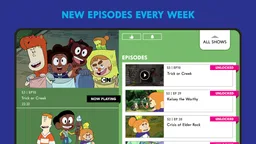
The app’s central appeal is straightforward. Instead of using a mobile device to browse unrelated clips, viewers can turn to episodes from Cartoon Network and Cartoonito. That gives a household a recognizable starting point when a child wants a favorite program or different people are taking turns with the same device. The emphasis on full episodes is useful: it offers a more complete viewing session than a quick snippet, while keeping the experience centered on animated shows.
In practice, shared use depends less on complicated setup and more on agreeing who is watching and what they want to see. One person might open an episode for a younger viewer, then another household member can take over later. That casual handoff is a natural fit for an app whose main purpose is watching shows. I would treat it as a convenient option for moments when the device is available, not as a tool for managing a household’s broader media habits.
Cartoon Network App is free, so trying it does not require a purchase. It has been available since May 16, 2011, and its audience has grown to more than ten million installs. Those figures suggest that it has maintained a place among mobile viewers looking for Cartoon Network entertainment, though popularity alone cannot tell you whether every show or episode will suit a particular household’s preferences.
Keeping the device handoff simple
A shared phone or tablet can be convenient, but it also means that viewing choices are visible to whoever picks it up next. For a smoother routine, I’d make the device handoff explicit: let the next viewer know whether an episode is already playing, and decide together when it is time to switch. That is ordinary household coordination rather than a special app feature, but it helps avoid the familiar confusion of someone unexpectedly interrupting a show.
Because the app is centered on video, the main question for shared use is whether the person holding the device is ready to watch. It is less suited to a situation where several people need separate experiences at the same time on one screen. A parent can choose when to offer it, while older viewers can simply open it when they want a Cartoon Network or Cartoonito episode. This clear, single-purpose role is one of its strengths for casual use.
Setting expectations before watching
When a device moves between adults and children, clear expectations matter. I’d treat the app as one part of a family’s viewing routine: decide who can use the device, when watching fits into the day, and whether an episode is appropriate for the person who will see it. These boundaries come from the household, not from assumptions about controls the app may or may not provide. Keeping that distinction clear makes the experience easier to manage.
The app’s store age classification is Everyone 10+, a useful point of context for adults deciding whether it fits a child or a shared family screen. Age labels are a guide, not a substitute for knowing the child and the particular program. If you are choosing something for a younger viewer, I’d still take a moment to consider the show itself and whether it matches your family’s standards. That simple check is more reliable than treating any entertainment app as automatically suitable for every member of a household.
At the same time, the familiar Cartoon Network and Cartoonito identity makes the app easy to explain to a child: it is a place to watch episodes from those brands. That clarity can help keep expectations grounded. It is not a general-purpose video editor despite the broad video-player category; its key role is watching entertainment. For parents, that focused purpose makes it easier to decide when it belongs in the rotation and when another activity is a better fit.
Coordinating turns and choices
On a shared device, a little coordination goes a long way. A household might agree that one viewer chooses an episode, then hands the device to someone else afterward. Or an adult can help a child find a show before passing the device back. The app’s basic appeal supports these ordinary routines without requiring the family to turn viewing into a complicated process. That matters when the goal is simply to start a familiar program and enjoy it together or take turns.
For families with different tastes, the main challenge is choosing what to watch, not learning an elaborate collection of tools. Cartoon Network and Cartoonito give the experience a defined focus, which can make the decision less open-ended than a broad video platform. Still, household members should agree on what is acceptable and how long the shared device is available. I would not assume that the app itself coordinates schedules or mediates disagreements; those choices are best handled directly by the people sharing the screen.
It can also help to distinguish between watching together and handing over the device for independent viewing. When everyone is in the room, an adult can be part of the choice and keep the experience social. When a child watches alone, the adult can set expectations beforehand and check in as needed. That approach respects the app’s straightforward purpose without attributing family-management functions to it.
What the audience response suggests
The app has an average rating of 3.4 from around 134,000 ratings, alongside approximately 51,000 written reviews. That mixed overall score is a reminder that an established app will not work equally well for every viewer or every device. I would use ratings as background rather than a promise: the most relevant question is whether its selection of Cartoon Network and Cartoonito episodes meets your household’s needs.
Its video-first approach is appealing if you already know that you want those shows. If you are looking for a broader collection of entertainment, the narrow focus may feel limiting. Likewise, a shared device can make the app convenient, but the experience still depends on the device being available and on viewers agreeing about what to watch. Those are practical considerations for any household, not reasons to expect the app to solve every media-related task.
The app is free and has an Everyone 10+ age classification. It supports devices running Android 7.0 or later, which is helpful when checking whether an older Android device can be used. For a household with more than one phone or tablet, that minimum system requirement can guide a basic compatibility check before anyone plans to use a particular device. The central question remains simple: does that device run the app, and does the show selection suit the person watching?
Trust, age context, and everyday use
For me, trust in a family viewing app begins with understanding what it is for. Here, the stated purpose is watching full episodes of Cartoon Network and Cartoonito shows. That makes the app easy to place in a routine, but adults should still make their own decisions about screen time, age suitability, and which programs a child may watch. A familiar brand can make a service feel approachable; it does not remove the value of an adult’s judgment.
Households also differ in how they share accounts and devices. I would avoid treating a device used by several people as though every viewer has the same preferences or expectations. Agree on who is using it, keep the screen available for the next person when needed, and talk through any viewing rules that matter at home. This is a practical way to establish boundaries without relying on unconfirmed settings or assuming that one household’s routine will work for another.
As an app in the video-player and editing space, its identity is best understood through the watching experience rather than editing tools. The store description emphasizes full episodes, so the clearest reason to install it is access to Cartoon Network and Cartoonito viewing on a compatible mobile device. That focused promise is easy to evaluate: if those are the shows your household wants, the app has an obvious role; if not, its brand-specific scope may not add much to your current setup.
A practical household verdict
Overall, I find Cartoon Network App easiest to recommend to viewers who want a direct way to watch Cartoon Network and Cartoonito episodes on a phone or tablet. Its straightforward purpose suits a shared-device routine: one person can choose a show, watch, and pass the device along when the next turn comes. The free price removes a purchase decision, while the Everyone 10+ classification gives adults a starting point for thinking about age context.
Its best fit is a household that already enjoys the shows and is comfortable setting its own rules for device use. Adults should guide younger viewers, agree on turns, and decide what viewing habits work for the family. Those small steps make the app easier to use without expecting it to manage accounts, set household boundaries, or coordinate schedules on everyone’s behalf.
If you want a focused mobile destination for Cartoon Network and Cartoonito episodes, this app is a sensible option to consider. Its audience and long-running presence show that many people have tried it, while its moderate average rating suggests that individual experiences vary. I’d approach it with realistic expectations: it is for watching those familiar shows, and its value at home comes from matching that purpose to your device, your viewing preferences, and the way your household shares screen time.
What we like
- Official Cartoon Network clips are easy to find and watch.
- A familiar character lineup makes the app appealing to young fans.
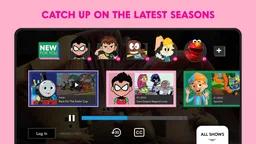
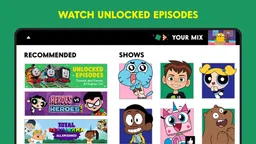
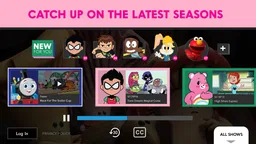
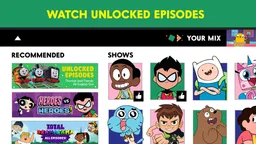
- The app offers a simple way to catch up on selected episodes.
- Video content gives fans more than a schedule or show listings.
- The interface is designed to be approachable for children.
What could be better
- Available episodes can vary by region and TV provider.
- Some full episodes may require a participating TV subscription.
- The app may not include every Cartoon Network series.
- Video streaming can use a substantial amount of mobile data.
- Some content may be unavailable after licensing changes.





