



Brigit: Cash Advance & Credit review
 Analysis by Appsdrops
I look at Brigit as a financial back-up tool for the awkward gap between a bill coming due and payday—not as a replacement for a budget or a long-term borrowing plan. Its pitch is easy to understand, but the useful question is what happens when setup or timing does not go smoothly. In my view, the app makes most sense when you need a small, short-term bridge and can take time to check the terms before relying on it.
Where people can get stuck
Brigit is a finance app from Brigit, built around cash advances, credit-building options and ways to earn money. Its average rating is 4.8 from around 416,000 ratings, and it has more than 10 million installs. Those figures suggest a widely used product, but they do not guarantee that every person will qualify for an advance or have the same experience. I would treat the app as a tool to explore, not money already in hand.
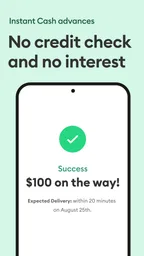
The most important distinction is between downloading the app and being able to use a particular service. The store summary describes advances ranging from $25 to $500, but that range should not be read as a promise that every user can access the maximum—or any advance at all. Before building a bill payment around expected funds, check what the app actually makes available to you and when. If the amount or timing does not fit, it is safer to make another plan than to assume it will resolve itself.
A second point of friction is deciding whether borrowing is worthwhile for the size and urgency of the shortfall. A small advance can help with a genuinely time-sensitive expense, yet it can also shift the pressure into the next part of your budget. I would compare the repayment obligation and any costs shown in the app with the consequence of paying the bill late. If the expense can wait, or if repayment would leave you short again, an advance may simply move the problem rather than solve it.
Brigit is free to download, but that does not mean every service inside it is necessarily cost-free. I would read the in-app terms for the specific option I planned to use, including any charges, eligibility conditions and timing details, before confirming anything. That small pause matters more than the headline amount: the right choice depends on what you will receive, what you will owe, and whether the dates work for your real cash flow.
Check the basics before relying on an advance
When an app-based financial service does not behave as expected, I start with the simple checks rather than repeatedly tapping the same button. Confirm that you are signed into the intended account, that the information you entered is accurate, and that the app is up to date. Brigit’s current version is 1265.0, and its minimum operating-system requirement is 8.1. If your device is older than that requirement, compatibility may be the issue; otherwise, updating the app is a sensible first step.
Next, review any prompts or status details visible in the app. If a step is incomplete, address that step before expecting the rest of the workflow to move forward. Financial apps can depend on information being consistent and current, so a typo, an outdated detail or an unfinished setup screen can create avoidable confusion. I would not guess at missing information or submit inconsistent details just to get past a screen; correcting the underlying entry is the safer approach.
It also helps to separate an account or setup problem from an eligibility decision. If the app is working but does not show an advance that suits your situation, that is different from a technical failure. Reinstalling repeatedly or changing device settings is unlikely to resolve a decision made within the service. Check the status and any explanation presented in the app, then decide whether another source of funds is more dependable for the immediate need.
For privacy and money management, I recommend treating each connection or information request as a deliberate choice. Read what the app asks for and why before continuing, and do not provide account details through a message or channel you cannot verify as part of the app. If you are uncertain about a prompt, pause and use the app’s own support route rather than following instructions from an unsolicited contact.
A calmer workflow when something goes wrong
My practical workflow is to identify the exact point where progress stopped, then make one change at a time. If the app will not open or a screen is stuck, close and reopen it, check for an update, and retry on a stable connection. If the screen loads but a financial action is unavailable, look for an eligibility or status explanation instead of treating the issue as a crash. Keeping those two cases separate saves time and avoids unnecessary changes to a working device.
If information appears to be missing or a step seems to have reset, note what you completed and what the app still asks you to do. Then revisit only the incomplete part. This is especially useful when setting things up in a hurry: rushing through several screens can make it hard to tell whether the problem is a skipped step, a typo or a decision that needs attention. I would avoid making multiple submissions while unsure, since that can add confusion without improving the outcome.
For an urgent bill, prepare a fallback before you begin. For example, if an unexpected household expense lands just before payday, check the bill’s deadline and late-payment consequences first. Then see whether Brigit offers an option that is available to you and arrives in time, and compare that with asking the provider about a later payment date or using funds you already have set aside. The useful move is to confirm the timing before promising a payment, not to treat an in-app estimate or a potential advance as guaranteed cash.
If the app’s status does not explain a blockage, use its in-app help or support options and describe the specific screen and action involved. Avoid sending sensitive financial details in an ordinary email or public post. If the issue concerns a payment, keep a record of the relevant date and amount for your own reference, but do not assume a payment has completed until the app or the relevant account clearly shows its status.
When another cause deserves attention
Not every problem that appears while using a money app originates in the app. A delayed bank update, a network interruption, a device that cannot meet the operating-system requirement, or information that has changed since setup can all affect what you see. If the app opens normally but a balance or status looks unfamiliar, compare it with the source account through its usual secure channel before drawing conclusions. A mismatch is a reason to verify, not proof that money has moved or that the app is malfunctioning.
There is also a difference between a cash-flow problem and a technology problem. If a payment is due before your income arrives, the underlying issue may be the calendar, not the app. Brigit may be one option to examine, but contacting the bill provider, adjusting the payment date where possible, or using a suitable no-borrowing alternative may be better. I would especially avoid borrowing for a recurring gap that appears month after month without first looking at the budget pattern behind it.
People who need a large amount, a long repayment period or certainty that funds will arrive by a fixed deadline may be better served by comparing other legitimate options. A bank or credit union product, a payment arrangement with the provider, or help from a trusted local service could fit better depending on the situation. Those alternatives have their own conditions, so I would compare the actual terms rather than assume one is automatically cheaper or easier.
How it fits among everyday money options
Compared with a standard budgeting app, Brigit is more directly focused on short-term cash access and related financial tools. A budgeting app is usually the better first stop if your main goal is to understand spending, plan categories or see where each paycheck goes. Brigit is more relevant when a near-term shortfall is already on your mind and you want to check whether an advance or another in-app service might help.
Compared with a credit card, an advance may feel more targeted to a temporary gap, but the better choice depends on the costs, repayment terms and consequences for your finances. I would not assume that one method is automatically safer just because it is delivered through an app. Nor would I use either option casually for regular spending that cannot be covered by future income. The right comparison is between the exact terms available to you and the real cost of the alternative, such as a late bill or another source of borrowing.
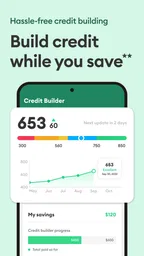
The app also includes credit-building and money-earning aims, which may appeal to someone looking beyond a single cash crunch. I would evaluate each separately rather than treating them as a bundle that guarantees a financial improvement. For credit-related tools, understand what activity is involved and how it fits your goal; for earning options, check the task and conditions before investing time. Those features may be useful, but they do not remove the need to judge each choice on its own merits.
Who is likely to benefit—and who should pass
I can see Brigit being useful for someone who occasionally faces a modest timing gap, is comfortable checking eligibility and terms, and can plan for repayment without creating another shortfall. Its free download makes it easy to explore, and its Everyone content rating means it is not presented as an adults-only entertainment product; financial decisions still call for care and, for younger users, appropriate guidance. The app is available on supported devices, so checking the operating-system requirement before installing can prevent a needless setup detour.
I would hesitate if you need guaranteed access to a particular amount, cannot comfortably repay what you borrow, or are already juggling several obligations. I would also skip it as a substitute for a full budgeting routine: a cash advance may address a date mismatch, but it cannot make an unworkable monthly budget sustainable. If you are unsure whether borrowing will leave enough for essentials later, pause and compare non-borrowing options first.
The app’s average rating of 4.8 and roughly 49,000 written reviews give prospective users a broad sense of how many people have shared feedback, but reviews should not replace checking the terms shown for your own account. Experiences can differ with eligibility, timing and personal circumstances. I would read recent feedback for recurring themes, then make the decision based on the actual offer and workflow in front of me.
My practical verdict
Brigit is worth considering as a focused financial utility when the problem is a short-lived cash-flow gap and you have a clear repayment plan. I like the idea of bringing advances, credit-building and earning opportunities into one finance app, but I would use each option deliberately rather than assuming the whole package is automatically beneficial. The rating and broad adoption make it a recognizable choice, not a guarantee that it will fit every budget.
My advice is to set it up before an emergency, when you have time to check the account details, review available options and understand the terms. If a bill is already urgent, confirm eligibility and timing before counting on funds, and keep a backup plan. For someone who can meet those conditions, it may provide a useful route to explore; for someone who needs certainty, long-term borrowing or help fixing a recurring deficit, a different financial option is likely the better fit.
What we like
- No credit check is required to request a cash advance.
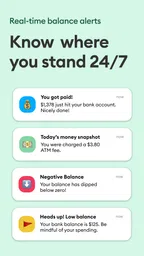
- The app can send balance alerts to help avoid overdrafts.
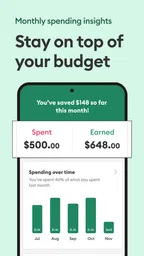
- Users can track spending with built-in budgeting tools.
- Brigit offers credit-building features for eligible members.
- Advance repayment is typically automatic on the scheduled date.
What could be better
- Cash advances require a paid membership.
- Advance amounts depend on account activity and eligibility.
- Some features may not be available to every user.
- Automatic repayment can leave less money for upcoming bills.
- Brigit is not available in every location.





