
Blackmagic Camera review
 Analysis by Appsdrops
I like a phone camera app best when it lets me think about the shot instead of fighting the controls. Blackmagic Camera is aimed at people who want a more deliberate, film-style way to record video: it brings detailed camera controls and image-processing options into a mobile workflow. That makes it more interesting than a basic point-and-shoot camera, but also means it asks you to make choices that the default camera app often makes for you.
Made by Blackmagic Design Inc., this free photography app is rated for Everyone. Its 4.6 average from around 16,000 ratings, with more than a million installs, suggests it has found an audience among people who want more control without carrying a dedicated camera. I’d put it on the shortlist for thoughtful phone videography, not as an automatic replacement for the camera app that came with your phone.
A repeatable starting point for filming
My most useful way to approach Blackmagic Camera is to establish a simple baseline before recording. Pick a frame rate and resolution that suit the project, choose a lens, and settle on an exposure approach. The point is not to tweak everything every time; it is to make the important decisions consistent so clips from the same shoot feel like they belong together.
That consistency matters in ordinary situations, not just planned productions. If I’m recording a short cooking clip, for example, I want the overhead shot, the close-up of a pan, and the final plate to share a similar look. A camera app that exposes video controls encourages me to think ahead about how those clips will cut together, rather than treating each take as an unrelated snapshot.
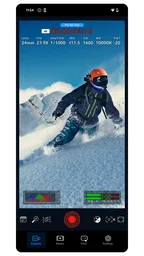
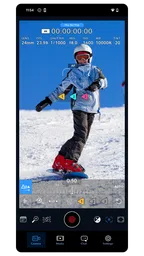
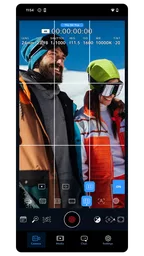
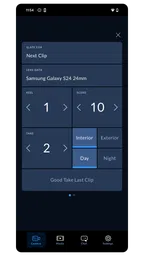
Blackmagic’s interface is built around camera information and adjustments, so it rewards a moment of preparation. Before an important take, I’d check that the selected lens is the one I intend to use, confirm the frame rate, and make a brief test recording. That quick rehearsal is more dependable than discovering after the event that a setting wasn’t suited to the scene.
For a beginner, this may feel like extra work. The usual phone camera is often better when a moment is fleeting and the priority is simply to capture it. Blackmagic Camera makes more sense when I can pause, frame the shot, and care about how it will look in an edit. It is a creative tool, not necessarily the fastest route to every video.
Settings that deserve a deliberate check
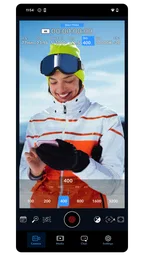
Exposure is one of the first things I would pay attention to. Automatic exposure can be convenient, but it may shift as a bright window or a dark shirt enters the frame. For an interview or a steady shot, a controlled exposure can help keep the image from visibly changing during a take. The trade-off is that a locked choice can become wrong if the subject moves into different light, so I’d recheck it whenever the scene changes.
White balance deserves similar care. If a clip starts under warm indoor lights and another is recorded near a cool window, automatic adjustment may make the footage harder to match. Choosing a consistent balance for a sequence can make later editing less of a rescue job. I would still revisit it when moving between locations or lighting conditions; consistency is useful only when it remains appropriate to the scene.
Frame rate is not merely a technical preference. It affects the motion in the finished video and how footage fits the intended project. I’d choose it before filming rather than mixing settings casually across takes. Resolution also has a practical side: a larger setting can suit a shot that needs room for later reframing, while a more modest choice may be more sensible when storage and editing capacity are tight.
Sound is easy to overlook when the screen is full of picture controls. For a spoken clip, I’d make a short test and listen back with headphones before recording a long take. A sharp-looking image cannot compensate for speech obscured by room noise or wind. If clear dialogue is essential, a suitable external audio setup may matter more than another round of image adjustments.
These checks are especially worthwhile when the footage will be edited with other clips. I find that a small amount of discipline at capture time—consistent exposure, a considered white balance, and a fixed project frame rate—can save more time than trying to repair mismatched shots later. That is a practical strength of a control-focused camera app: it makes those decisions visible while there is still time to make them well.
Faster habits without rushing the shot
Experienced users get speed from repetition, not from changing every setting at the last second. I’d keep a short pre-shoot routine: set the project’s intended format, check exposure and focus behavior, confirm audio, then record a few seconds and review them. Once that sequence becomes familiar, it takes little time and catches the common mistakes that are costly to fix later.
Another useful habit is to group shots by lighting rather than by the order they occur in a story. If I’m making a small product video at home, I might film all the window-lit close-ups together, then move to the darker tabletop setup. That gives me fewer changes to manage and makes matching shots easier. The app’s manual approach supports this kind of planning, though the actual benefit comes from organizing the shoot.
I would also avoid using a digital zoom as a substitute for moving closer whenever the scene allows it. A physical change in distance can alter perspective and make the subject feel more present; zooming simply changes the framing. If moving is awkward or would disturb the scene, a tighter frame can still be useful, but I’d check the result rather than assume it will look identical to a shot made from nearer.
For short-form work, it helps to record a little extra at the beginning and end of each take instead of stopping at the exact moment of action. That gives an editor breathing room for trims and transitions. I’d also review a take immediately if it contains an important gesture or line, while the scene is still available to repeat. These are simple habits, but they suit a camera app designed for people who expect to shape footage after recording.
The strongest everyday use case I see is a person making a small, planned video alone: a tutorial, a travel detail, a product demonstration, or a family event where image consistency matters. The controls can help that person make intentional choices without a separate camera. For a quick message to a friend, a casual clip in changing light, or a child’s sudden moment, the extra setup may be more burden than benefit.
Where control stops being a shortcut
Manual control is not automatically better footage. It gives me a way to influence the result, but it also makes me responsible for catching exposure, focus, and color decisions that a more automatic app may handle in the background. When the subject is unpredictable, or I have only one chance to capture it, automation can be the wiser choice.
There is also a difference between recording a polished image and completing a polished video. This app helps with capture, but I would not assume that a carefully controlled clip is ready to publish without review and editing. People who want a quick filter, an instant template, or a one-tap social post may be happier with an app designed around those outcomes. Blackmagic Camera’s appeal is the recording process, not a promise that every production task happens inside one screen.
Phone hardware remains part of the equation. Camera controls cannot make every lens or lighting situation behave like a dedicated cinema setup. In dim rooms, fast movement, or scenes with a very bright background and a shadowed subject, I’d test the phone and settings before relying on them for a critical shoot. A capable camera operator can work around limits, but no interface removes them.
The feature-rich approach also creates a learning curve. Someone unfamiliar with frame rates, exposure, or white balance may initially spend more time checking controls than filming. I would not recommend trying to master every option at once. Start with one goal—such as keeping exposure stable in an interview—and learn how the app behaves there. Add more deliberate choices only when they solve a real problem in your footage.
Compared with the standard camera app, Blackmagic Camera is the better fit when I want a repeatable look and direct control over video capture. Compared with a dedicated camera, it is appealing for portability and the fact that the phone is already with me, but it cannot replace the handling, lens choices, or broader production setup that a separate camera can provide. The right choice depends on whether convenience, control, or specialized equipment matters most for the shoot.
Who will get the most from it
I’d recommend it to phone filmmakers, creators who edit their own footage, and curious beginners willing to learn a few camera basics. It is particularly useful when several clips need to match, when a shot can be planned, or when automatic exposure changes would distract from the subject. The app’s origin with Blackmagic Design Inc. also makes its film-oriented approach feel purposeful rather than like a collection of decorative camera effects.
I’d steer away from it if my main need were fast still photos, automatic enhancement, or the simplest possible video recording. It is also not the right answer for someone expecting camera controls to solve poor lighting or unclear sound by themselves. In those cases, the default camera, a dedicated editing app, better lighting, or an external microphone may be a more useful next step than adding another layer of settings.
My verdict is that Blackmagic Camera is worth trying if you want to take phone video more seriously and are happy to build a repeatable routine. I would begin with a short, low-stakes project, use the same settings across a sequence, and listen back to a test clip before committing to a longer recording. That approach reveals whether its control-focused workflow suits you without turning a simple video into a technical exercise. For me, its best quality is not that it makes every shot effortless; it is that it gives careful users a clearer hand in shaping the footage they capture.
What we like
- Manual exposure and focus controls offer precise shot adjustments.
- On-screen audio meters help monitor recording levels.
- Supports external lenses and accessories on compatible devices.
- Camera settings can be saved as presets for quick setup.
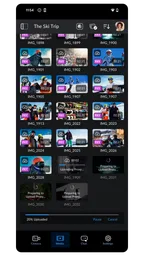
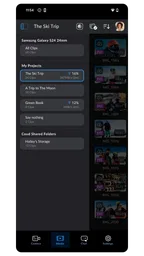
- Recordings can be organized into projects and takes.
What could be better
- Some advanced features are limited to supported devices.
- The control layout may feel crowded on smaller screens.
- High-quality recording can use substantial storage space.
- Long recording sessions can drain the phone battery.
- External audio gear may require adapters or extra setup.





