



BBC: World News & Stories review
 Analysis by Appsdrops
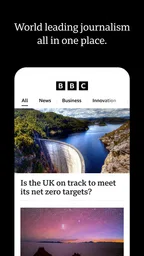
When I want to follow a developing story without committing to a long read, I value being able to switch between written reporting, video, and podcasts in one place. That mix is the most useful way to think about BBC: World News & Stories: it is a news app from BBC Studios Distribution Ltd. that lets me approach current affairs in the format that fits the moment. I find that more practical than treating it as simply a feed of headlines, though it does not make the app a perfect fit for every reader.
One story, several ways to follow it
The app’s central appeal is the choice of format. I can read when I need detail or want to scan quietly, watch when pictures help explain an event, and listen when my attention is elsewhere. That flexibility matters with world news, where a short update may be enough at first but a complicated story can call for more context later.
In my view, the best reason to try it is not that every format will suit every story. It is that the choice gives me a better chance of keeping up with news during an ordinary day. A developing event can be checked in text during a break, then revisited through a video or podcast when I have time to concentrate. The practical benefit is convenience, not a promise that every item will be available in all three forms.
That makes this a different proposition from a newspaper app focused mainly on articles or a broadcast channel designed around watching live. Those alternatives can be better for people who already know their preferred way to consume news. Here, the format mix is valuable if your routine changes from one moment to the next.
Choosing the format that suits the moment
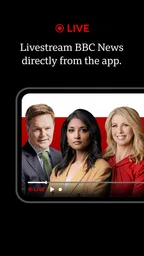
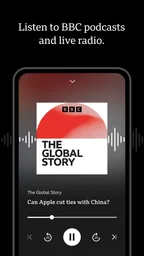
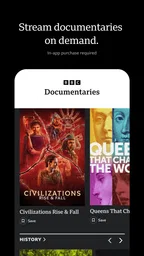
I would use written coverage when I need to check a detail, compare the basic points of a story, or read without sound. Video is a more natural choice when seeing the scene or hearing a reporter’s delivery adds something to the account. Podcasts make sense when I am walking, doing chores, or travelling and cannot comfortably keep looking at a screen.
A useful habit is to pick the format before opening a story. If I have only a minute, reading is likely the quickest route. If I want to understand the atmosphere around an event, video may be more useful. If I have a longer stretch away from the phone, audio can turn otherwise idle time into a news catch-up. This small choice helps avoid opening several items without finishing any of them.
The trade-off is that changing formats can also mean changing how much attention I give the story. Reading lets me pause, skim back, and set my own pace. Listening is easier to fit into a routine, but it is less convenient if I need to check a name or figure. I would not rely on audio alone for a story where exact details matter; I would use it as an introduction and return to the written account when needed.
A realistic daily routine
Imagine checking the news while waiting for a train. I would read a concise account of an international event, close the app when the train arrives, and save a deeper listen for a walk later. If the story is still developing, I could return to its coverage rather than trying to absorb everything in one sitting. That is a more sustainable routine than expecting myself to watch a full report in a noisy public place.
This approach is especially helpful for people whose news time comes in fragments. It also suits readers who are trying to avoid having video play in situations where sound or a bright screen would be awkward. Conversely, if I have uninterrupted time and want a visual explanation, I would choose video from the start instead of treating every format as interchangeable.
The key is to think of formats as different tools, not as duplicate versions of the same experience. Reading can be efficient, viewing can add visual context, and listening can fit around other activities. The app is at its strongest when I use each mode deliberately rather than switching just because another button is available.
Where the format mix helps—and where it can frustrate
Having several ways to follow a story does not automatically make the news easier to judge. Video can feel more immediate, but immediacy is not the same as completeness. A short clip may illustrate one part of an event without answering every question I have. I would treat it as a way into the subject and look for the fuller written context when I need a more careful account.
Audio has its own limitation: it is not ideal for quick reference. If I want to confirm a spelling or revisit a specific point, a spoken report can make that slower than scanning text. Likewise, reading may not convey the same sense of place as a report with pictures. The app’s range helps with convenience, but I still need to choose the form that matches the question I am trying to answer.
There is also a personal preference issue. Some people want a highly customizable stream of narrowly selected topics, while others prefer one publication’s editorial approach and broad coverage. I would not assume this app is the best match for someone who wants every story tailored to a specialist interest. It is more compelling for someone who values a general news habit and wants more than one way to keep it going.
As an app in the news and magazines category, it has a clear purpose, but the average rating of 3.1 from around 443,000 ratings suggests that the experience does not satisfy everyone. I would read that as a reason to try it for my own routine rather than as a definitive verdict. A reader who mainly wants dependable access to reports may judge it differently from someone expecting a polished, highly personalized reading environment.
Who should give it a place on the phone?
I would recommend it to someone who follows international stories and moves between reading, watching, and listening during the day. It is also a sensible option for a person who wants a familiar news source to fill short breaks without requiring a fixed viewing schedule. The app has been available since June 9, 2011, and has over 10 million installs, so it is an established choice rather than a newly arrived experiment.
It is less suited to someone who wants only a quiet text reader, or who expects every topic to be presented in exactly the format they prefer. If I mainly want specialist analysis, a focused publication may serve me better. If I want to watch news as a continuous broadcast, a dedicated television option is a more natural fit. The strength here is moving among formats, not replacing every other way of following the news.
For practical planning, the app is free to download, with in-app purchases listed from $8.99 to $89.99 per item. I would check the app store details before buying anything so I know what a particular purchase covers. Its Teen content rating is another useful point for households deciding whether it is appropriate for younger readers; I would still use my own judgment about which stories are suitable for them.
Installation and a sensible first try
The current version is 2026.10.0, and the listed minimum operating system is 7.0. Before installing, I would check that my device meets that requirement and that I have enough room for the media habits I plan to use. Someone who only reads may use the app differently from a person who regularly watches or listens, so it is worth testing the formats on the device and connection they actually have.
My suggested first try is simple: choose one story that matters to you, read its coverage, and then decide whether video or audio adds useful context. That gives you a fair sense of the app’s main idea without turning a quick download into a commitment to use every feature. If the format options help you return to the news at different points in the day, the app is doing something worthwhile.
Overall, BBC: World News & Stories is most convincing as a flexible companion for keeping up with world news. I like the freedom to read, watch, or listen according to the moment, while recognizing that each format has limits and that the app will not be everyone’s preferred news source. If you want one app that can fit around a changing schedule, I think it is worth trying; if you want a narrowly focused feed or a single, uninterrupted broadcast experience, another kind of news app may suit you better.
What we like
- Live coverage helps you follow major stories as they unfold.
- Short video reports offer a quick way to catch up.
- World coverage includes perspectives from many regions.
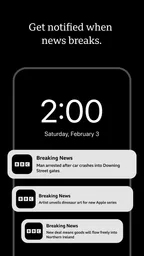
- Story notifications can keep you informed about breaking news.
- Articles are easy to share with others.
What could be better
- Some videos may use a lot of mobile data.
- Breaking news alerts can feel frequent.
- Some reports may require a stable internet connection.
- The volume of stories can make key updates harder to spot.
- Coverage may focus more on international news than local events.





