

BabyTV - Kids Videos & Songs review
 Analysis by Appsdrops
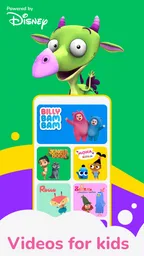
When I’m choosing something for a young child to watch, I care less about having an endless catalogue and more about whether the content suits a quiet moment, a short wait, or the lead-up to bedtime. BabyTV - Kids Videos & Songs is aimed at that kind of family use: it brings together videos, songs, stories and games in an app from Disney, with a focus on young children rather than a broad entertainment audience. I’d consider it when I want child-oriented material gathered in one place, while keeping in mind that an app is still a screen activity, not a substitute for reading or play together.
Choosing an app for a young child
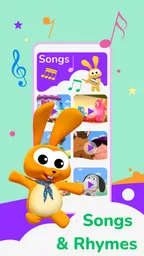
My first test for a parenting app like this is whether its purpose is clear enough to make decisions easier. BabyTV’s mix of familiar formats gives caregivers several possible ways to use it: a song when a child needs a brief distraction, a story as part of a calm routine, or a game when a little interaction feels more appropriate than watching. That variety is useful, but it also means I would choose the activity deliberately instead of handing over the device and assuming every option suits every moment.
The app is free to download and is rated for Everyone, which makes trying it straightforward for a household. It also includes in-app purchases, with items listed from $0.99 to $39.99. I would treat the free download as a chance to see whether the material and format work for my child, then check the purchase details in the app before allowing any spending. A child-friendly audience rating is not the same thing as a promise that every feature or viewing situation will suit every family.
One practical decision is whether you want a dedicated children’s destination or a more general video service. A general service may offer a wider range of creators and subjects, but caregivers may need to do more work choosing what a young child sees. BabyTV’s narrower identity can reduce that selection burden. The trade-off is that a family looking for a very specific topic, a particular lesson, or a broad mix of creators may prefer a general platform or a specialist learning app.
Where BabyTV fits naturally into a day
I can see the strongest use in short, intentional sessions. Imagine a parent waiting for an appointment with a restless toddler: a song or brief video may occupy the child without requiring a complicated setup. At home, a story could be offered as one part of winding down, while a game might work during a supervised stretch of play. These are different needs, so I would pick the format to match the moment rather than treating the app as one continuous stream.
A useful habit is to decide on a stopping point before handing over the device. For example, a caregiver might choose one song while preparing a snack, then close the app when the snack is ready. That small routine makes the app easier to use as a tool instead of letting it fill an open-ended block of time. It also helps a child understand that watching has a beginning and an end.
Another less obvious advantage of having songs, stories and games in one children’s app is that the caregiver can vary the kind of screen activity without switching between unrelated services. If a child is restless, a game offers a different kind of engagement from watching a video; if the room needs to settle, a story may feel more suitable. I would still keep the adult involved, especially when deciding whether interactive play is calming or stimulating for a particular child.
What stands out, and what I would check
The app has been available since February 29, 2012, and it has reached over one million installs. Its average rating is 3.6 from around fifteen thousand ratings, with 455 written reviews. I read those figures as a sign that it has a substantial audience, but not as proof that every family will have the same experience. For me, the deciding question is whether its particular blend of child-focused entertainment matches our routines and expectations.
The strongest point is its clear focus. Parents who want a place centered on videos, songs, bedtime stories and games may find it more approachable than a general-purpose entertainment app. The mix also gives a caregiver room to choose an activity based on mood and context. In practice, that choice matters: a child who is ready for a quiet story may not benefit from being offered a lively game, even though both are available in the same app.
The main limitation is also tied to that focus. A broad collection of entertainment formats does not automatically provide the structure of a dedicated educational tool, nor does it replace the flexibility of a full video platform. If your priority is a specific curriculum, progress tracking, or a tightly controlled routine, you may be better served by an app designed explicitly around that purpose. I would not assume that every game teaches a particular skill or that every story is intended as a sleep aid; I would try the content with the child and judge its effect.
I would also be cautious about treating “free” as the full cost picture. The initial download costs nothing, but in-app purchases are available. Before a child uses the device independently, I’d review the purchase settings and decide how purchases should be handled. That is a sensible step for any app with paid items, and it avoids an unpleasant surprise when a child taps through screens.
How it compares with other choices
Compared with a general video app, BabyTV is more focused on a young audience and on a small set of familiar formats. That can make it a better starting point when the caregiver wants child-oriented material without browsing a huge range of unrelated content. A general service may be preferable for older children or adults who want more varied subjects, but it usually asks the parent to take a more active role in finding suitable viewing.
Compared with a story-only app, BabyTV’s range can be more convenient when a child wants songs or a game as well as stories. The compromise is that a family seeking a deep library of reading material or a strongly book-centered routine might value a dedicated story app more. Likewise, a learning app may be a better match when the goal is deliberate practice rather than light entertainment. I’d choose based on the job I need the app to do, not simply on how many kinds of content it contains.
For families trying to reduce screen stimulation, the app should be used selectively rather than as an all-purpose answer to boredom. A song may be a manageable short distraction, but a screen may not be the right response when a child needs movement, conversation, or comfort. In those moments, a toy, a shared book, or a simple activity away from the device can be a better choice. The app is most useful when it complements those options, not when it crowds them out.
Making the switch without changing your routine
If you already use another children’s app, trying BabyTV does not need to mean replacing everything at once. I would introduce it during one predictable moment, such as a short wait or a quiet period at home, and see which format the child actually chooses. That gives you a practical comparison: does the child settle with a story, engage with a game, or ask for songs? The answer is more helpful than judging the app only by its catalogue description.
It also helps to set expectations before opening it. Tell the child whether this is a song break or a story, and what will happen when it ends. That makes it easier to transition back to the day and prevents the app from becoming an automatic fallback whenever there is a pause. If the child becomes more energized instead of calmer, I would move it to a different part of the day or choose a non-screen activity for that routine.
BabyTV is listed for devices running version 7.0 or later of its supported operating system. Since device compatibility can be a deal-breaker, I would check the app store on the specific phone or tablet before planning to use it. That quick check is especially worthwhile if the device is older or shared with other family members.
My recommendation for families
I’d recommend BabyTV to caregivers looking for a child-focused mix of songs, videos, stories and games, especially when a few short, supervised screen sessions would be useful. Disney is the developer, and the app’s clear audience and range of formats make it an understandable option to try without paying for the download. Its Everyone age rating may also make it easier for families to assess than an entertainment app aimed at a broad audience, though I would still stay involved in what a young child watches and plays.
I’d skip it if I wanted a dedicated educational programme, a book-first experience, or a fully hands-off solution to managing a child’s screen time. I would also look elsewhere if the in-app purchase model does not suit my household or if a general service’s broader content is more important than a child-focused selection. Those are not flaws for every family; they are reasons to match the app to a specific need.
Overall, I see BabyTV as a useful option for filling small, planned moments with age-conscious entertainment, not as an app that needs to occupy a child for long stretches. Start with a short session, explore the different formats together, and check how your child responds before building it into a routine. If that focused mix makes everyday transitions a little easier, it may earn a place on your device; if you need more structure or a narrower purpose, another kind of children’s app will likely be a better fit.
What we like
- Offers familiar songs and animated stories for young children.
- Simple navigation makes it easier for little ones to explore.
- Includes content designed for short viewing sessions.
- Supports offline viewing for selected videos.
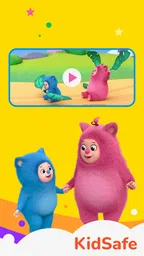
- Provides a child-focused viewing environment.
What could be better
- Some content may require a paid subscription.
- Video downloads can use considerable device storage.
- The catalog may feel limited for older children.
- Offline access is not available for every video.
- Screen time still needs guidance from a caregiver.





