

Baby Tracker - Pregnancy Care review
 Analysis by Appsdrops
When I think about a useful parenting tracker, I look for something that can help turn small observations into a clear routine without making family life feel like a data-entry job. Baby Tracker - Pregnancy Care brings baby tracking together with pregnancy-related tools, including a contraction timer and ovulation features. That makes it appealing to people whose needs may change across the journey from planning a pregnancy to caring for a baby, though the best fit depends on which part of that journey matters to you right now.
From scattered notes to a routine
The app is a free parenting app from NEPTUN EXPRESS INC, with a general-audience age rating. It has a 4.5 average from around five thousand ratings and more than a million installs, so it has reached a substantial audience. Its current version is 1.0.3, and it is listed for devices running OS 9 or later. Those figures offer context, but they are not a substitute for deciding whether its particular mix of tools fits your household.
Begin with the question you need answered
Before opening a tracker, I find it helps to decide what I want it to do for me. During pregnancy, the immediate question might be whether contractions are becoming regular enough to discuss with a care professional. While trying to conceive, it may be helpful to keep ovulation-related information in one place. After a baby arrives, the focus shifts to recording day-to-day care. This app’s broad scope makes sense for someone moving among those stages, rather than someone looking for a single-purpose tool.
That breadth can also make the first step less obvious. If you install it specifically for baby care, the pregnancy tools may not be relevant to your daily routine. If you are using it while pregnant, baby tracking may feel like a future-use feature rather than an immediate need. I would approach it by identifying the one task I expect to use most often, then treat the other tools as optional rather than trying to build a complete record all at once.
Use the tracker at the moment the event happens
A practical tracking workflow starts with recording an event while it is fresh. In an ordinary day, that might mean opening the app after a care task instead of relying on memory at bedtime. The value of a log is not simply that it contains entries; it is that the entries are consistent enough to help you notice a routine or answer a question later. A tracker works best when the action is quick enough to fit into the moment you already have.
For example, imagine a caregiver taking over after a busy morning. Rather than asking the other parent to reconstruct the whole day from memory, both can use the same tracking habit: record relevant events when they occur, and check the record at handoff. The app’s purpose is well suited to this sort of practical continuity. The important caveat is that tracking only helps if the people sharing care agree on what they are recording and actually enter it.
I would keep the routine deliberately light at first. Add the information that supports a real decision or conversation, not every detail simply because a tracker exists. This is a useful trade-off with any parenting app: more entries can make a history richer, but they also create more work and more opportunities for a tired caregiver to abandon the process. A short, repeatable habit is usually more useful than an ambitious log that lasts only a few days.
Pregnancy tools have a different job
The pregnancy side gives the app a distinct use beyond everyday baby records. A contraction timer is aimed at a specific, time-sensitive situation, while ovulation tools speak to planning and cycle-related tracking. These are not interchangeable tasks, and I would not expect a single routine to cover them all. Instead, the app’s appeal is that it gathers tools for different moments in one parenting-oriented product.
In a realistic scenario, someone late in pregnancy may want to time contractions while a partner prepares to call a care professional. The timer can support a focused sequence: start tracking when a contraction begins, note the next one, and use the resulting record as part of a conversation with the professional. It should be treated as a tracking aid, not a diagnosis or a replacement for medical guidance. If symptoms or circumstances call for urgent advice, using an app should never delay contacting a qualified professional.
Ovulation tracking is a different kind of workflow: it is more useful when approached consistently over time than when opened only at the moment a question arises. I would make a habit of entering relevant information on a regular schedule and use the tool as an aid to personal awareness, not as a guarantee of conception or a substitute for medical advice. That distinction matters because a tracker can organize observations, but users should not mistake an estimate or a personal record for certainty.
Make handoffs work for more than one caregiver
The strongest everyday reason to keep a parenting log is often the next person who needs the information. A partner, relative, or other caregiver may want to know what has already happened, rather than repeat a task or rely on a rushed verbal update. A shared routine of recording and checking can reduce that uncertainty, but it only works if everyone knows where the record lives and agrees to use it.
I would establish a simple handoff rule: one person records the event, and the next caregiver checks the latest entries before taking over. That is a workflow recommendation, not a claim that the app automatically shares records or sends reminders. The distinction is important. If your family needs guaranteed live syncing across multiple devices, automatic alerts, or a detailed team-management system, confirm that the current app offers the specific capability before relying on it. A manual handoff may be perfectly adequate for one household and frustrating for another.
There is also a privacy and comfort question in any family tracker. Before putting sensitive pregnancy or baby information into an app, I would consider who will use the device and who should be able to see the records. If one caregiver prefers paper notes or does not want an app involved, the household may need a clear alternative rather than assuming everyone will adopt the same system. The useful outcome is shared understanding, not perfect compliance with a particular tool.
What you get at the end of the routine
When a tracker is used consistently, its practical result is a record you can consult instead of trying to reconstruct events from memory. That can make a conversation with another caregiver more specific and help you describe a pattern to a healthcare professional. The benefit is modest but real: clearer notes can make it easier to explain what happened and when, while leaving interpretation to the people qualified to provide it.
That result depends on the quality of the habit, not just the app. Missed entries create gaps; rushed entries can be hard to interpret later; and a log cannot capture every nuance of a baby’s needs or a person’s pregnancy experience. I would use it as a supporting record, with a brief note or direct conversation when context matters. In other words, the app can help you remember, but it cannot decide what a record means.
Compared with a notebook, a digital tracker is easier to carry and may be more convenient when you want to record something immediately. Compared with a narrow app dedicated only to pregnancy or only to baby care, this one’s wider scope may reduce the need to switch tools as circumstances change. The trade-off is focus: a specialized alternative may suit someone who wants a very particular workflow, while a broad tracker may feel less tailored if you only need one function.
Where the workflow can break down
The main friction is the same one that affects nearly every tracker: logging becomes another task. During a sleep-deprived stretch, even a simple routine can slip, and a partial record may be less helpful than expected. I would not judge the app by whether it can capture everything. I would judge it by whether its core task is easy enough for you to keep doing during an ordinary, messy day.
A second limitation is that “all-in-one” does not automatically mean “right for everyone.” Someone seeking only cycle planning may prefer an option focused on that purpose. A parent who already has a trusted baby log and does not want pregnancy tools may not gain much by changing. And anyone who relies on precise clinical interpretation should use the app only to support, not replace, professional care. The most sensible choice is the one that fits your actual routine, not the one with the broadest description.
Because the product is at version 1.0.3, I would also approach it as an app whose current experience may evolve. That is not a reason to avoid it, but it is a good reason to test the everyday flow before making it the sole record for a household. Try the task you care about most, see whether the entry process fits naturally, and check that the record is useful at the moment you need to hand information to someone else.
Who I would recommend it to
I would consider Baby Tracker - Pregnancy Care if I wanted one free parenting app that brings baby tracking together with pregnancy-oriented tools, and if I was comfortable building my own consistent recording habit. Its combination is particularly relevant for people whose needs are changing over time, or for caregivers who want a simple record to support everyday handoffs and later conversations.
I would skip it if I needed a highly specialized system, automatic coordination that I had not confirmed, or medical guidance rather than a place to track information. For a household that prefers minimal screen use, a shared paper notebook may be easier. For someone focused on just one stage, a dedicated alternative may offer a more direct fit. My overall view is that this app is most promising when you choose one clear use, keep the routine manageable, and treat its records as helpful context rather than a final answer.
What we like
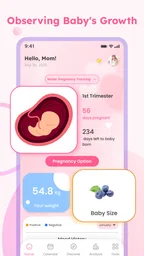
- Week-by-week updates make pregnancy milestones easy to follow.
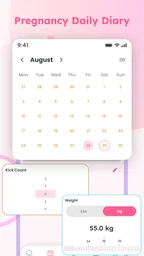
- A kick counter helps you keep track of your baby's movements.
- The contraction timer can help monitor labor patterns.
- Appointment reminders make it easier to stay organized.
- A journal gives you a place to save personal pregnancy notes.
What could be better
- Some features may require a paid upgrade.
- Pregnancy guidance is not a substitute for medical advice.
- The app may request sensitive health information.
- Notifications can become distracting if left enabled.
- Tracking details requires regular manual updates.





