
AVG AntiVirus & Security review
 Analysis by Appsdrops
Phone security is easiest to ignore when everything seems fine, which is why I prefer tools that make routine checks straightforward rather than turning them into a daily project. AVG AntiVirus & Security is a free Android tools app from AVG Mobile that brings several protective functions together. In my view, its appeal is less about one dramatic rescue and more about having a familiar place to check for threats, review alerts, and add a few practical safeguards.
A steady routine, not a security ritual
The first useful habit is to treat a scan as a check-in, not a substitute for careful downloading. I would run a check after installing an app from an unfamiliar source or when something on the phone starts behaving oddly, then use the result to decide whether to investigate further. That approach keeps the app in a supporting role: it can help flag concerns, but it cannot make every online choice safe.
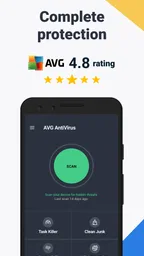
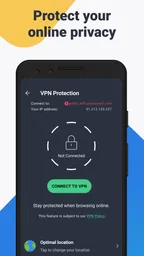
The app’s feature set spans scam and malware protection, virus cleaning, hack alerts, an app locker, and a photo vault. These tools address different everyday worries, so I would not assume that enabling one automatically covers the others. A scan is about checking the device; a lock or vault is about limiting access to selected content. Thinking of them as separate layers makes the app easier to use sensibly.
For a realistic example, imagine lending your phone to a relative to show them a photo album. I would first consider whether selected apps need an extra lock and whether private images belong in the photo vault, rather than relying on a malware scan to protect personal content. That small preparation is more useful than opening a security app only after a problem has already appeared.
AVG AntiVirus & Security is rated 4.6 on average, with around 7.8 million ratings and about 309,000 written reviews. It has passed 100 million installs, which makes it a widely used option, though popularity alone does not tell me whether its particular set of controls fits a person’s habits. I would choose it for its combination of security and privacy-oriented tools, not simply because many people have tried it.
Make the first setup deliberate
When setting up the app, I would take a moment to understand what each feature is meant to do before turning on everything available. In particular, distinguish protection against suspicious software from tools that control access to apps or photos. This is a simple but important boundary: a privacy feature can reduce casual access to information, while it is not the same thing as detecting malware.
I also recommend deciding what you want the app to help you notice. If your main concern is suspicious downloads, make checks part of the download routine. If you mainly want to protect sensitive content when someone borrows your phone, focus on the locker and vault workflow. A tool is easier to maintain when its purpose is concrete, rather than when every alert is treated as equally urgent.
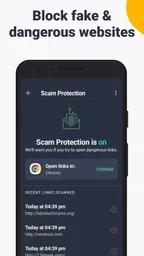
Scam warnings are most valuable when they prompt a pause. If an alert appears around a message, link, or offer, I would avoid tapping through automatically and instead verify the sender or reach the service through a route I already trust. No security app can replace that judgement. The practical benefit is having another signal to consider, not permission to disregard common sense.
Settings and habits worth reviewing
My first settings check would be whether the app’s protective functions are enabled in a way that matches how I use the phone. Android versions and device configurations can affect how apps behave, so I would follow the prompts shown on my own device and read them rather than approving them reflexively. The current version is 26.18.0.261002870, and it supports Android 10 or later.
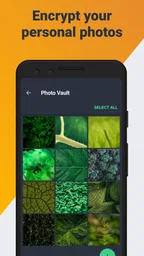
Next, I would decide what belongs in the photo vault before moving anything. Treat it as a place for selected private images, not as a general filing system. Keeping the selection intentional makes it easier to remember what is protected and reduces the chance of assuming that every image on the phone has been moved there.
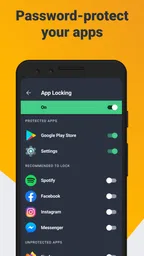
The app locker also works best when used selectively. Locking a few apps that expose personal conversations or account details is easier to live with than adding friction to every app you open. If a lock prompt interrupts a task you do dozens of times a day, reconsider whether that app truly needs the extra step. Security that people routinely bypass is not much of a safeguard.
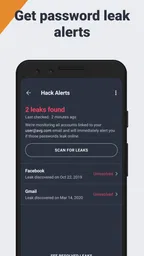
For hack alerts, I would use an alert as a reason to review the account or service involved, rather than assuming that the phone itself has been cleaned up. These are different concerns: a device scan and an account-security warning call for different responses. When an account may be at risk, checking its own security controls and changing credentials through the service’s normal app or trusted route is a more direct next step.
Faster patterns for regular use
Experienced users tend to rely on repeatable routines, not constant tapping. One practical pattern is to check the phone after a notable change, such as installing unfamiliar software, rather than launching scans simply because the day has passed. Another is to review a warning when it appears and decide whether it calls for action, instead of letting a stack of unresolved notices become background noise.
Shortcuts can help only if they lead to a task you actually perform. I would keep the most relevant security action easy to find, then leave less frequently used tools alone until needed. That prevents a crowded home screen or a pile of controls from becoming another maintenance job. It is also a useful way to avoid confusing a quick status check with a full response to a suspected account or privacy problem.
A good borrowing-phone routine is similarly simple: decide which apps should be locked, place only chosen images in the vault, and test the normal access flow before handing over the device. This is more reliable than trying to remember every protection in the moment. It also exposes any inconvenience early, when there is time to adjust the setup rather than getting stuck during an everyday task.
If the app reports a concern, I would note what it identifies and avoid deleting or changing things blindly. A security tool can point you toward a problem, but the right response depends on what was flagged and how you use that item. When a warning is unclear, checking the app’s explanation and the relevant Android or account settings is better than assuming that every alert means the same thing.
Where it helps—and where it can get in the way
One trade-off is that a broad security app can create more prompts and decisions than someone wants. People who already use Android’s built-in protections carefully, install apps only through trusted channels, and do not need an app locker or photo vault may find a separate suite unnecessary. In that case, a lighter approach built around the phone’s existing security settings may be easier to maintain.
There is also a difference between having a feature and needing it. A photo vault is useful only if you want a separate protected place for selected images and are comfortable managing that collection. An app locker adds a deliberate extra step. If you value the fastest possible access to every app, that friction may outweigh the benefit for most of your phone.
AVG AntiVirus & Security is free to download, but it includes in-app purchases ranging from $0.99 to $119.99 per item. I would check the price and terms shown in the app before choosing any paid option, and avoid treating payment as automatically necessary for every user. The right decision depends on which features you actually use and whether the available free experience already meets your needs.
Compared with relying only on a basic malware scanner, AVG’s distinctive practical angle is the combination of threat-related tools with an app locker and photo vault. Compared with a collection of separate privacy and security apps, a single suite can be simpler to check, but it also means accepting one app’s layout and prompts for several different jobs. I would favour separate specialist tools only if I had a specific need the suite did not handle comfortably.
Who should install it, and who should pass
I would recommend giving it a look if you want a central place for security checks and also value safeguards for selected apps or photos. It is especially suited to someone who is willing to build a small routine: understand an alert, check after unfamiliar installs, and keep privacy tools limited to content that genuinely needs them. Its age rating is Everyone.
I would skip it if you expect an antivirus app to prevent every scam, secure every account automatically, or remove the need to think before tapping. I would also hesitate if extra locks and notifications would annoy you into disabling them. For a person who wants only basic device hygiene and does not need the privacy features, Android’s own settings and cautious installation habits may be enough.
My overall view is that AVG AntiVirus & Security is most convincing when used as a modest set of layers rather than a promise of total protection. Start with the concern that matters most, set up only the relevant tools, and build a repeatable check around real events on your phone. If that approach matches your needs, the app offers a practical mix of security and privacy controls; if you prefer a minimal phone with few extra prompts, a simpler setup is likely the better fit.
What we like
- The free version includes a Wi-Fi security scanner.
- A photo vault adds a layer of privacy for selected images.
- The app can help locate a lost phone remotely.
- A junk cleaner can free up storage space.
- The interface makes security tools easy to find.
What could be better
- Some features require a paid subscription.
- Frequent upgrade prompts may interrupt use.
- Battery and performance checks can feel unnecessary.
- The app may use extra resources while protection is active.
- Remote features require setup and account access.





